Skip to content
IdeaScore

What's New

Every IdeaScore release since the first live call in June 2025, with pictures and clips from the product.

Current releasev4.22

A Sharper Sign-in, a Clearer IdeaScore AI and Privacy Built Deeper In

Signing in, choosing an IdeaScore AI model and assigning reviews now take fewer steps, and blind review and personal data protection now go further across every kind of programme.
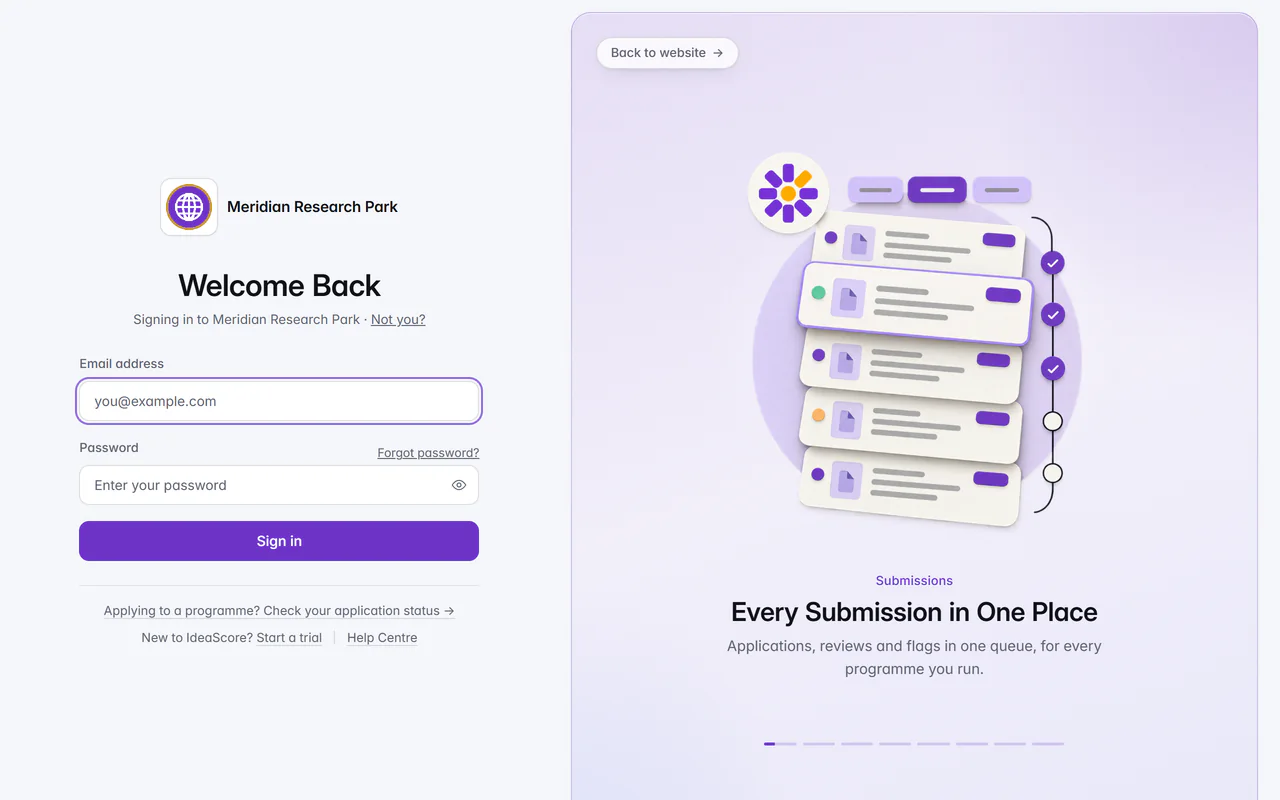
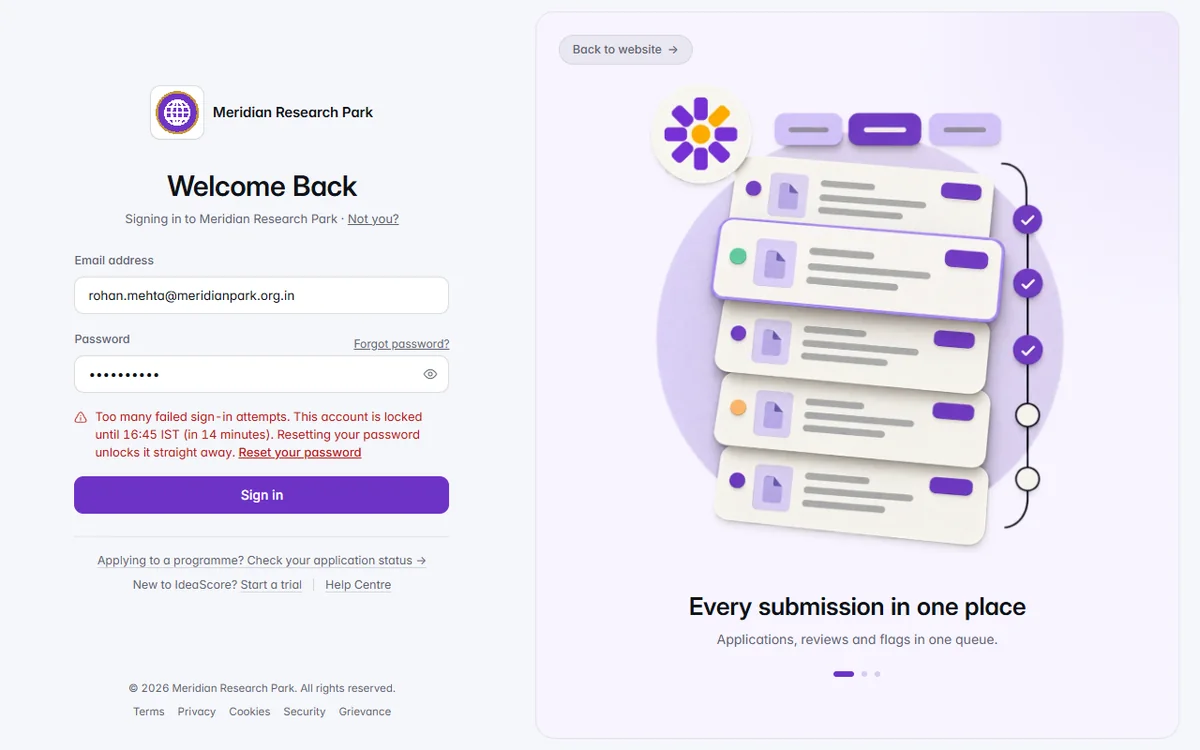
The Meridian Research Park sign-in page: Welcome Back with email and password on the left, and on the right the first of eight slides, Every Submission in One Place, with its illustration, one line about applications, reviews and flags in one queue, and a progress bar of eight steps below.

365 changes in 26 releases, newest first

  1. v4.2212 changes

    A Sharper Sign-in, a Clearer IdeaScore AI and Privacy Built Deeper In

    Sign in and get around

    • A welcoming sign-in

      On a large screen the sign-in page shows IdeaScore in eight short slides; on a phone it is clean and focused. Organisations with white-label branding show their own sign-in headline and description.

    • Guided tours for every kind of programme

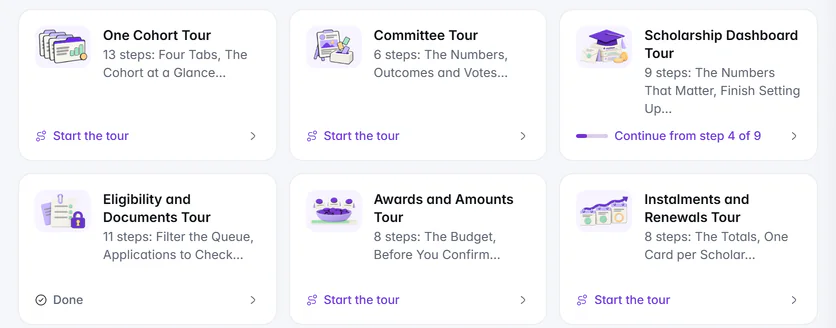
      Scholarship dashboards, CSR pages and the conference set-up guide now have their own walkthroughs. Help Centre walkthrough cards are all the same size and show where you stopped.

    IdeaScore AI

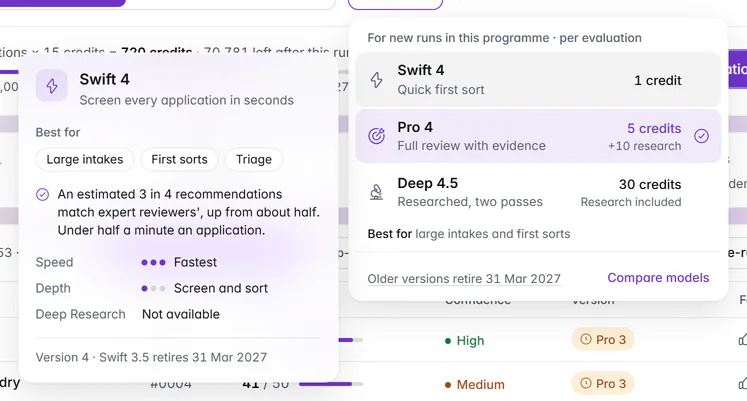
    • A simpler model picker

      Each model shows its name, four words, its price and what it is best for. On a large screen, point at a model to see its details.

    • Usage and credits at a glance

      Credits, usage over time and cost per action come first, and the rest sits under Where your credits went. You can take the tour from the workspace help.

    • Comfortable on phones

      Every IdeaScore AI pane fits a phone screen neatly.

    Assignments and reviews

    • Plans ready straight away

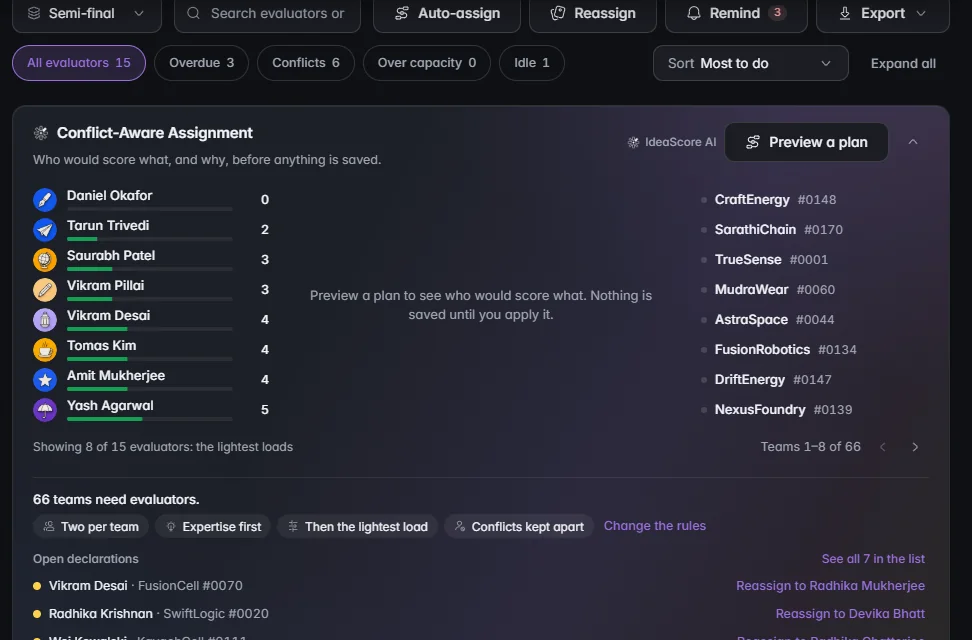
      Conflict-aware assignment shows its plan as soon as you open it.

    • Blind review that holds

      In scholarships, fellowships and awards, reviewers in a blind round see case numbers. Written answers reach them with names removed, and an entry stays blind for the reviewers who judged it blind.

    • Masked decks you can trust

      A page in a script IdeaScore can't check for names is held back from blind reviewers.

    Privacy and trust

    • A fuller Trust Centre

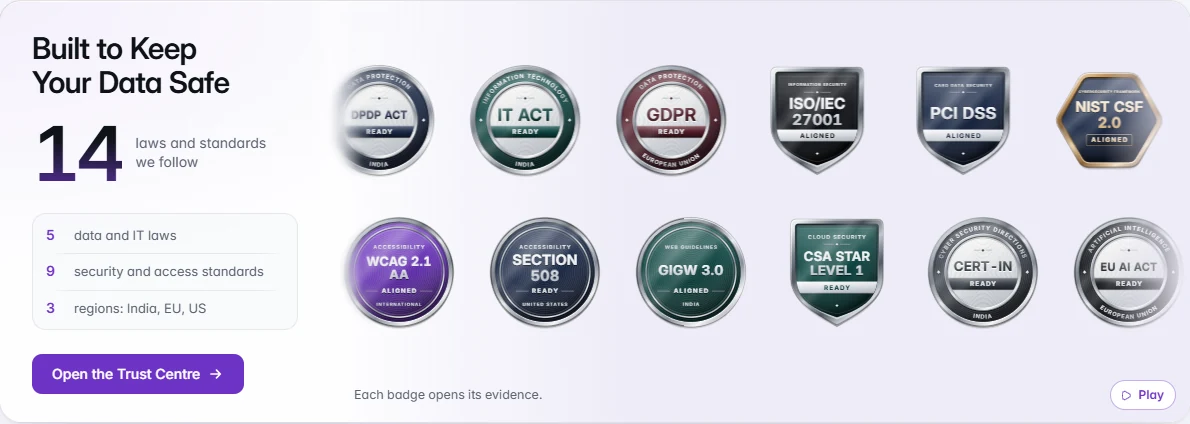
      An accessibility statement, a published software bill of materials (SBOM), and CSA STAR Level 1, self-assessed.

    • Erasure that goes further

      Deleting an applicant's data also clears their date of birth and other personal details, recent lists and any pending notifications about them.

    • Support access you can see

      When IdeaScore support views your organisation, every document it opens is recorded in your audit log.

    Reports

    • One look for every PDF

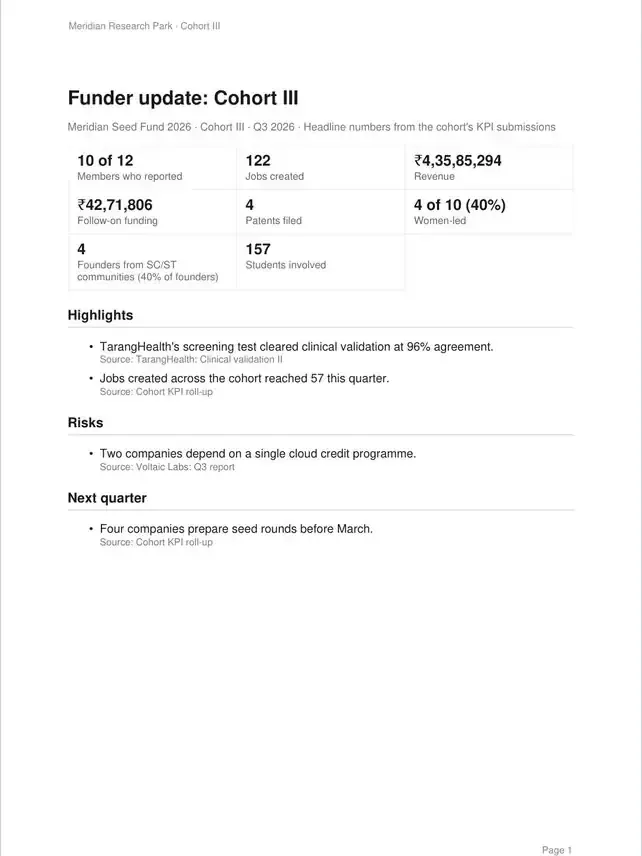
      Downloaded PDFs share the same clear, rich style.

  2. v4.2112 changes

    Conferences, Scholarships and CSR, Each with Its Own Home

    Three more kinds of programme now have workflows built for them: conferences, scholarships and awards, and CSR funding. Each speaks its own language, and personal details stay with the people who need them.
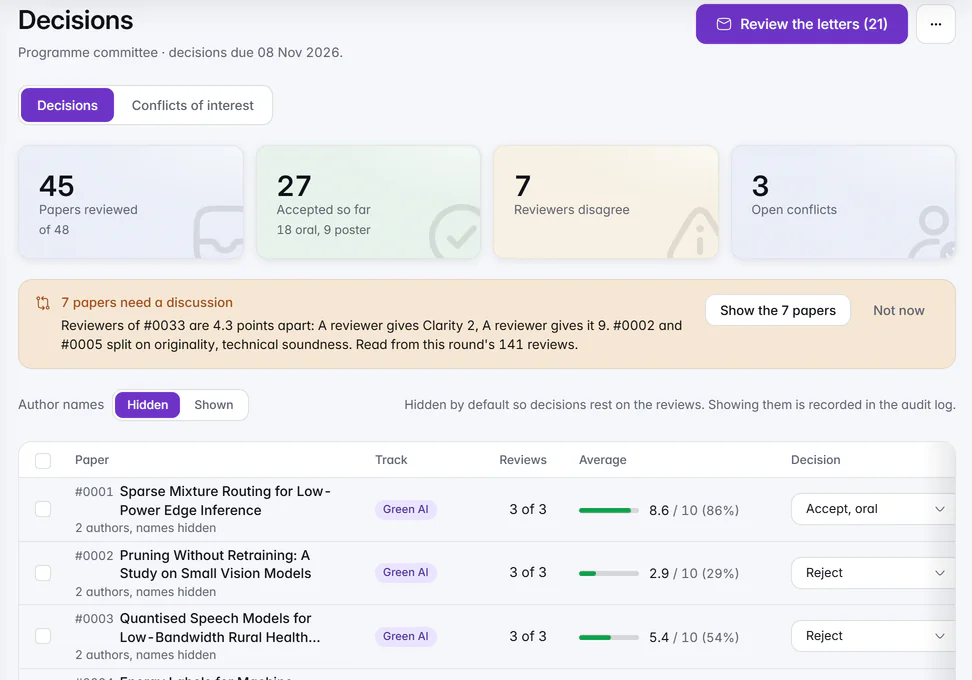
    The Decisions page of Meridian Symposium on Sustainable Computing 2027: 45 of 48 papers reviewed, 27 accepted so far, 7 where reviewers disagree and 3 open conflicts, a note that 7 papers need a discussion, Author names set to Hidden, and papers #0001 to #0003 with their track, 3 of 3 reviews, average score and a decision such as Accept, oral or Reject.

    Conferences

    Decisions for the chair

    See every paper's reviews and average in one place, find the papers where reviewers disagree, and record each decision with author names hidden.

    1 of 9

    Everything in this release12

    Conferences

    • Papers, reviews and decisions

      Authors submit with an anonymity check, reviewers score double-blind and declare conflicts of interest, and chairs record decisions and send letters.

    • Schedule and speakers

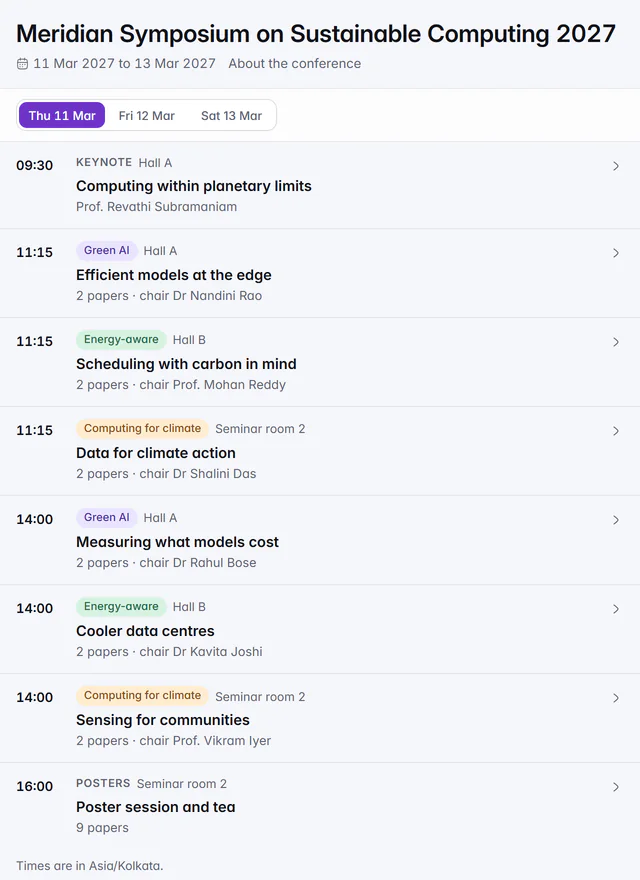
      Build the programme schedule, manage speakers and publish a public programme page.

    Scholarships, awards and grants

    • From eligibility to instalments

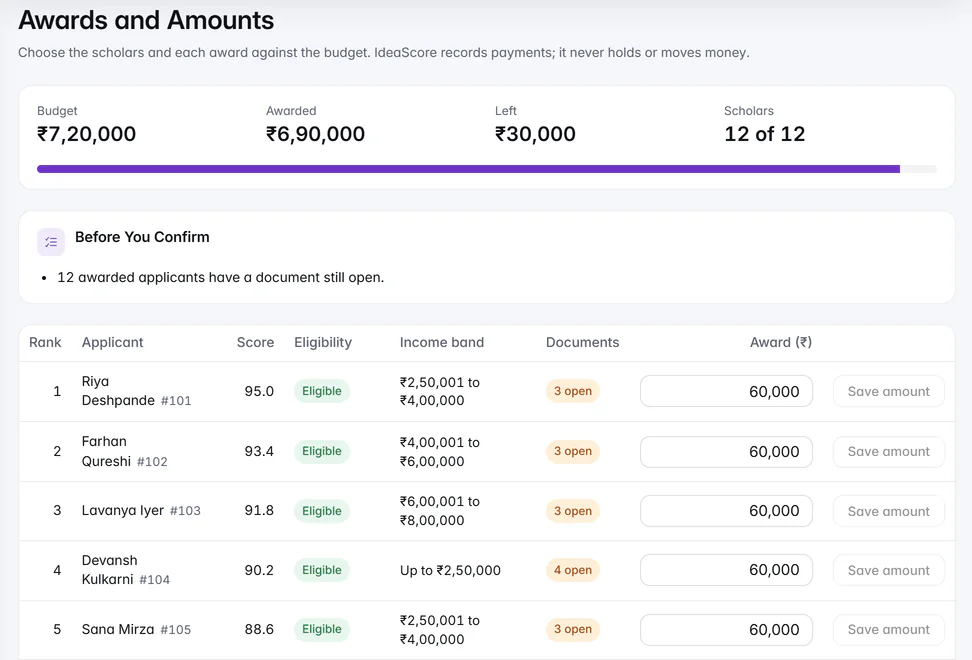
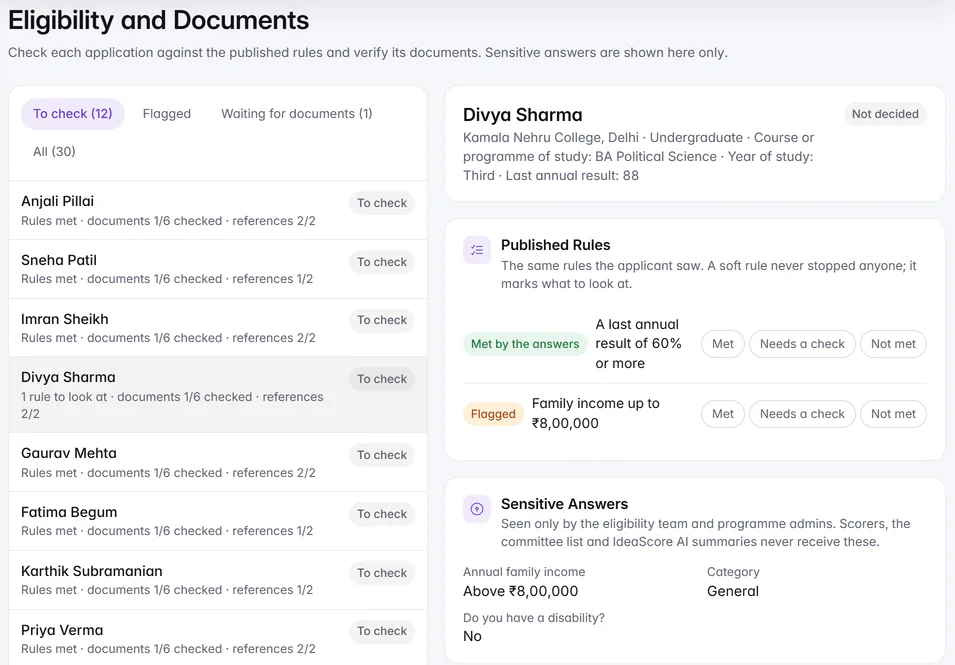
      Eligibility checks, documents and referees, verification, blind scoring, a shortlist with amounts, then instalments and renewals.

    • Sensitive answers stay protected

      Mark a question as sensitive and only people who verify eligibility see the answers, with a retention period you set.

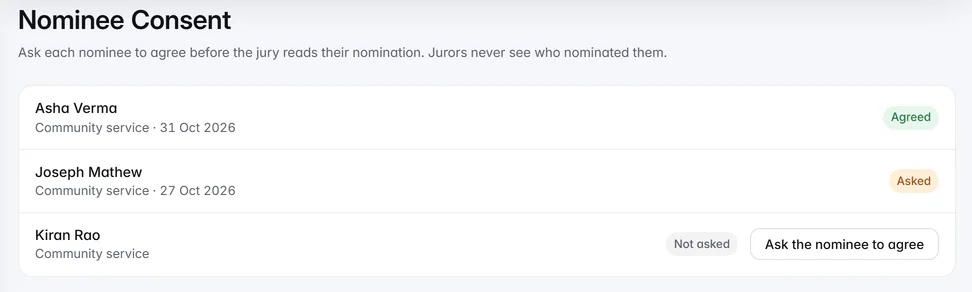
    • Nominations

      Juries see the nominee, never the person who nominated them.

    CSR funding

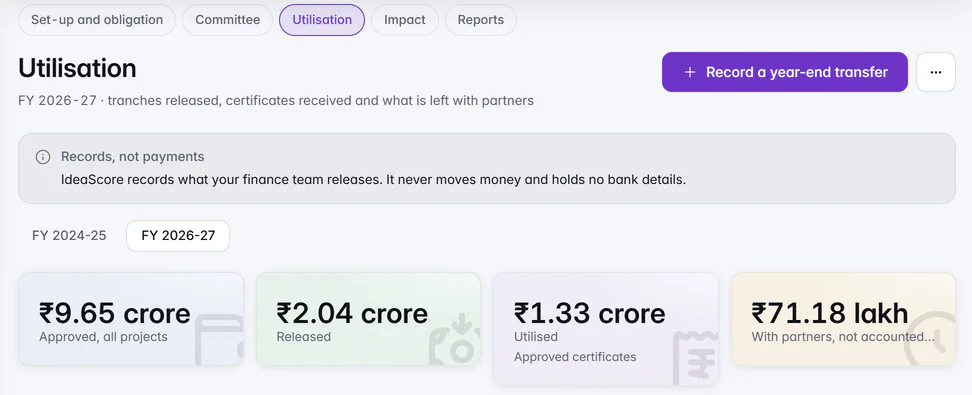
    • Partners, committee and utilisation

      Partner proposals with Schedule VII areas, a fit card and due diligence, a committee board, utilisation by financial year with a year-end lock, and impact and partner reports.

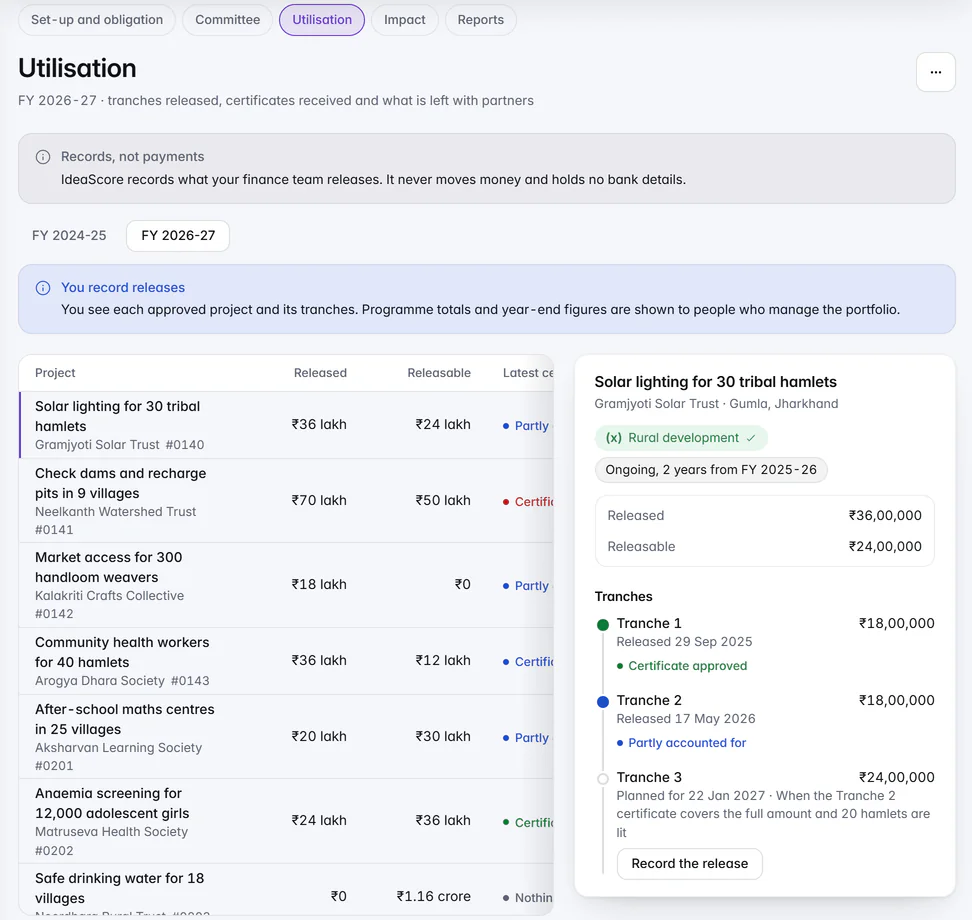
    • A view for your finance team

      Finance members record releases and see each project's released and releasable amounts, without programme totals.

    Around the app

    • Every programme type in its own words

      Tables, filters, comparisons and scoring pages use your programme's own terms, such as Track, Level of study, Award category or Language of argument.

    • Moot court blind rounds

      Teams appear by case number in blind rounds.

    • Deleted programmes don't count towards your plan

      Programmes in Deleted items no longer use up a place on your plan.

    Privacy

    • Blind review hides more

      Affiliation, institution, author and ORCID answers stay hidden from blind reviewers on every programme type.

    • IdeaScore AI sees less personal data

      Roll numbers, student and employee IDs and similar personal identifiers are left out of what IdeaScore AI reads.

  3. v4.2014 changes

    Guided Tours, a Helpful Guide, Safer Decks

    This release makes the first hour easier. Every main page has a guided tour, a new programme is set up in one place, IdeaScore AI Guide can make a change for you once you approve it, and evaluators see decks without names or contact details.
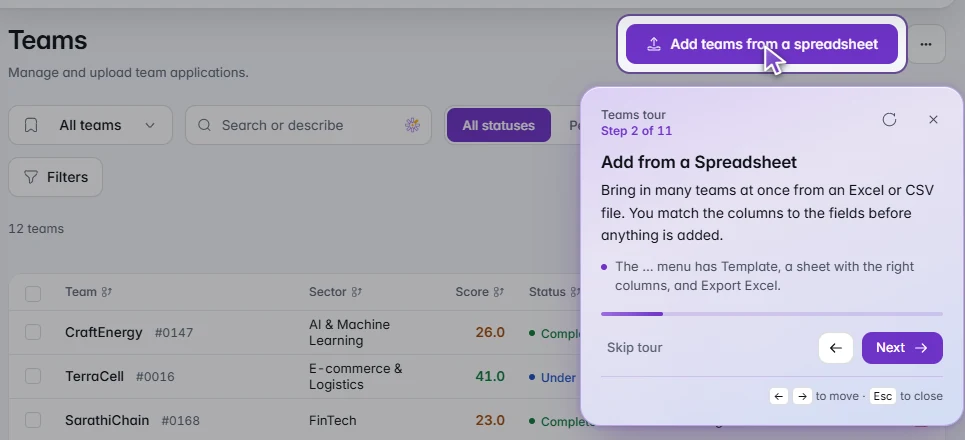
    The Teams tour at step 2 of 11 on Climate Venture Challenge 2027: a highlighted Add teams from a spreadsheet button, a card explaining how to bring in many teams from an Excel or CSV file, and Back and Next arrow buttons.

    Guided tours

    A tour on every main page

    Every main page now has a short guided tour, with arrow buttons to move through it. Open it from the page's three-dot menu.

    1 of 8

    Everything in this release14

    Guided tours

    • A tour on every main page

      Tours have a new look, with arrow buttons to move through them. Eight more pages now have one: Teams, Portfolio, Cohorts and each cohort, Mentors, Committee, Interviews and Settings, along with the organisation Dashboard. Open any tour from the page's three-dot menu.

    • Explore safely on an empty programme

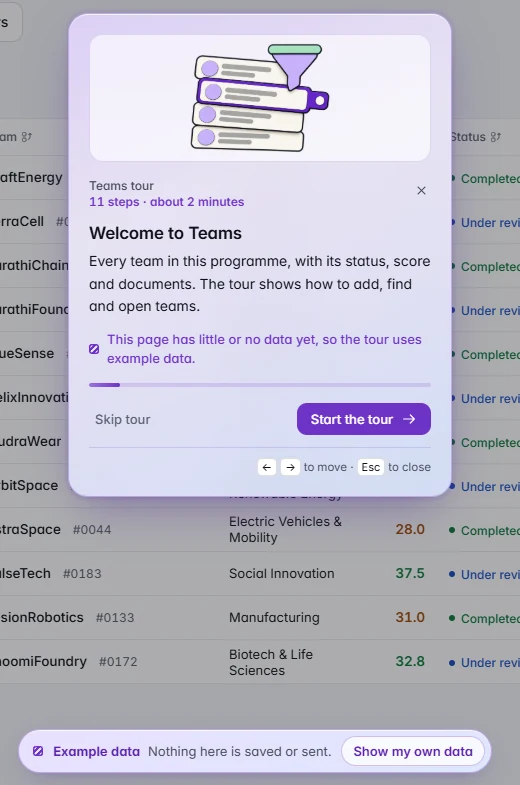
      When a programme has little data, tours show clearly labelled example data you can explore without touching your own. Choose Show my own data at any time. If you click something for real, the tour pauses with Resume, End and Try it yourself.

    Setting up a programme

    • Create a Programme, all in one place

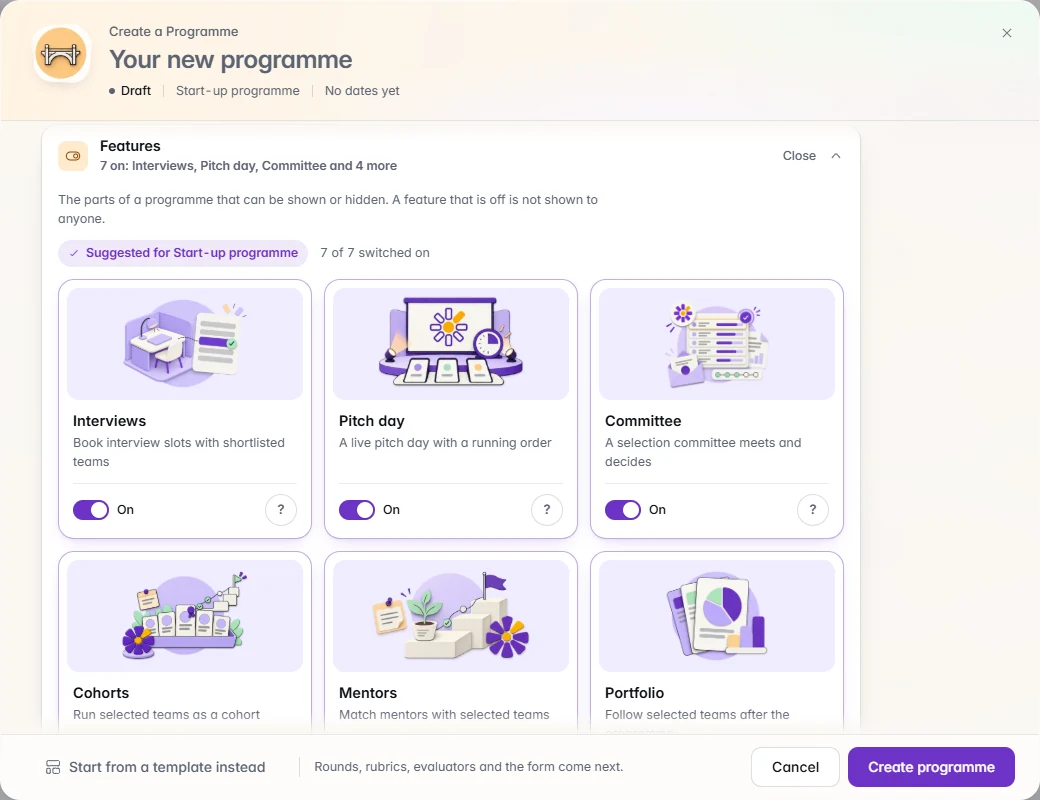
      Every setting is available up front. Features appear as designed cards with the suggested ones first and a question-mark helper on each, and templates are filtered to the programme type you chose.

    IdeaScore AI

    • Set-up for all 15 programme types

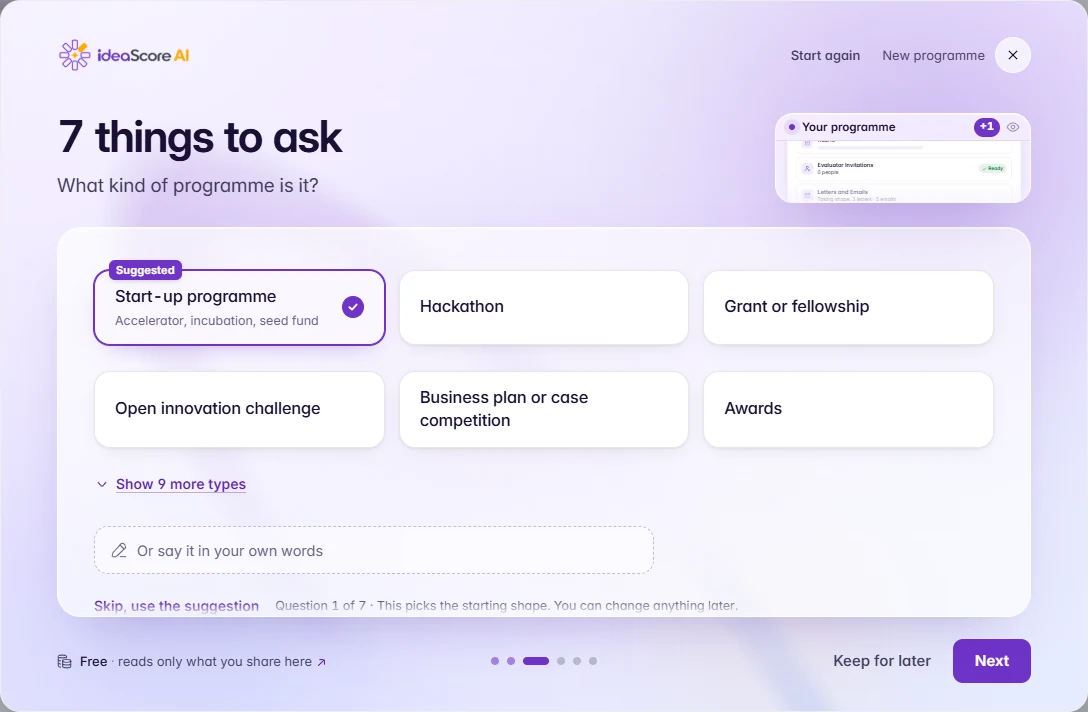
      IdeaScore AI set-up now offers all 15 programme types, so the suggested set-up fits the kind of programme you run.

    • IdeaScore AI Guide can make a change for you

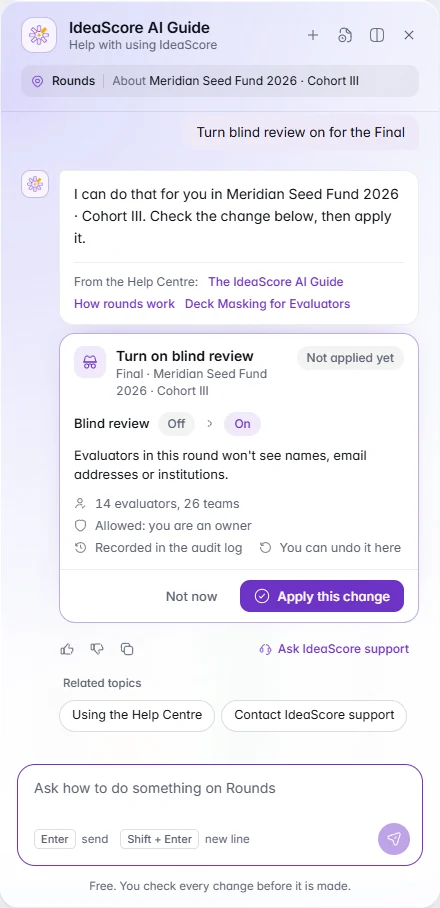
      The Guide now knows your programme by name. Ask it to turn blind review on or off for a round, check the preview, and press Apply. Undo is there if you change your mind, and each change is recorded in the audit trail. Only people who could make the change themselves can apply it.

    • Calmer chat answers

      Source numbers are smaller, the toolbar under each answer is cleaner, and you can rename a chat in place. Deep Research answers list only the pages they actually cite.

    Evaluators

    • Deck masking for evaluators

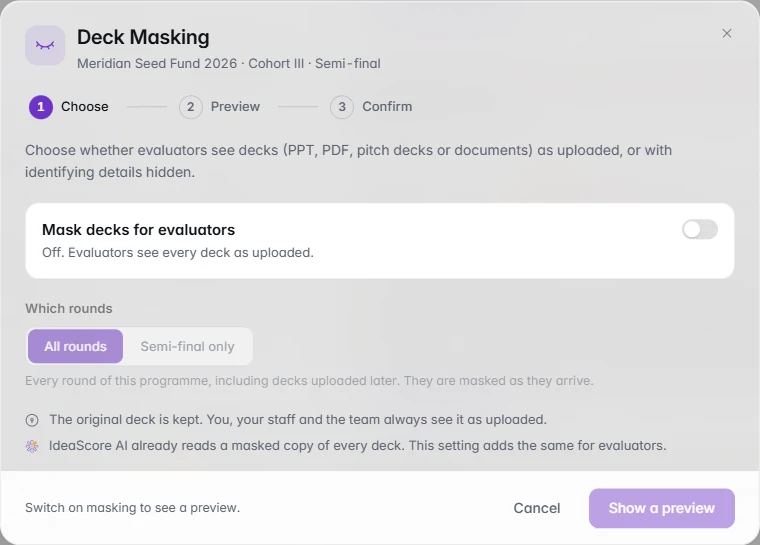
      Decks, whether PPT, PDF, pitch decks or documents, can be shown to evaluators with names, contact details and team photos removed. Staff and teams keep the original.

    Around the app

    • Announcements in the bell

      Announcements now appear in your notifications, with a gentle nudge when one is still unread.

    • A faster programme overview

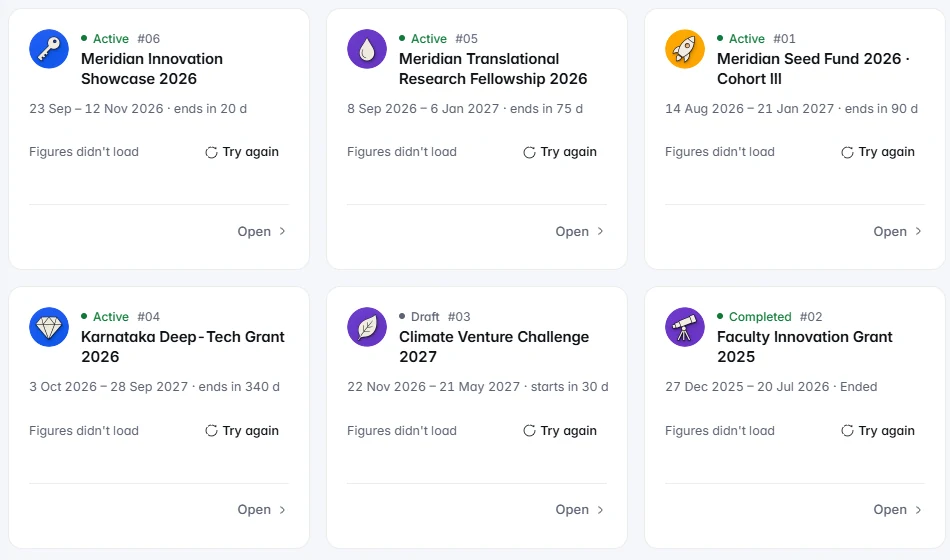
      The figures on the overview load together, and any card that does not load has its own Try again button.

    • Errors you can report easily

      Error messages carry a reference you can copy and send to support.

    • Install the app

      Staff can install IdeaScore on a desktop or phone and open it like any other app.

    • Sign in and return to your page

      After you sign in, you return to the page you came from. What's new also has a media viewer for its pictures and videos.

    Help, trust and developers

    • A fuller Help Centre

      Help now has walkthrough cards, a trust section listing the standards we follow, the Legal, Trust and Privacy centre, and a Status page with Report a problem and Contact support.

    • API v1.5 public beta

      The public API v1.5 is in beta, with a version history so you can see what changed. More connector apps are also available to ask for.

  4. v4.198 changes

    Calmer Screens, Safer Data, a Panel in Minutes

    This release is about confidence. Deleted items wait 30 days so nothing is lost by accident, IdeaScore AI suggests evaluators for a whole round, every card has a fresh look, and the names of the people in your programme are never sent to IdeaScore AI.
    IdeaScore AI

    Suggest evaluators

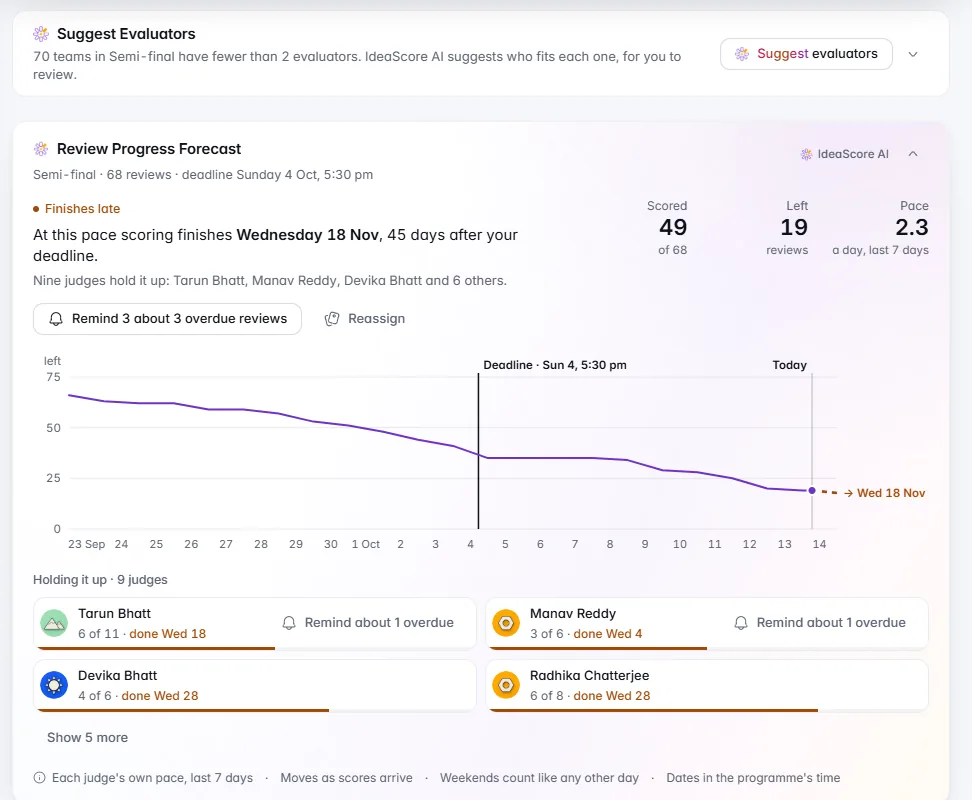
    Choose the teams, and IdeaScore AI proposes evaluators for each one, with the reason. Review, swap or skip, then save.

    1 of 9

    Everything in this release8

    IdeaScore AI

    • Suggest evaluators for a whole round

      IdeaScore AI proposes evaluators for every team in a round, with the reason for each match. Accept, swap or skip suggestions one by one, save when you are happy, and a single Undo puts everything back.

    • Names stay with you

      The names and contact details of the people in your programme are never sent to IdeaScore AI. They are swapped for labels first, and come back only for the people allowed to see them.
    Public pages

    • The Public Pages card

      See how your public pages are doing at a glance: visits over the last 30 days, where people come from, and a share kit with a link to copy and a QR code to download.

    Around the app

    • A fresh look for every card

      Insight cards now stand clearly apart from the page in light and dark, and the ones IdeaScore AI works on carry a small label so you always know.

    • A quick tour of search

      Press Ctrl K, or Cmd K, and a one-minute tour on sample data shows what search can do. It plays once, and you can replay it any time.

    • Calmer live screens

      Live meetings, certificate issuing, exports and announcements update quietly in the background, and keep the last good view on screen if your connection wobbles.

    Your data and sign-in

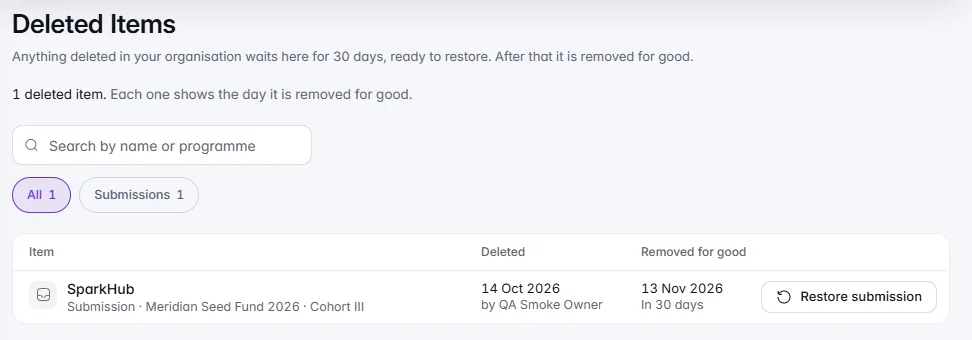
    • Deleted items, restorable for 30 days

      Deleted programmes, people, submissions and files wait in Deleted items for 30 days, and an owner can restore any of them in that time.

    • Sign-in that guards your account

      Repeated wrong passwords now pause sign-in to that account for a while, and a password reset brings you straight back in.

  5. v4.1833 changes

    IdeaScore AI Beside Every Decision

    IdeaScore AI now helps in the moment, from a score you are writing to a week you want to summarise. New cards answer the questions you are asked, every PDF shares one beautiful design, certificates have a design window of their own, and the first week is warmer for everyone, applicants included.
    IdeaScore AI helpers and chat

    Design certificates with IdeaScore AI

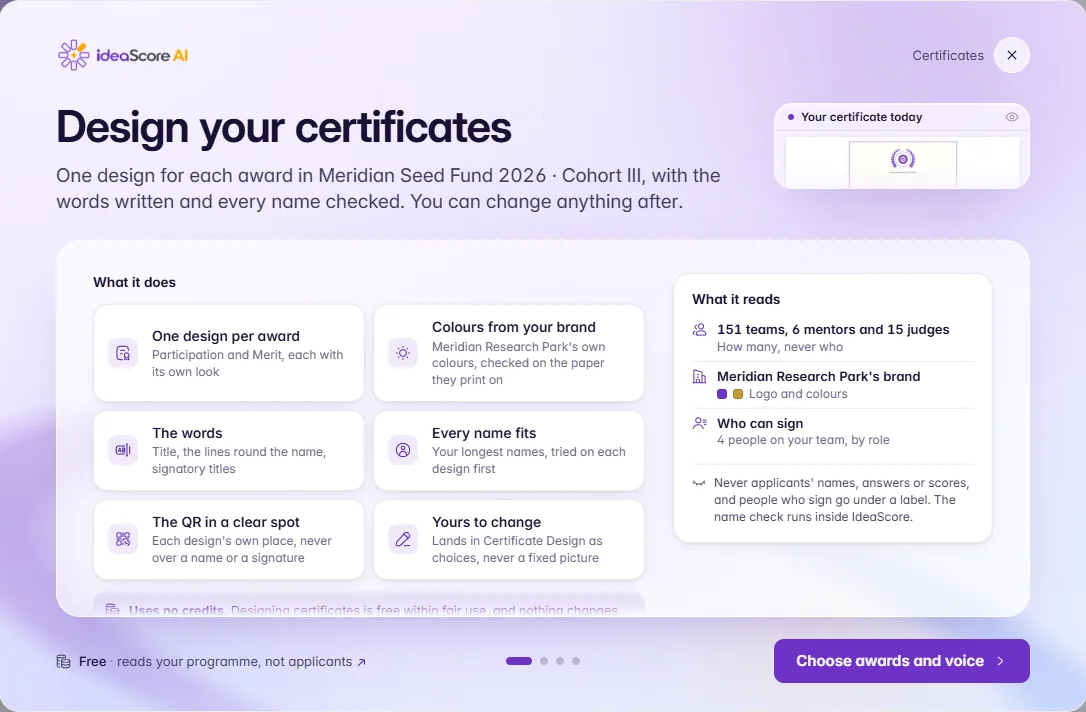
    One of the new helpers at work: pick the awards and the voice, and IdeaScore AI designs a certificate for each, tried on your longest names.

    1 of 14

    Everything in this release33

    IdeaScore AI helpers and chat

    • Eleven helpers for the moment you need them

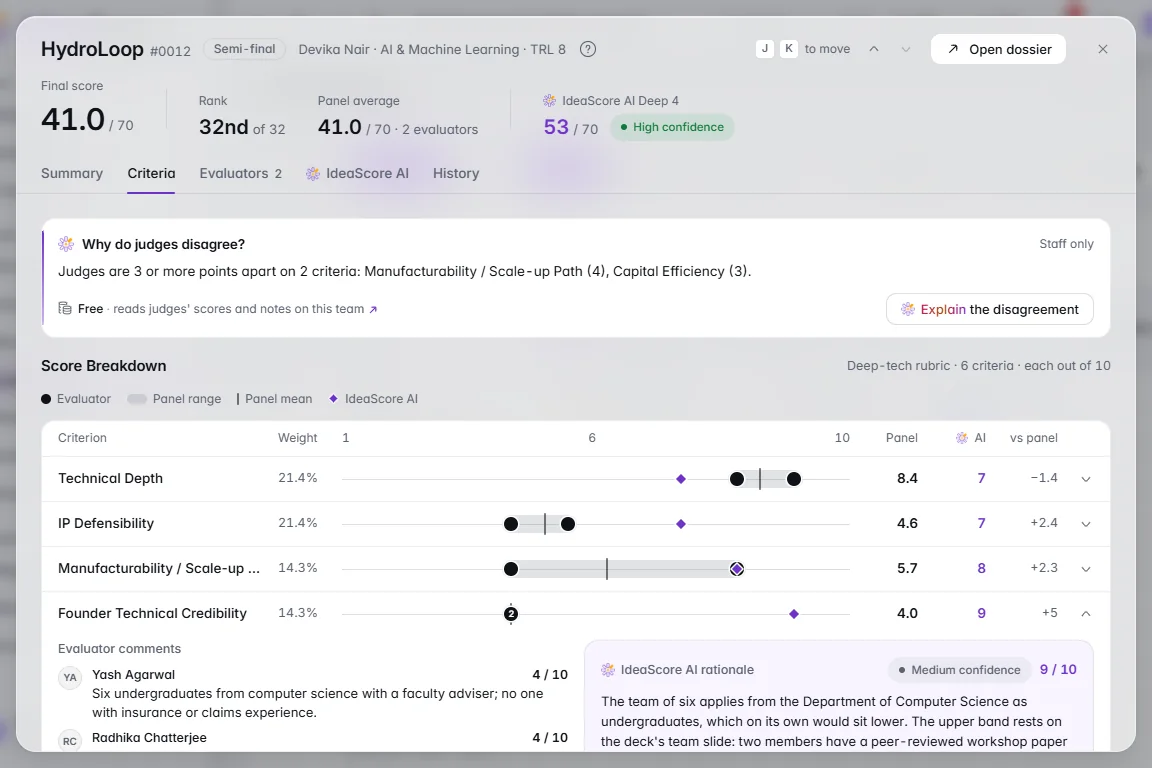
      Turn my notes into feedback, Describe who you're looking for, Draft the rationale, Draft a funder update, Notes to action items, Why do judges disagree?, What are we missing?, Draft team intros, Suggest judges for this team, Summarise my week and Build a chart with IdeaScore AI. Each one drafts or suggests while you decide: nothing is saved, sent, assigned or applied until you confirm, and no helper ever changes a score or decides an outcome.

    • It tells you what it reads, every time

      Each helper says in plain words what it reads, for example "Free · reads your form's questions, not applicants' answers". Open the link for a short How this works note. Suggestions and examples are built from your own programme, and applicants' contact details are never sent.

    • Rate and retry any result

      Every helper result has Try again and a thumbs up or down, together in the window header. Tell us when an answer missed, or ask for another go.

    • A calmer Chat, with Deep Research

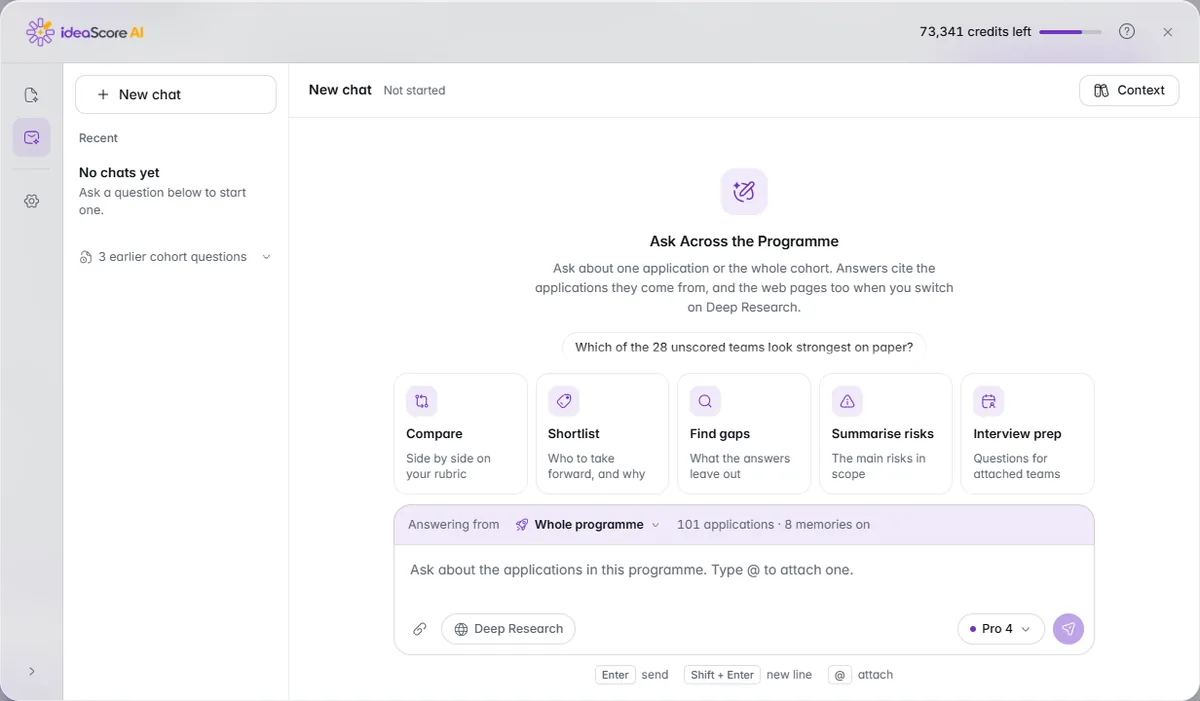
      Each answer ends with one quiet row to copy, try again, rate or see more. The message box is longer, with its tools below it, and one Attach button adds an application from your programme or a file from your computer. Deep Research also searches the web as well as your programme, lists the pages it used, and shows its cost before you send.

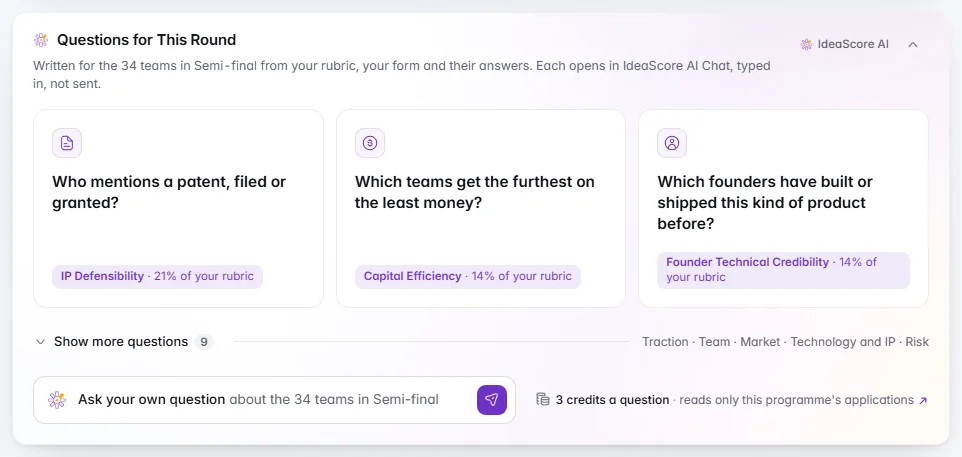
    • Questions for This Round

      On Submissions, a calm line suggests the best question to ask about the whole round, with more under Show more and an Ask your own box. A question opens IdeaScore AI Chat with it typed in, ready for you to send.

    • IdeaScore AI from search

      Press Ctrl K, or Cmd K, and a Do with IdeaScore AI group offers suggestions built from your programme. Type Chat about and a team to open a new chat with that team attached. Nothing runs until you choose.

    New insight cards

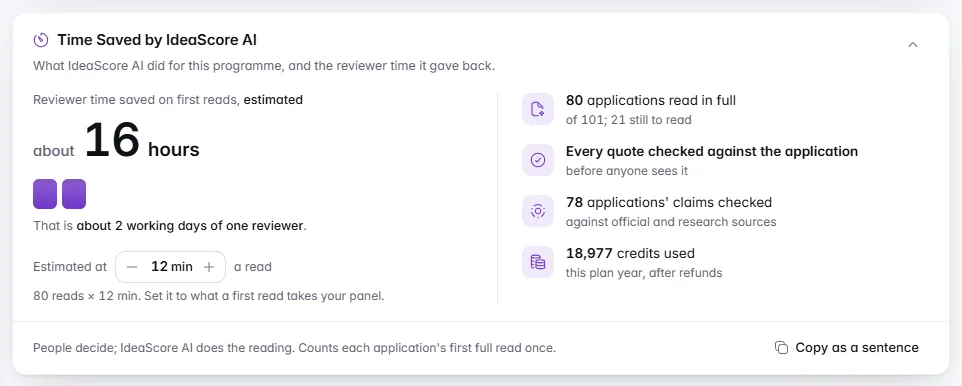
    • Time saved by IdeaScore AI

      Under Usage and Credits, see the applications read, the reviewer hours given back, and the quotes and claims checked. The minutes per read are yours to adjust, and a sentence is ready to copy.

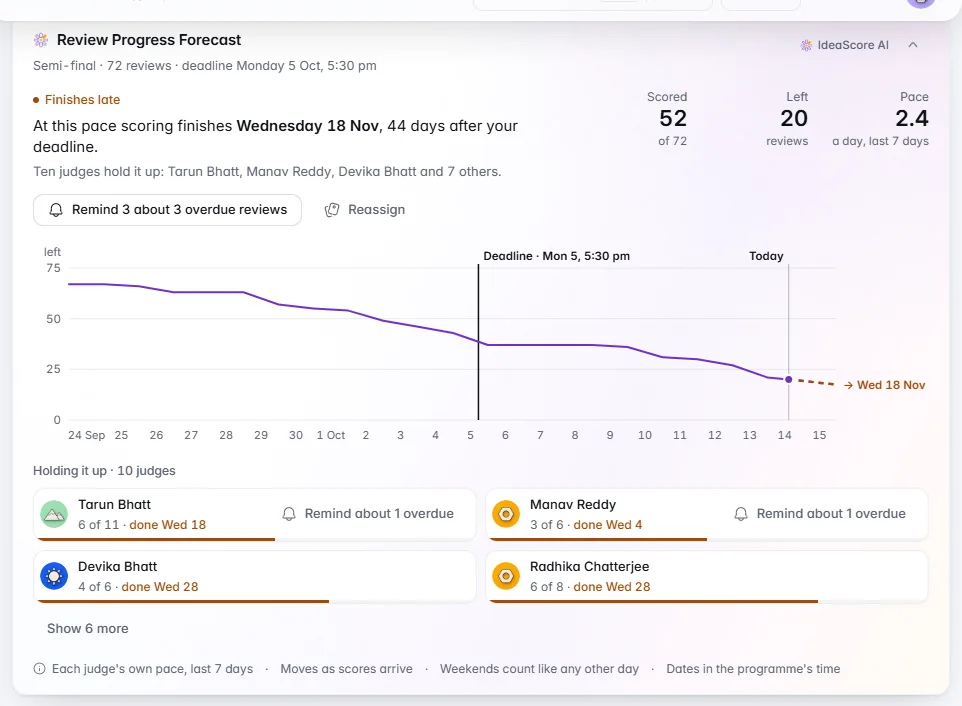
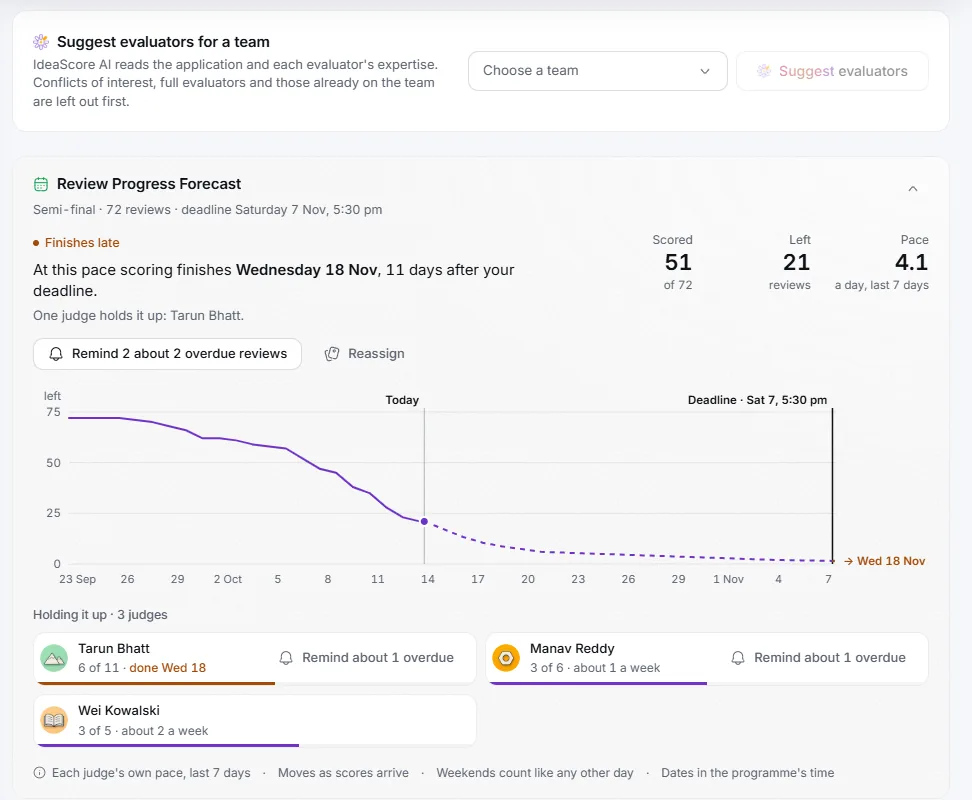
    • Review forecast

      On Assignments, see whether scoring will finish before the panel meets, from each judge's own pace, with who is holding it up. Remind or reassign from the card.

    • Reminder effect

      Compare reviews scored soon after a first reminder with those never reminded, and see the best time to send once there is enough to say.

    • Decision trail

      On Decisions, see who decided what, when and on what basis, with the scores at that moment, the note and the letters. Download a CSV for a round or a PDF for one team.

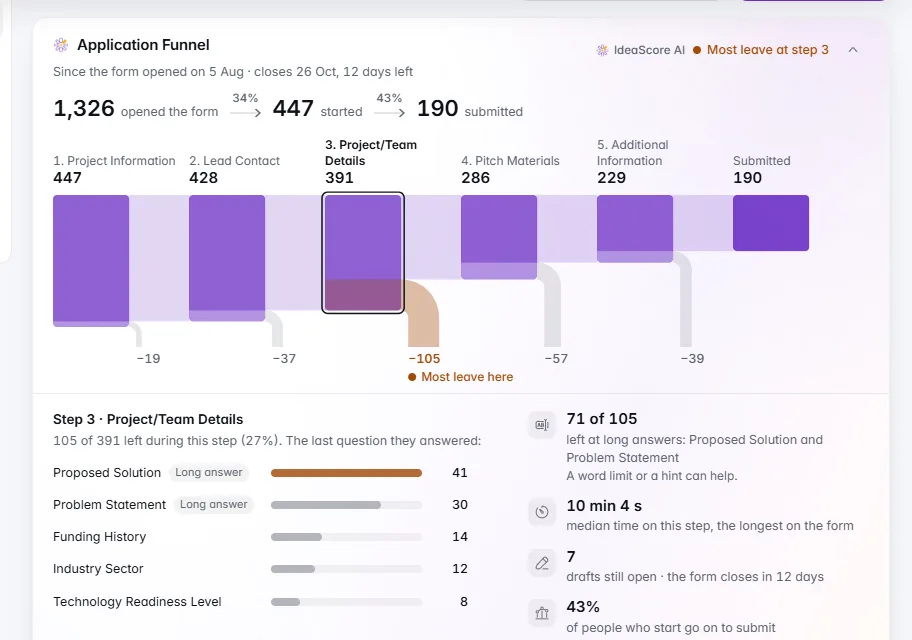
    • Application funnel

      On the Registration form, see how many applicants opened, started and submitted, which step most people leave, and a link straight to edit it.

    • Every applicant heard back

      On Decisions, every applicant shows as delivered, bounced or waiting, with a plain reason and a likely fix for each bounce. Resend to a corrected address in one step.

    • Cohort health

      On a cohort, see the month on one timeline and the three companies to look at first.

    • Data and privacy

      In Settings under Security, see your retention rule, the next clean-up, legal holds, how quickly data requests were answered and where data is stored, with a summary to copy for your legal team.

    • Public vote reach

      See how far a public vote travelled: people and votes, when they voted across the day, and which colleges or organisations took part once ten or more voters share one. Copy the summary for sponsors.

    • Cleaner originality and security cards

      The Originality check is now compact rows and a dot chart, and Security posture reads as clear status tiles.

    Arranging and pinning cards

    • Arrange cards your way

      Pin, hide and reorder the cards on six pages, just for you. A small pin marks pinned titles, and hidden cards come back any time with Show them.

    • Add cards from other pages

      Bring any card onto a programme dashboard, grouped by page, with search and a phone-friendly list.

    PDFs, reports and certificates

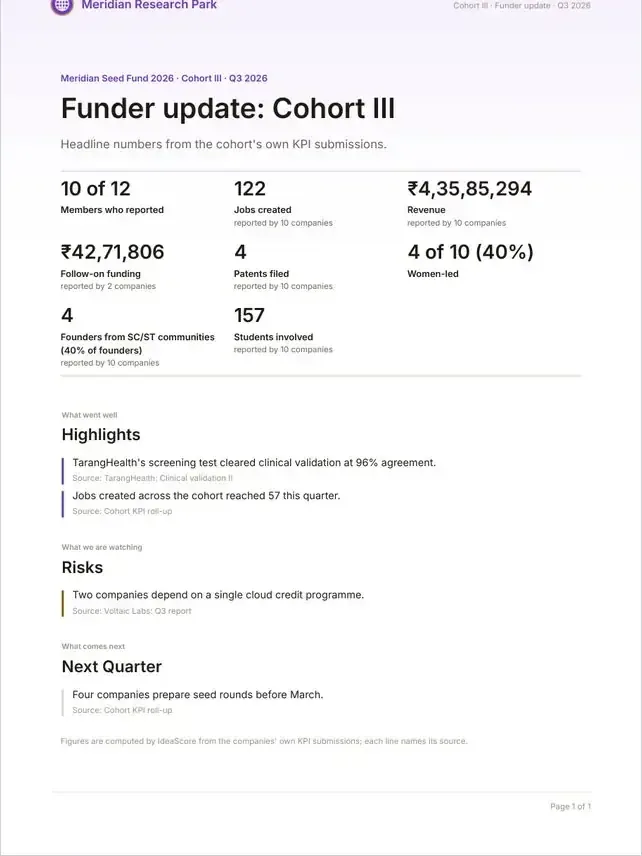
    • Sponsor and funder report

      Choose the sections you want, download an A4 PDF in your organisation's colours, and share a read-only page by link. You can stop sharing at any time.

    • Every PDF on one design

      The funder update, decision record, honorarium statement, impact report, committee pack, summaries, application copy, invoices and poster now share one calm A4 design, with Indian number grouping and times in plain words. Text copies and pastes cleanly.

    • Certificates you design

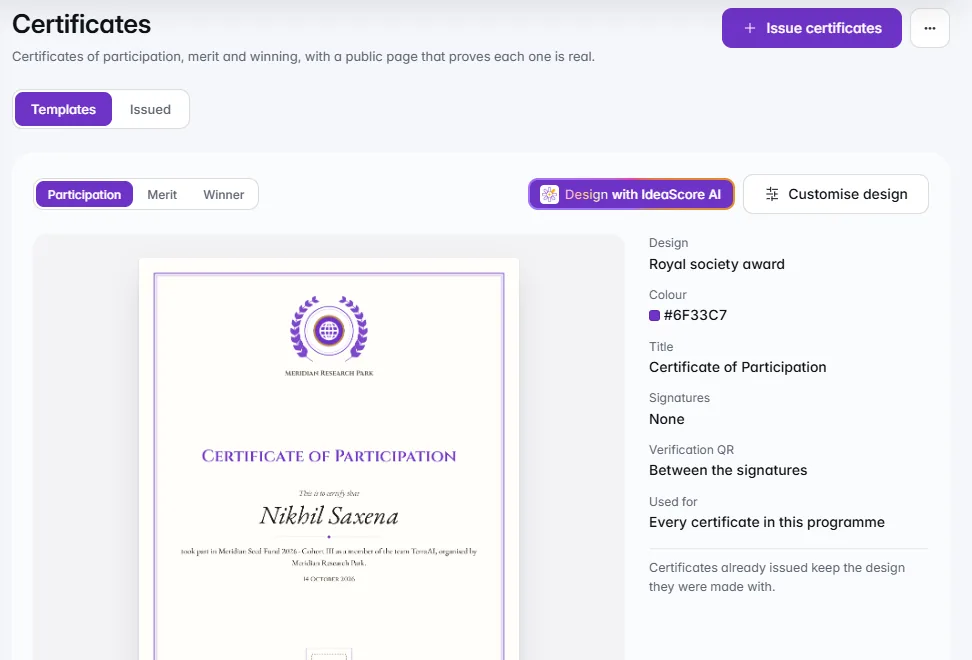
      Choose from ten templates, add your logo, a partner logo and your colour, edit the words and signatures, pick portrait or landscape and see a live preview of the real certificate. Each certificate carries a QR code and ID so anyone can verify it, and the verify page shows the certificate itself.

    A warmer start

    • Set-up guides on every page

      Pages that start empty now open with a friendly guide of next steps. Once some steps are done, it folds to one quiet line that opens with a click.

    • A first week with IdeaScore

      Five steps lead to IdeaScore AI's first read of an application, with progress in words and an honest "Done in N min" as each step finishes.

    • Moments worth marking

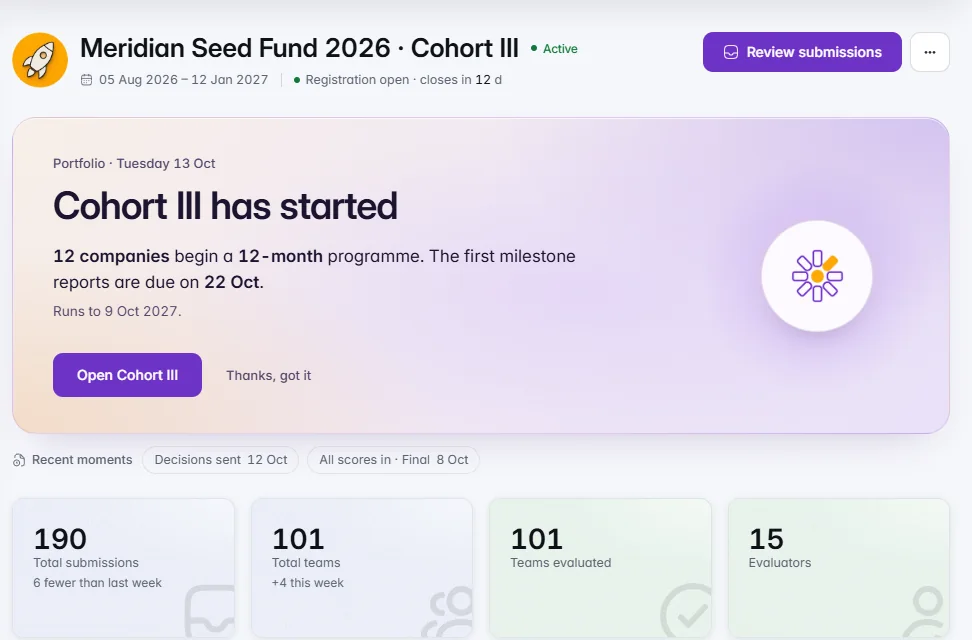
      A warm card marks your first application, registration closing, all scores in, decisions sent and a cohort starting. Each appears once for each person.

    • The Monday brief

      An email for each programme, at 8:00 on Monday in your organisation's time, with what needs attention this week and optional IdeaScore AI lines. Opt in or out in Settings under Notifications, with one-click unsubscribe.

    • Tips and shortcuts

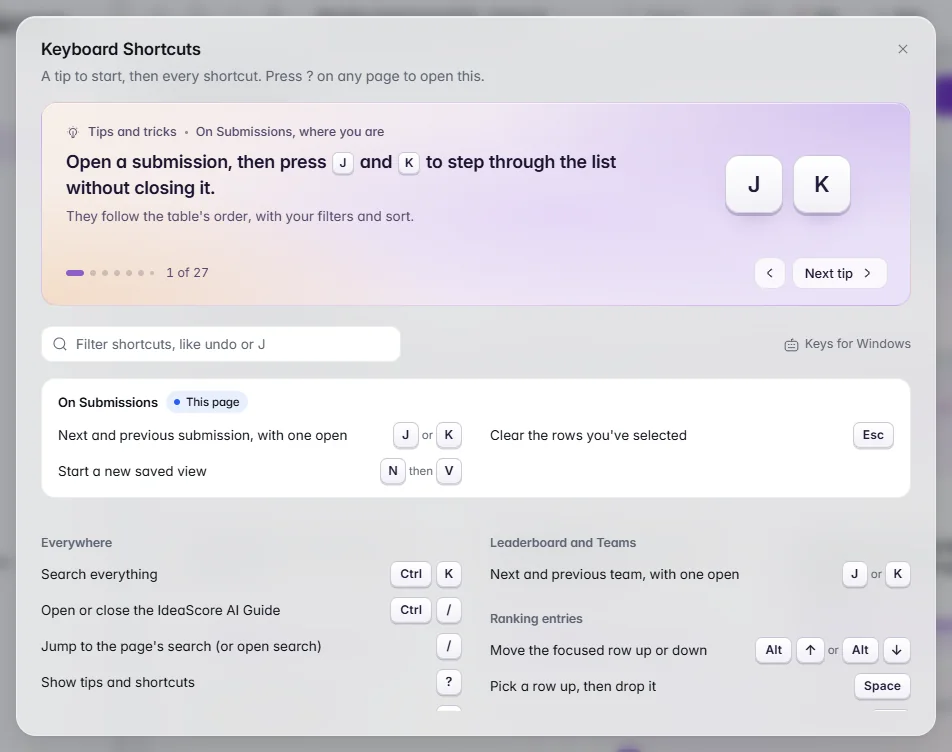
      Press ? on any page for one useful tip at a time, then every shortcut that works for you, this page's first, with a filter. It is also in the profile menu as Tips and shortcuts.

    • A friendlier page not found

      A wrong or expired address now shows a clear way out: sign in, go to your dashboard, go back, search or open the Help Centre.

    • Gentler details

      Icon-only delete, remove and close buttons are a plain red stroke rather than a red box, and on Submissions the detail now grows out of the row you opened.

    • Behind-the-scenes care for your data

      More checks on who can see what, including judges' individual scores, and tidier handling of stored information.

    Trials and billing

    • Start a trial, rebuilt

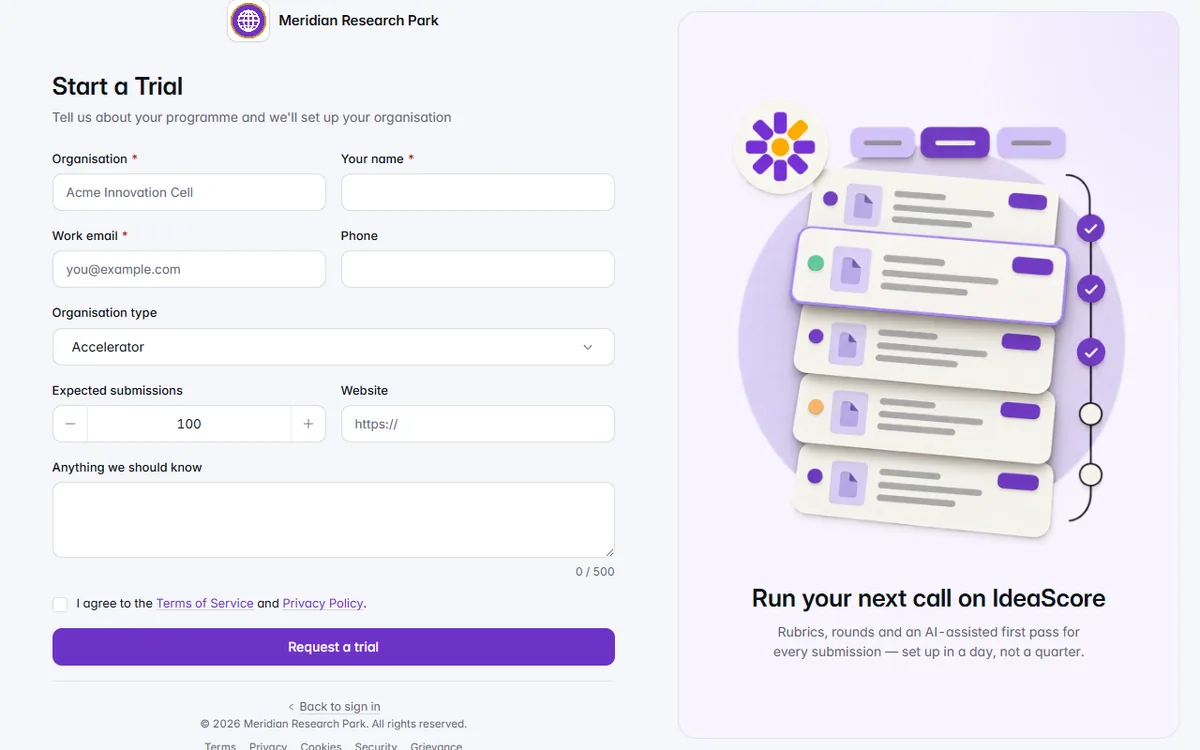
      Four short questions beside a live preview of your own IdeaScore. Your trial has 7 days on Professional features and 100 IdeaScore AI credits, with no card, set up by our team within one working day.

    • Clear trial endings

      You are told 3 days before your trial ends, and can ask for one 3-day extension. If a trial ends, you see "Your trial has ended. Everything you built is safe." Your organisation stays open to view and export.

    • A warm billing card

      When a renewal, an ending trial or low credits need attention, one card shows what your team has done with IdeaScore, the plan that fits and one clear next step. Remind me tomorrow hides it for the day.

    Applicants

    • Your application's status page

      On a phone or a laptop, applicants see where their application is, with honest expected dates, the decision letter exactly as it was sent, and a way to accept or decline an offer. Key dates, what happens next, other open calls and the certificate are there too. Scores, ranks and judge names stay private before a decision.

  6. v4.1722 changes

    IdeaScore AI, in the Moment

    IdeaScore AI now shows you the real form, rubric or letter as it is drafted, the set-up windows you use most are calmer to read, and new cards put fair scoring, conflict-aware assignment and a verifiable certificate in plain view.
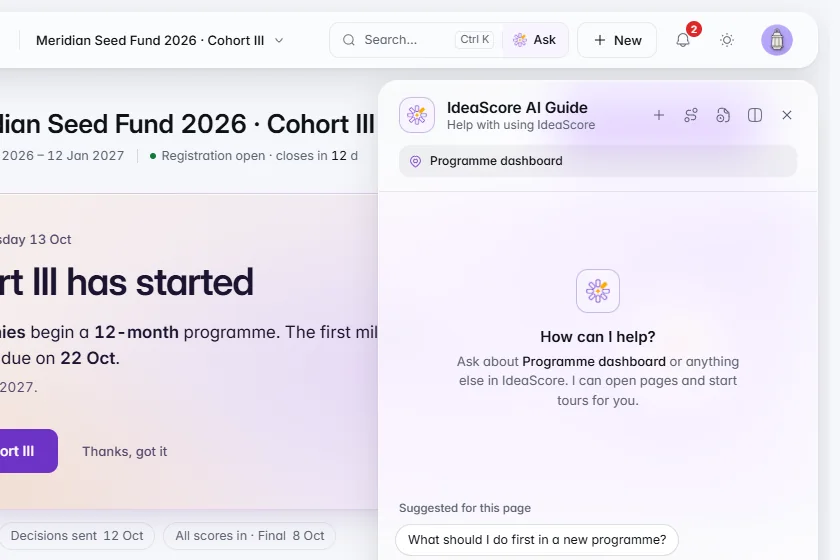
    The Meridian Seed Fund 2026 dashboard with the IdeaScore AI Guide open on the right, offering questions about the programme dashboard and a box to ask your own.

    IdeaScore AI

    Ask the IdeaScore AI Guide

    Help is one click away in the header, with suggestions for the page you are on.

    1 of 7

    Everything in this release22

    IdeaScore AI

    • Draft and Improve with a live preview

      Draft a form, a rubric or a letter, or improve a paragraph, in one focused window with a gently moving backdrop. A preview shows the real form, rubric or letter as it takes shape, and you keep or skip each part, or each question, before anything is applied. The cost is stated up front. On a phone, the preview opens with a tap.

    • Set up a programme with IdeaScore AI

      Describe your programme in your own words and IdeaScore AI proposes the stages, forms and rubric, so a first programme is ready in minutes. Rubric weights rebalance for you as you keep or skip criteria, and letters show their merge fields filled in.

    • Ask the IdeaScore AI Guide

      The header now has an Ask the IdeaScore AI Guide half beside search, so help is one click, or Ctrl and /, away. On a phone, it is offered inside search. Questions about your own applications go to IdeaScore AI Chat, opened with Ask IdeaScore AI.

    • AI actions you can spot

      The main IdeaScore AI action on each screen carries a soft, drifting pink, amber and violet rim, and Improve has its own wand mark so it is never mistaken for Draft.

    Calmer set-up

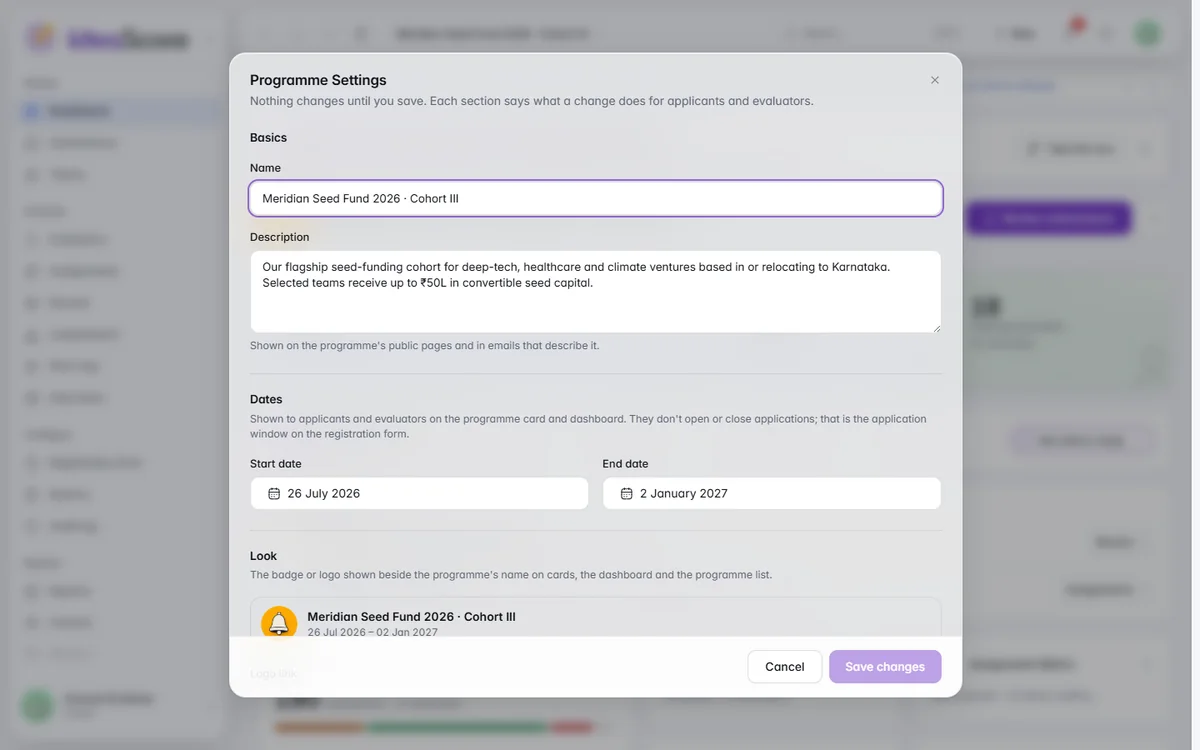
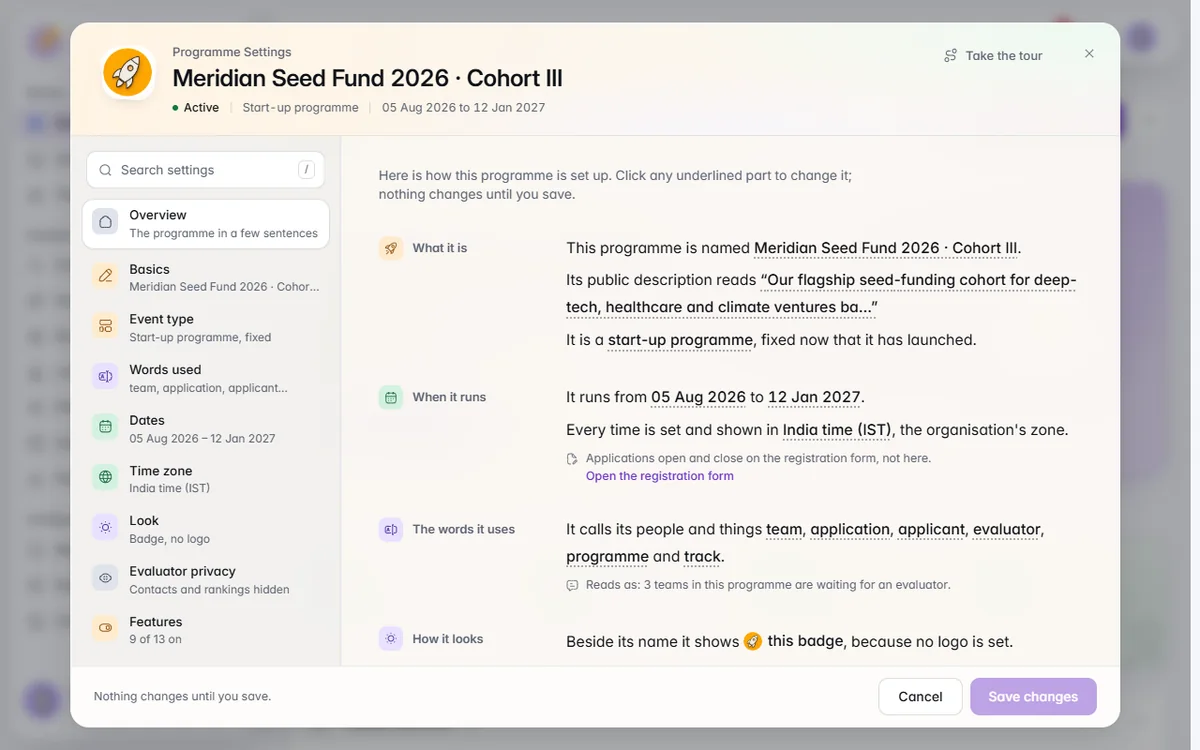
    • Programme Settings that read like sentences

      Programme Settings is now a wide, welcoming window with a side rail and search. Each setting reads as a sentence and its values open small editors in place. Features name their effect only when you change them, and one Save covers everything.

    • The same calm in other set-up windows

      The round editor, Create a Programme, Add and Edit Resource, Invite people, the person and evaluator sheets, and interview slots share the new layout, with a one-sentence summary and a clear note of what happens when you save. Interview slots show the first start times live.

    • Time zones in plain words

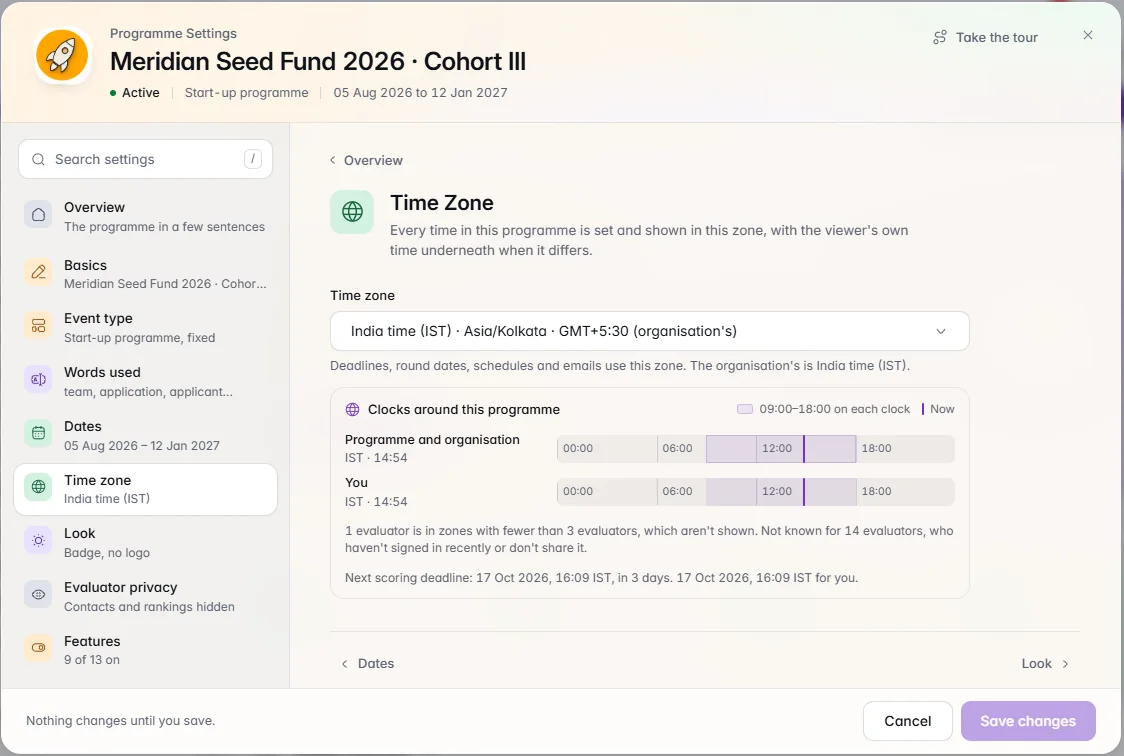
      Times now say where they are, such as India time (IST) or UK time (BST), everywhere in the app. Evaluators can choose whether to share their time zone, and programme settings show where your evaluators are as a friendly summary.

    • One name for the Help Centre

      The Help Centre has one name throughout the app and in the assistant. Not you? on sign-in now opens Find Your Organisation, so you can reach the right workspace from any page.

    Capability cards

    • Fair scoring and conflict-aware assignment

      A Fair scoring card on the Leaderboard shows each team's rank before and after normalising, and how each evaluator leans from the panel average. Auto-assign shows which pairings were kept apart for a conflict of interest, with a real preview you can apply or undo.

    • A cut-off line you can see

      On Decisions, the cut-off line shows who is selected, who is on the waiting list and who falls below, so you can see the effect of a change before you make it.

    • Live stage and research trail

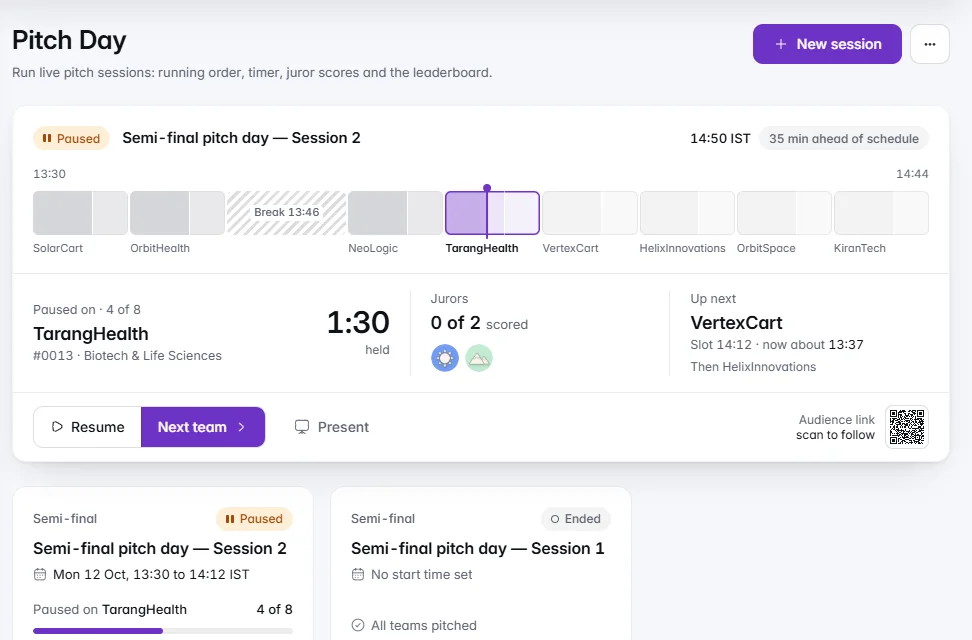
      The Pitch Day run sheet shows the live stage at a glance. The research trail lists the sources behind IdeaScore AI's research, sorted by how far each can be trusted.

    • Originality check

      Submissions show an originality check that lists the closest matches first, quotes the passages that match as the applicants wrote them, and folds away when you do not need it.

    • Vote integrity, security posture and webhook pulse

      A Vote integrity card shows how public votes are screened. A Security posture card answers what your IT team will ask, with a summary you can copy for them. A Webhook pulse card shows your integrations delivering, at a glance.

    • A certificate anyone can verify, and an impact report

      Certificates can be checked by anyone, and the Impact report shows your programme's results in a form you can share.

    Around the app

    • Springier motion and a calmer switch

      Menus, dialogs, sheets, tabs and lists now move with a soft spring that follows your pointer and can be interrupted. Phone sheets drag down to close. The switch is calmer, with its knob centred, and segmented controls stretch to the new choice with the label travelling along.

    • Clearer saving and gentler error pages

      Save buttons show progress, then a tick, and if something goes wrong, Try again with the reason beside it. Pages that cannot be found, links that have expired and places you cannot open each have a clear page with a picture and a next step. Figures show a placeholder until the real number arrives, then roll to it.

    • New illustrations

      Exports, public pages, booking confirmed, checked in, all scored and link not valid have new pictures, and first-visit hints and tours carry art too.

    • Delete actions in red

      Every delete, remove, revoke and void control is now red, so the actions that need care are easy to recognise.

    Evaluators and notifications

    • A scoring slider with a feel for it

      The scoring slider has a springy thumb, a tick at every step, a value bubble and a check when a criterion is scored. On a phone, a number pad has a thumb that slides between values.

    • Approve from your notifications

      Requests that need approval can be approved straight from the notification, without opening another page.

    Public pages and contests

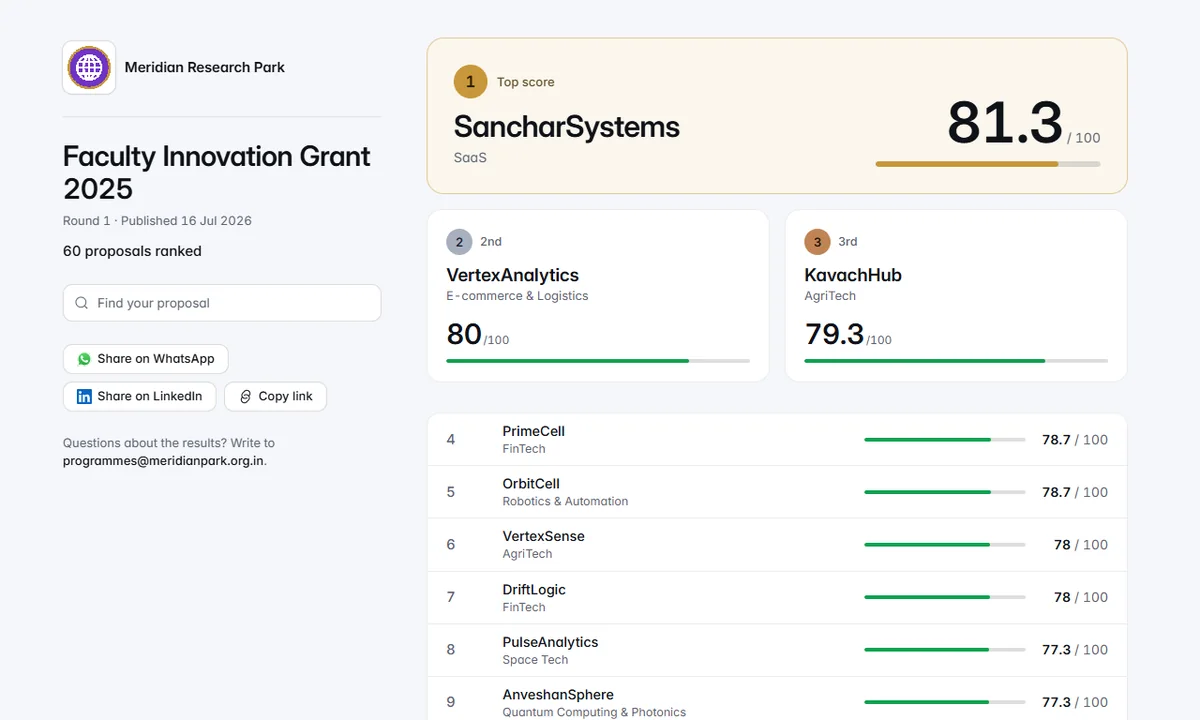
    • A results page that leads with the winners

      Public results open with a spotlight on the leader, the second and third side by side, and the rest grouped by outcome, so everyone can see which side of the line they are on.

    • Contest results at a glance

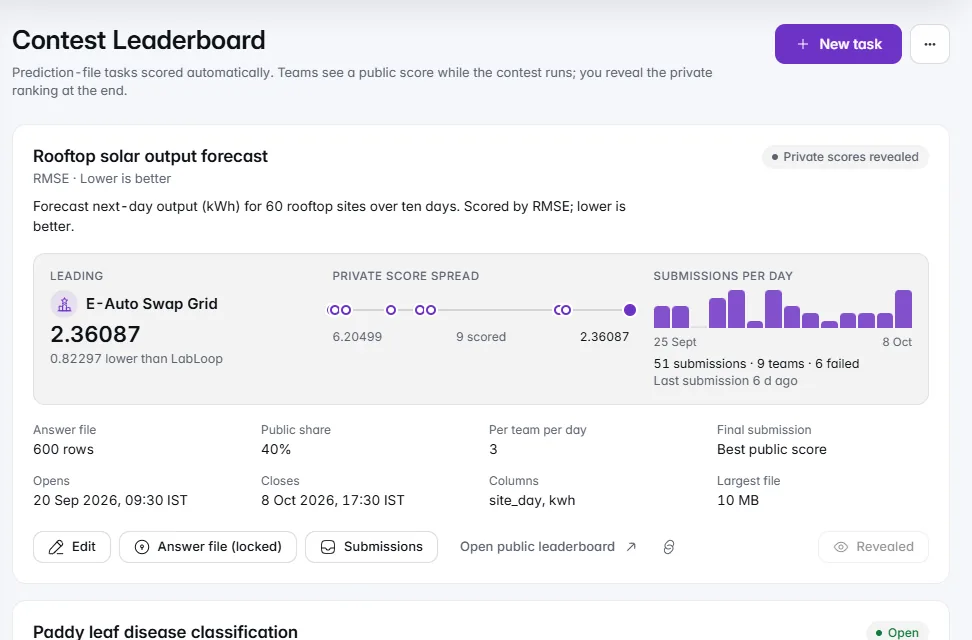
      Each contest task shows its leader, the spread of scores and submissions per day. Flagged votes are grouped by reason and team, with Void all and Undo.

  7. v4.1629 changes

    Calmer, Quicker, Easier to Find

    Settings are easier to search and calmer to read, the screens you use every day load faster and tell you what is happening, and booking, evaluating and applying now start with the thing you came to do.
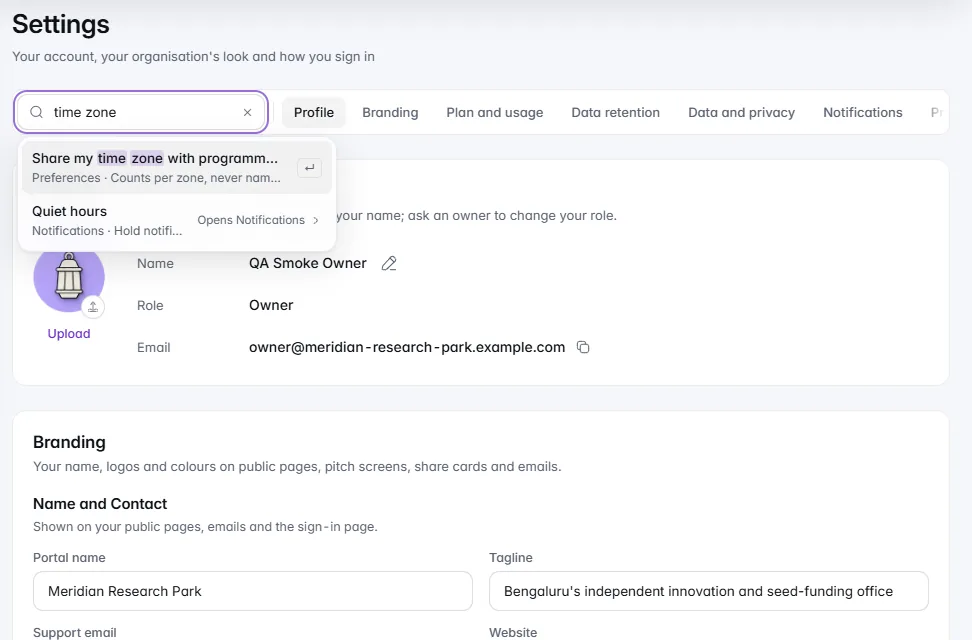
    Settings you can search

    Search settings

    Type a word and the matching settings appear; choose one to jump straight to it.

    1 of 9

    Everything in this release29

    Settings you can search

    • Search settings wherever you are

      Type what you are looking for at the top of your settings, a programme's settings or a facility's settings and the matching options appear. The command palette also lists settings, so you can jump straight to one from anywhere.

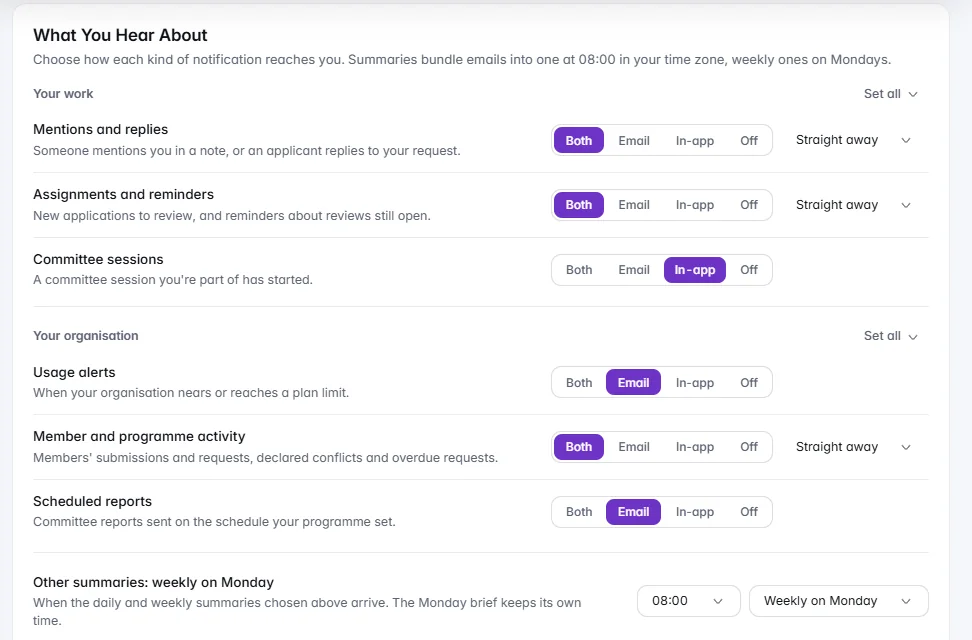
    • Notification preferences in clear groups

      Notifications are grouped by what they are about, with a Set all switch for each group, so you can turn a whole kind of email on or off in one tap and still fine-tune single ones.

    • Programme settings at a glance

      Features are now tiles you can switch on or off at a glance, the words your programme uses take one row each, and one Save covers the whole sheet. A new clocks card shows your programme's time zone beside your own and the next scoring deadline, and your profile is shorter and calmer.

    • Forms and rubrics that are easier to build

      Rubric criteria fold away to one tidy row, and you can drag the dividers to set each criterion's share of the total. The field editor shows a live preview as you type, with folding blocks for visibility rules, and the form builder header is labelled, with an IdeaScore AI menu and a form check badge.

    Around the app

    • A quieter, clearer frame

      The side menu no longer draws a line beside the page you are on. Your current place is marked once, in violet, and the highlight glides between items. The menu scrolls to show where you are, first-visit hints sit neatly in the corner, and announcements are easier to read.

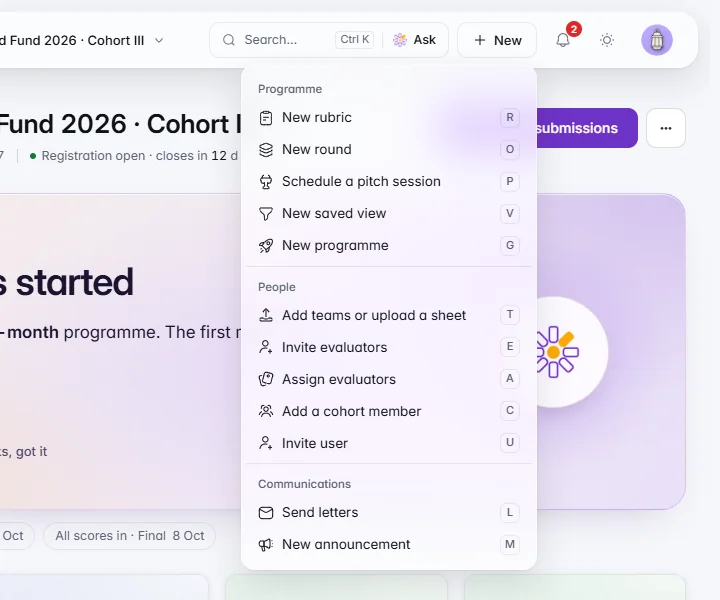
    • Create anything from one menu

      The New menu is grouped by kind, with a keyboard shortcut beside each option, so starting a programme, a form or a booking is a few keystrokes away.

    • Faster to open, clearer when something is slow

      The page frame appears immediately while content loads, with placeholders in the shape of what is coming instead of zeros. If something does not load, the page now says so and offers Try again, rather than showing an empty list.

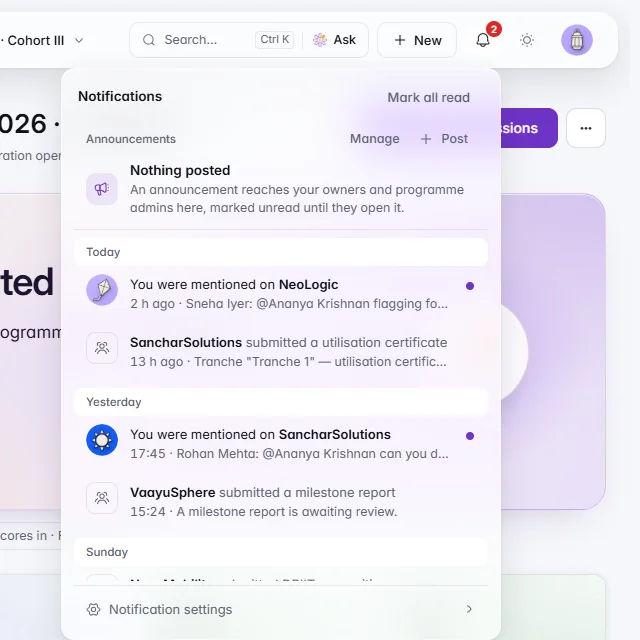
    • Notifications you can scan

      Notifications take two lines, are grouped by day and can be marked as read. The command palette now remembers your recent searches and shows accurate key hints.

    • Small touches throughout

      Cards lift gently under the pointer, ticks draw themselves when something is saved, copy buttons confirm with a small morph, status changes fade across and totals roll to their new value. Menus close faster, loading placeholders are softer, and inputs nudge you when something needs fixing.

    Dashboards and submissions

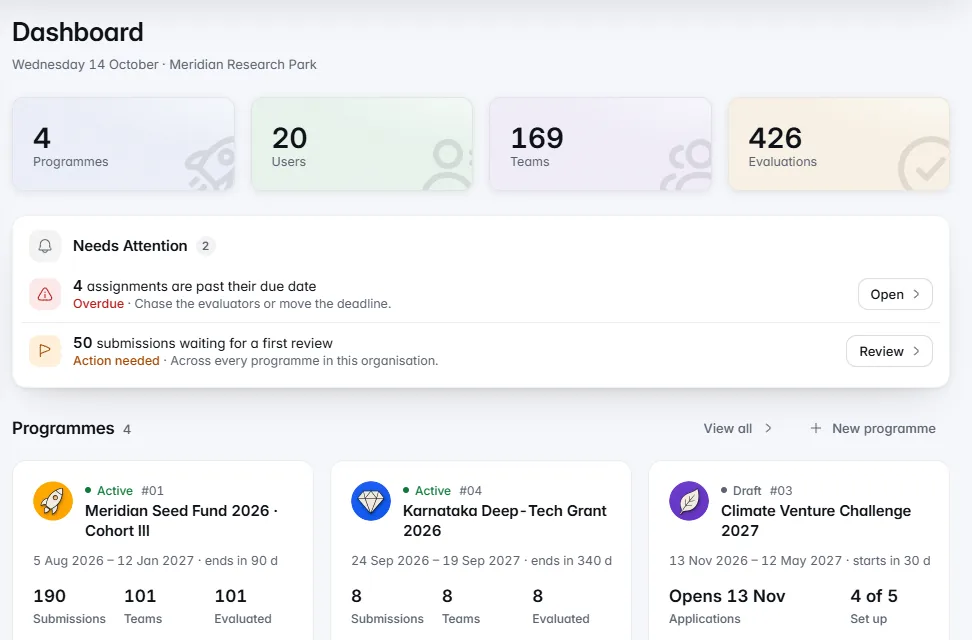
    • Dashboards that show each figure once

      Your programme dashboard shows every number a single time. A new programme opens with a short set-up guide, draft programmes show their opening date, and the Public Pages card shows real views. Status colours mean the same thing everywhere, and ratings are on a clear 1 to 5 scale.

    • Submissions and evaluators that stay tidy

      Rows stay the same height whatever badges they carry, the Evaluators page has an IdeaScore AI strip, the Honoraria ledger loads with a placeholder in its own shape, and cohort figures are down to four clear cards.

    • Rounds, results and people

      Each screen has one main action. Publish Results and Exports each have their own card, long email addresses wrap neatly, and every row has an actions menu.

    • An audit log in plain language

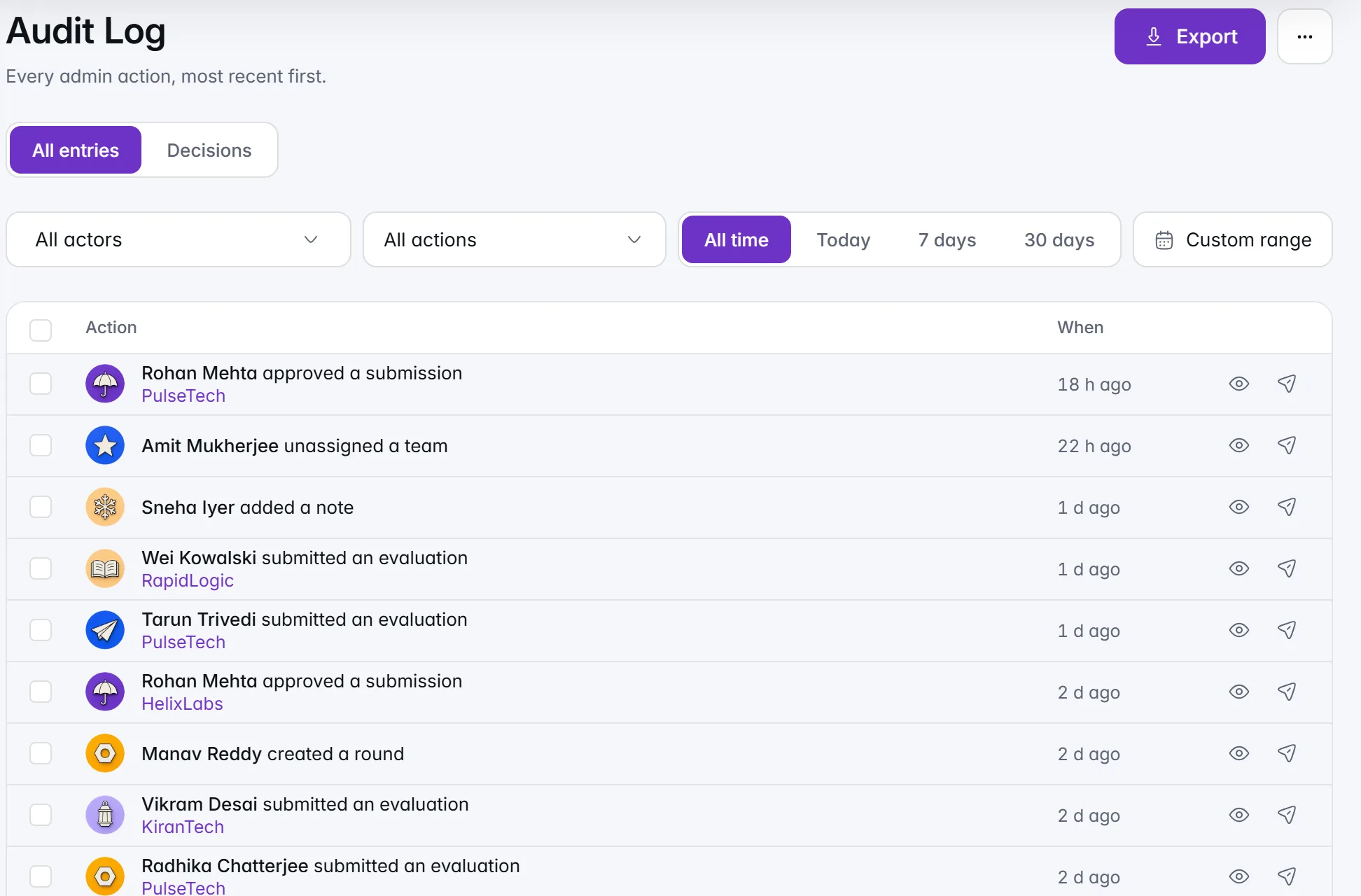
      The audit log describes each change in words, names the person and the item, groups repeated actions and keeps the technical details in a Details section you open when you need them.

    Evaluators

    • Work first on the evaluator home

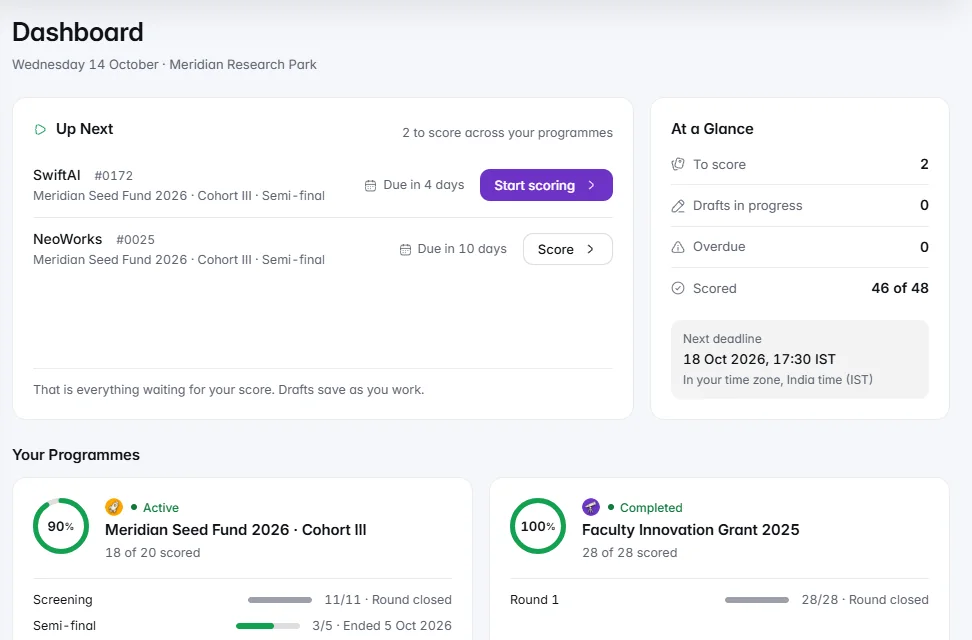
      The evaluator home opens with what is waiting for you, and the Evaluate table has fewer, clearer columns with counts that load smoothly.

    • Closed rounds stay readable

      Once a round closes, your submitted evaluations show as read-only meters, so you can look back at your scores without risk of changing them. On a phone, a criteria strip keeps your place, and links take you straight to the right criterion.

    IdeaScore AI and integrations

    • IdeaScore AI, tidied

      Usage charts have one toolbar above them, credit pack cards sit clear of the footer, and the Assistant icons are labelled.

    • Integrations that are easier to find

      Integrations and API now has its tabs above the main card, and settings search takes you straight to the one you want. When you create an API key, you name it first.

    Public pages

    • Public pages that follow your theme

      The pitch board now follows light or dark, so it looks right on a big screen in either. Registration pages show clearly what needs fixing, and the introduction and invalid-link pages are calmer and kinder.

    • Voting and contest pages

      Public voting and contest pages are smoother to use, with several small improvements to how entries and events appear.

    Applicant and booking portals

    • A calmer applicant portal

      The header is simpler, with an account menu, and a short tour strip introduces the portal. Ended cards give one clear message, the needs count is shared across the page, and a refresh line shows when it last updated.

    • Your data in one place

      A new Your data dialog gathers what you have shared in one place.

    Programme set-up

    • Certificates with one tab bar and a live preview

      Certificate set-up has a single tab bar, and a live preview updates as you edit, so you see the certificate take shape before anyone receives it.

    • Team formation and Tracks, simplified

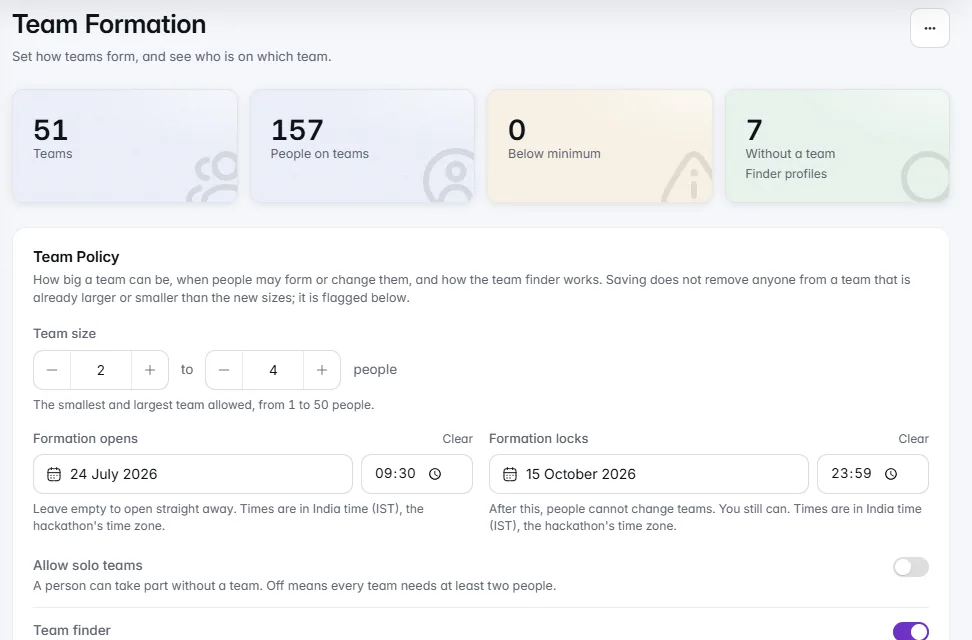
      Team formation uses the same date pickers as the rest of the app and size steppers for minimum and maximum team size. Tracks has one save bar for the whole page, and the pitch day actions are labelled so you know what each one does.

    • Empty pages that point the way

      Pages with nothing on them yet now offer one clear button for the next step, with a different picture for each kind of page.

    • Alumni outcomes in a drawer

      Open an alumnus's outcomes in a side drawer and read them comfortably without leaving the list.

    Familiar logos and clearer links

    IdeaScore AI results

    • See when batch results are arriving

      The IdeaScore AI card now shows when results from a batch are on their way, so you know to check back shortly.

  8. v4.157 changes

    Connect Your Tools

    The IdeaScore API and webhooks now come with Professional and Campus as well as Enterprise, with a new Integrations and API page and a guided way to connect Zapier or Make.
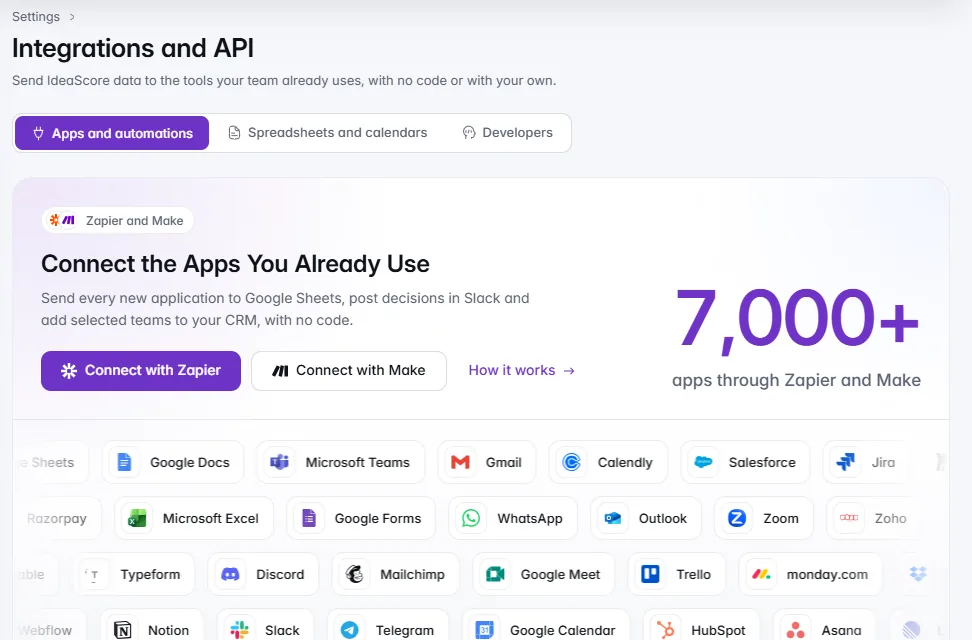
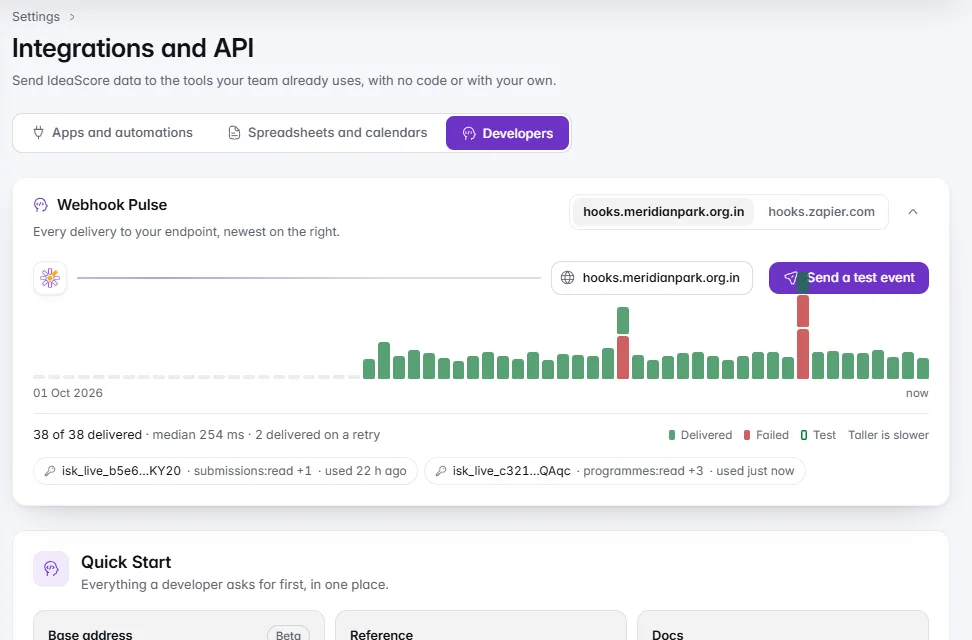
    The Integrations and API page offering Zapier and Make, with the logos of popular apps.

    Integrations and API

    Integrations and API

    Connect the apps you already use, with no code, from one page.

    1 of 4

    Everything in this release7

    IdeaScore API

    • The API on Professional, Enterprise and Campus

      Connect your CRM, data warehouse or your own scripts to your programmes on the Professional, Enterprise and Campus plans. Owners create API keys under Settings, Integrations and API, Developers, by choosing what the key is for, with test keys, a daily IdeaScore AI limit and a Check it works button that confirms the key connects.

    • Webhooks for Zapier, Make and your own tools on more plans

      Signed webhooks are included on the same three plans, so new submissions, decisions and results can reach the tools your team already uses, including Zapier and Make through their webhook steps.

    Integrations and API

    • One page for Integrations and API

      Spreadsheets, calendars, Slack and Teams, Zapier and Make, and the IdeaScore API now live together under Settings, Integrations and API, in three clear paths: Apps and automations, Spreadsheets and calendars, and Developers. The old API address takes you straight there.

    • Automate with Zapier or Make, step by step

      Pick a goal, such as adding new applications to a spreadsheet or sending approved teams to your CRM, choose Zapier or Make, paste the address from your tool and IdeaScore sends a sample so you can finish in a few minutes. Zapier uses Webhooks by Zapier, a paid Zapier feature with a free trial, and Make uses its free custom webhook. Included on Professional, Enterprise and Campus.

    • Send a test event and see how it went

      Owners can send a sample of any event to a webhook, see in plain words whether it arrived, and read the Activity for each webhook, with Turn back on if it paused. Tests never affect the real delivery record.

    Time zones

    • Each programme in its own time zone

      Set a time zone for any programme in its settings. Deadlines, rounds, announcements, votes, mentor slots and emails show times in that zone with its name, and people elsewhere also see their own time alongside. Numbers follow Indian grouping by default.

    Pitch decks

    • Bring back a replaced pitch deck

      When a team replaces its pitch deck, the earlier one stays for 30 days. Open the team's Documents tab, choose Previous versions, view an earlier deck and restore it in one step. The deck it replaces becomes a previous version, and nothing is deleted.

  9. v4.1426 changes

    Every Kind of Event

    Run a hackathon, a coding or design contest, an awards programme or a grant round in its own words, with teams, checkpoints, tracks, prizes, new ways to judge, certificates and an IdeaScore AI that can set it all up from your handbook.
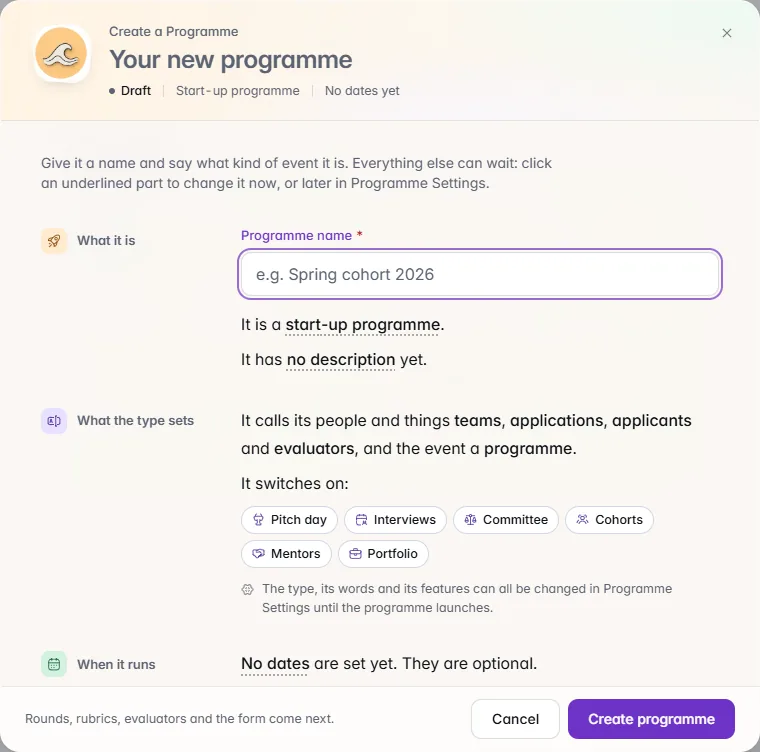
    The new programme window, where the kind of event sets its words and switches on features such as Pitch day, Interviews and Mentors.

    Event types and templates

    Choose what you are running

    Name the programme and say what kind of event it is; the right features switch on.

    1 of 2

    Everything in this release26

    Event types and templates

    • Choose what you are running

      Pick hackathon, coding contest, machine learning contest, hardware and robotics challenge, design competition, marketing competition, business case competition, moot court, policy challenge, open innovation challenge, awards, grant or fellowship, or a start-up programme. Your screens, emails and public pages then use the right words: teams or entrants, nominations or applications, judges or evaluators. You can change the type until you launch, and tune any word for one programme.

    • Nine new ready-made templates

      Start from a template for a coding contest, machine learning contest, hardware challenge, design contest, marketing competition, policy challenge, moot court, awards or case competition, each with its form, rubric, rounds, letters and emails ready to edit.

    • Programme features, your choice

      Switch team formation, checkpoints, tracks and prizes, judging modes, public voting (once your organisation turns it on), contest leaderboards and certificates on for the programmes that need them. Your side menu shows only what you use.

    IdeaScore AI

    • Set up from your handbook or website

      Share a handbook, a call for entries or your website and IdeaScore AI drafts the programme with you: the type, form, rubric, rounds and letters, for you to review and change before anything goes live.

    • Add your programme's documents

      Attach your rules, guidelines and briefs so IdeaScore AI answers with them in mind and cites them.

    • Improve with IdeaScore AI

      Ask IdeaScore AI to sharpen a registration form, a rubric or a decision letter. You see the suggested changes beside your own words and keep what you like.

    • The Assistant in its own window, with history

      Pop the Assistant out into a window you can move and resize, and keep working while you ask. Search and resume earlier conversations for 180 days, and delete any with Undo. Only you can see them.

    • Read this deck and Summarise

      Open a pitch deck's key points from the dossier with Read this deck, and get a short summary of any committee card with Summarise.

    • Deep Research on by default

      Deep Research, which also searches the web, lets IdeaScore AI check claims against public sources in chat, in questions about an application and, on paid plans, in evaluations. Owners and admins can switch it off under Settings, Connectors.

    Teams, checkpoints and judging

    • Team formation and a team finder

      Participants make a team, invite people by email, accept join requests and find teammates in the team finder by skills and what they are looking for. Email addresses are never shown. Leads can list the roles they need, and organisers set team size and a lock date.

    • Schedule and checkpoints

      Ask every team for what you need by a date: a GitHub repository, a demo video link, a deck, a document or a design file. See a grid of who has sent what, mark late work, share an agenda teams can add to their calendar, and let evaluators see each team's submissions while they score.

    • Repository checks

      Public GitHub repositories show their status and commit activity beside each submission, so you can see progress at a glance.

    • Judge by ranking or head-to-head

      Beyond rubric scoring and live pitch, evaluators can put their entries in order, or pick the stronger of two. Rankings and pairs are combined fairly, and evaluators can save a draft and return before the round closes.

    • Public voting

      Where your organisation has turned it on, let the public vote for entries, with one-time email links and checks that keep the count honest. You decide when it opens, how many votes each person has, and whether it blends into the jury's score.

    • Prediction contests

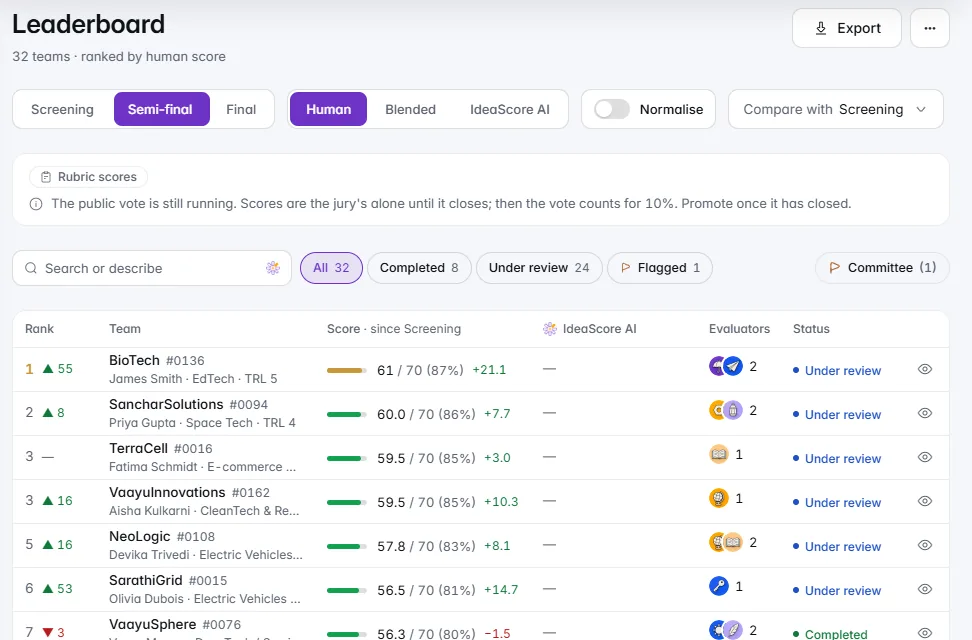
      Set a task, upload your answer file and teams submit predictions that are scored automatically on accuracy, F1, RMSE, MAE, ROC AUC or log loss. A public leaderboard shows the standing, while the rest stays private until you reveal it.

    • Leaderboard details, Summary tab

      Open any entry on the leaderboard to a clear Summary tab with its scores and what IdeaScore AI noted.

    Tracks, prizes and your event page

    • Tracks, prizes and problem statements

      Organise entries by track, list prizes and reveal problem statements on a schedule. Eligibility rules are checked as people register or join a team, with your own message when someone does not qualify.

    • Announcements

      Write to everyone, one track or the teams still missing a checkpoint. Publish now or schedule it, and email goes out once.

    • A public event page

      Share one page with your event's tracks, prizes, problem statements, agenda, community links and results, in your own words.

    Certificates

    • Certificates people can verify

      Issue participation, merit and winner certificates from templates you write, with up to three signatures. Each carries a QR code that opens a public page confirming who it was issued to, and you can revoke one at any time. Participants download theirs from their portal.

    Plans and trust

    • Passes for a single event

      Running one event? A pass covers a single hackathon, challenge or award for a fixed window, with its own limits and IdeaScore AI credits. Passes are arranged with our team on a quote; for current plans and prices, see ideascore.online/pricing.

    • Every plan runs every event type

      All plans can run every kind of event, and each event counts as one programme. Starter can run one free event.

    • Legal, Trust & Privacy in one place

      Find Legal, Trust & Privacy in your account menu and on sign-in, registration and results pages.

    • More guided tours

      New tours walk you through the new pages the first time you open them.

    • A fuller audit log

      Important events, such as certificates being issued or revoked, are recorded in the Audit Log.

    • Share cards

      Share cards now show your programme's image reliably when you post a link.

  10. v4.1339 changes

    Check Before You Send

    Check every decision letter before it goes, bring in last year's applications or a teams spreadsheet in five safe steps, plan assignments in one place, and see exactly where each application stands.
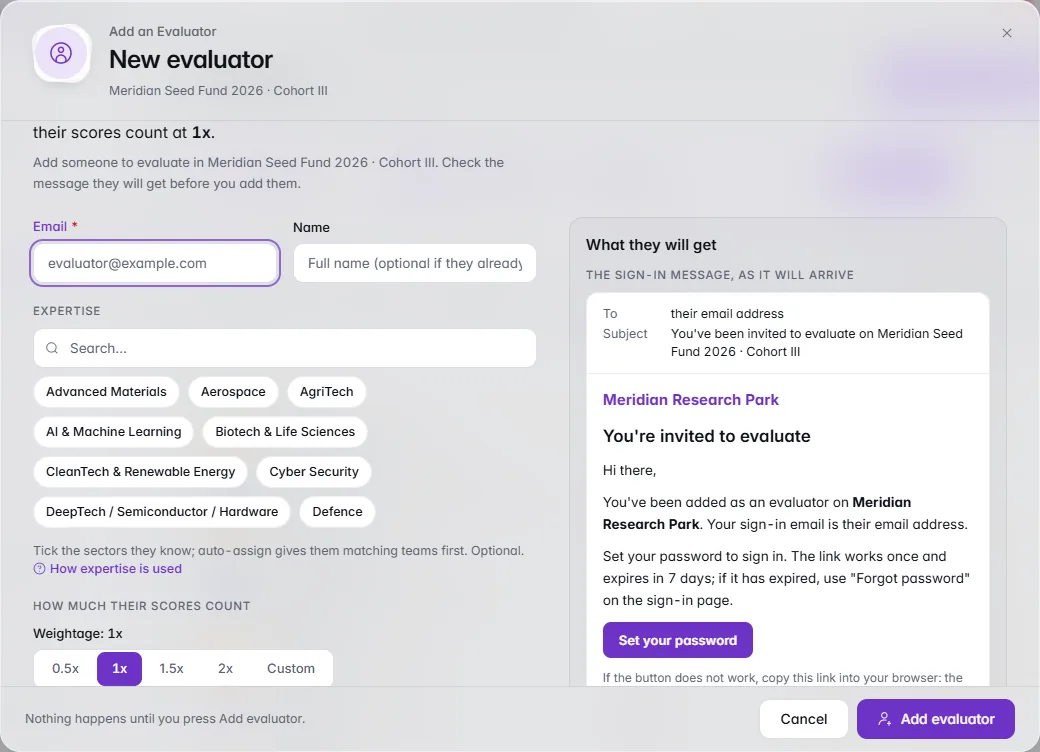
    The New evaluator window with expertise chips, weightage choices and the invitation email it will send.

    Assignments and imports

    Evaluators in one sheet

    Email, expertise, weightage and the invitation they'll receive, in one place.

    Everything in this release39

    IdeaScore AI

    • Every application read in full, every score backed by evidence

      IdeaScore AI has a new introduction and clearer descriptions: it reviews every application against your rubric, shows the exact words behind each score, checks claims against public sources, answers questions about your programme, takes the busywork and keeps your panel in charge. Swift sorts, Pro reviews, Deep decides.

    • Checks the claims against sources you can trust

      IdeaScore AI researches the open web, with sources you can check, and prefers official and research sources: Startup India and DPIIT, the Ministry of Corporate Affairs, IP India, SEBI, RBI, the World Bank, patent offices and research indexes such as PubMed and arXiv. Every source is labelled Official, Research, Press or Other, and you can limit answers to official and research sources only. Two new help articles explain where it checks its facts and why you can trust it.

    • Pro 4: closer to your expert reviewers

      Compared with expert reviewers' scores, Pro 4's recommendations match theirs in 84% of applications, up from 56%, and its scores land within one point of the expert's 85% of the time, up from 62%. Every quote is checked against the application before you see it, results arrive about 40% faster, and answers complete first time in the same structure every time. Descriptor anchoring, confidence for each criterion, interview questions, strengths and risks and the writing-pattern signal carry over.

    • Swift 4: sharper first reads

      Built on the same new foundation as Pro 4, so every quote Swift cites is checked against the application. An estimated 3 in 4 recommendations match expert reviewers', up from about half, in under half a minute an application. Sharper first reads of large intakes, with a cited quote behind every score. It still powers summaries and drafts.

    • Deep 4.5: researched and reviewed twice

      Everything new in Pro 4, plus focused research: claims are checked once, thoroughly, then every score is reviewed a second time against your descriptors and the round. The second review checks every score against your descriptors and the rest of the round, and changes a score only with a stated reason, shown beside the original. An estimated 9 in 10 recommendations match expert reviewers', and scores land within one point of the expert's an estimated 90% of the time. About a minute or two an application.

    • Good to know, on every model

      The model pages now say who each model is for, what you get and when to step up, with a Good to know list in place of Limits.

    • Fair scoring by default: IdeaScore AI for evaluators

      Owners choose whether evaluators see IdeaScore AI's notes on a team: hidden (the default, so every evaluator forms their own view first), shown after they submit their own score, or always shown. Programmes can make it stricter but never more open, blind rounds always keep the notes private, and IdeaScore AI's scores stay with organisers. The Reviewer Summary is now written from the application alone, and evaluators see it once an owner picks a mode that shows IdeaScore AI's notes.

    • Quicker answers, honest sources

      IdeaScore AI answers chat and per-application questions faster, and a question that asked for Deep Research but found no pages says so plainly at the top of the answer, drawing on the applications only.

    Plans and credits

    • A new Growth plan

      For incubators running two or three calls a year: three programmes, multi-round pipelines, pitch-day mode, cohort analytics, your logo and colours, and 6,000 IdeaScore AI credits a year.

    • More IdeaScore AI credits included

      Professional now includes 25,000 credits a year and Enterprise 1,00,000, with a higher daily limit on Professional.

    • IdeaScore AI's helpers are free

      Credits pay for IdeaScore AI's reviews and answers. Its helpers are free: set-up, importing, summaries, drafts and the Assistant. Free helpers have generous daily limits that keep IdeaScore AI fast for everyone.

    • Try the whole of IdeaScore AI for free

      Try every IdeaScore AI tier, Swift, Pro and Deep, with Deep Research, on 150 free credits. Starter gets 150 free credits, once, with up to 50 evaluations a day. A 30-day trial includes 500 IdeaScore AI credits, enough to see a full review of your call.

    • Applicant accounts and tracker on the free plan

      Every applicant can follow their application on Starter too, with the tracker included.

    • IdeaScore AI Plus does more

      For as long as your Plus lasts, even after its credits are used, tuning is available on paid plans and you can run up to 500 AI evaluations a day. Monthly credits now last 60 days, and yearly Plus is the lowest price per credit.

    • Get credits shows what you get

      Credit packs lead with what they buy, such as about 1,000 Pro evaluations, Plus sits beside them with its perks and the saving per credit, and yearly is chosen for you. The meter lets you know when 15% of your credits are left.

    • Longer trials, discounts to ask about

      Trials are now 30 days. Ask about institutional and multi-year discounts on your plan.

    • Deep Research when you ask about an application

      Ask About This Application reads the application itself. Switch on Deep Research for one question to check it against the web too; the button shows what it adds before you send.

    Decisions and letters

    • Check before you send

      Send Decision Letters now has two steps: choose who and when, then check everyone and the real letters before sending. Teams that are skipped are listed with the reason.

    • Submissions: audit log and bulk reject

      The submissions audit log is a readable day-by-day timeline with one filter and a link to the full Audit Log. Bulk reject names the teams, previews the rejection email, and says what applicants see and how to undo.

    • Request more information shows the email

      Before you send, see the exact email, the applicant's page and the reply path.

    Assignments and imports

    • Evaluators in one sheet

      Adding or editing an evaluator is one sheet: weightage explained with an example, expertise explained, the sign-in message shown before you add them, profile fields on add as well as edit, a "what will change" list on edit, and the result in the same sheet.

    • Import members

      Import Members uses the same importer as applications and teams: five steps, a dry run you can read before anything is written, and a 7-day undo.

    • Interviews

      Add Slots shows the day as a picture and warns about overlaps before saving; panels say who sees what; cancelling a booking shows the exact email.

    • Portfolio forms

      Portfolio forms are sectioned with plain "what happens when you save" lines and an unsaved-changes guard.

    • One planner for assignments

      Pick evaluators by hand as a list or a team-by-evaluator grid, or use Auto-assign and Balance in the same planner, with an After this panel, a check step and an undo for the whole change.

    • Safer assignments

      Balance applies exactly the moves you confirmed; a failed save says how much was saved and finishes on retry without doubling emails; conflict cells explain themselves by tap or keyboard; the grid is quicker on big plans; dashboard assign no longer reports success when nothing was assigned.

    • Fixes in the new dialogs

      Custom evaluator weightage keeps what you type, a letter can no longer be emailed twice from two tabs, panel progress counts only panel members, and Delete panel explains and blocks while interviews are booked.

    • Reject and request information

      Bulk reject leaves teams that withdrew alone; Request more information skips teams with no lead email and says so before sending; Balance no longer treats another round's assignment or a resolved conflict as a blocker. Send Decision Letters shows teams "Being sent right now" by someone else.

    • Import applications and teams

      Import applications or a teams spreadsheet with one five-step wizard: a dry run with exact counts before anything is written, duplicates and date formats decided for you to confirm, an optional note to IdeaScore AI, and undo for 7 days.

    Dossier

    • Uploaded files open again

      Files uploaded to an application open straight from the dossier's Documents tab again.

    Applicant portal

    • Your application status

      Your application page shows your stage in the programme, your next step and what comes after. Status emails show the same stages.

    • Tracker extras, each off until you switch it on

      Per round, ask teams for a pitch deck (PDF or PowerPoint, with a due date and a size limit; a replaced deck is kept for 30 days). Ask selected teams to accept their offer by a date in the final round, and see accepted, declined and no reply for each team. Share feedback: averages for the criteria you choose, and evaluators' comments with no names, each shown only after you approve it and fixed when the team is told. Show each team its own pitch slot, and tell each team its place in the selection, such as Selected: 40 of 312.

    People and sign-in

    • Programme Settings

      Programme Settings is a sectioned sheet: each status and each evaluator privacy switch says what it does, the logo link is checked with a live preview, a list shows exactly what saving will change, and closing with edits asks first.

    • One People sheet

      Invite, create, edit, give extra roles and remove from one sheet that shows the email they will get and exactly what a change will do.

    • Sign-in names your organisation's domain

      When your organisation requires its own domain or provider, the sign-in page names it after a refused sign-in.

    IdeaScore AI

    • Admins see when IdeaScore AI is off

      On Evaluate, admins see up front when IdeaScore AI is switched off.

    Console and storage

    • Uploads pause themselves

      Uploads now pause automatically when file storage use looks runaway. The storage count says "at least" when it stops early, usage alert emails are retried, an organisation export holds at most 5 GB of files, and abandoned public uploads are reported (and, once switched on, archived after 30 days and restorable).

    • Storage safety

      The abandoned-upload sweep skips profile photos and re-checks before archiving, the automatic brake no longer misreads a partial inventory night, and alert rows say "Logged (not sent)" when the email provider is the log. Operators can put a swept file back with a script.

    • Console follow-ups

      Open the audit log at one entry from a link, Operations Monitor alerts link to their entry, and Busiest organisation can be ranked by IdeaScore AI credits.

  11. v4.1216 changes

    Ready for Your Data

    The IdeaScore API opens in Public Beta for Enterprise, members can sign in only with your organisation's domain, owners can switch IdeaScore AI off, and your files, backups, exports and legal agreement are ready for real programmes.
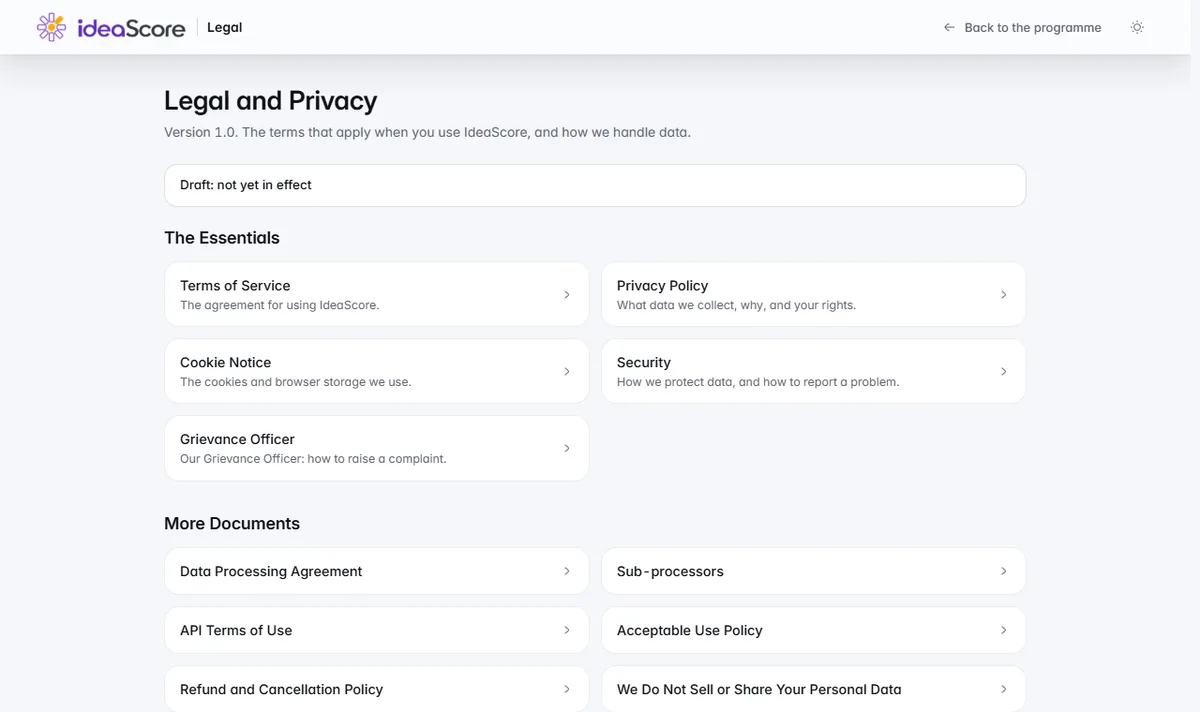
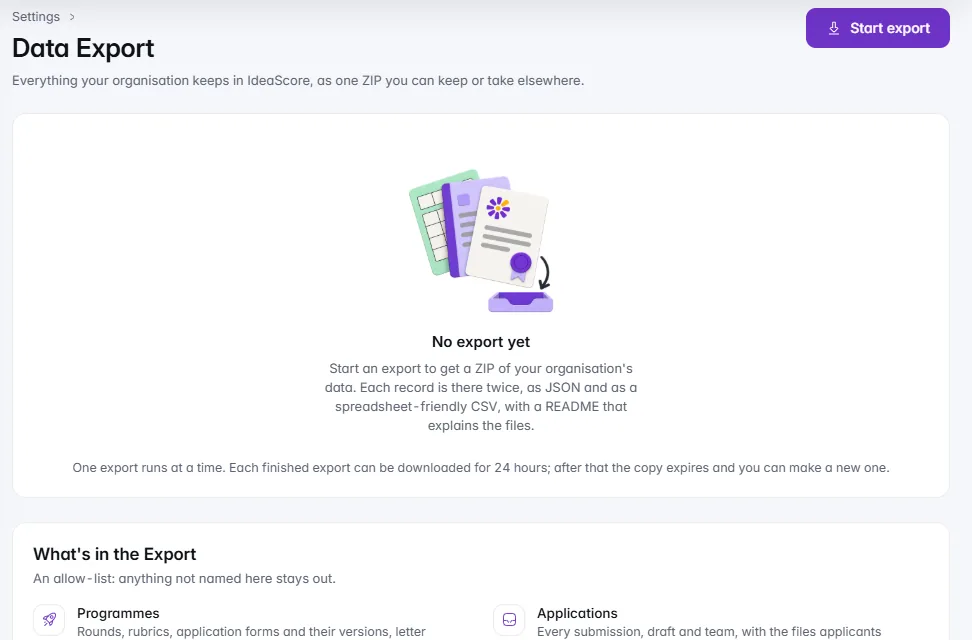
    The Legal, Trust & Privacy page listing the Terms of Service, Privacy Policy, Security, Data Processing Agreement and more.

    Legal, files and your data

    Legal pages in one place

    Terms, privacy, security and the documents your team asks for.

    1 of 2

    Everything in this release16

    IdeaScore API Public Beta

    • Test keys and a daily IdeaScore AI cap

      On the Enterprise plan, create test keys that never touch your real programmes or send real messages, and give each key a daily cap on IdeaScore AI runs so a script can't use up your credits.

    • Safe retries

      Send an Idempotency-Key with a request and a retry returns the original answer instead of doing the action twice. Limits are shared across the whole service, and every answer carries a request id you can quote to support.

    • Public developer docs

      The reference, with the full OpenAPI description, is now open to everyone at the developers page, with no sign-in needed. Keys, scopes and webhooks are managed from Settings by organisation owners.

    • Zapier, Make and webhooks for no-code tools

      Connect IdeaScore to the tools your team already uses: IdeaScore events can start a Zapier or Make scenario, and signed webhooks stop on their own if the key loses access or the receiver says it is gone. The Zapier and Make apps are by invitation while they are in review.

    Sign-in and control

    • Sign in only with your domain

      On the Enterprise plan, owners can require members to sign in with the organisation's Google Workspace or Microsoft Entra domain. Preview who is affected before you confirm, name exemptions, and keep an owner who can always get in. Applicants are never affected.

    • Switch IdeaScore AI off

      Owners can switch IdeaScore AI off for the whole organisation. Every IdeaScore AI action then says plainly that it is switched off, nothing is charged, and the rest of the app carries on as before.

    • Deep Research only when you allow it

      Deep Research, which also searches the web, and its extra cost, now runs only when your organisation's switch is on and the run asked for it. It is off by default, and API runs never search the web unless you say so.

    Legal, files and your data

    Improvements

    • Applicant portal header on phones

      The programme name now has its own line under the top bar on a phone instead of shrinking to a single letter, and other pages keep their headings readable too.

    • Steadier background work

      Scheduled work such as digests, scheduled results and reminders now runs exactly once, even when the service runs on more than one server, and sign-in and request limits are shared across all of them.

    • Better IdeaScore AI answers and costs

      Chat obeys the pause before anything is charged, retries keep your original choice about research, credit costs shown in the app come from the server, and evaluators never see draft rounds.

    • Fixes from a full bug pass

      Concurrent refunds both come off, applicants of a read-only organisation can still sign in, the agreement never blocks the legal pages, Backups and sign-in history use clearer wording, and a phone shows the right meters and labels throughout.

    • Service monitoring

      IdeaScore's own team now watches service health, storage and security signals in one place, so problems are found before you notice them.

  12. v4.1123 changes

    Help That Answers, Set-up That Does the Work

    IdeaScore AI now answers your questions inside the app and sets up forms, rubrics, rounds, letters and whole programmes with you. Add ready-made programmes, guided tours, committee sessions with times and call links, scheduled results and a programme API for your own tools.
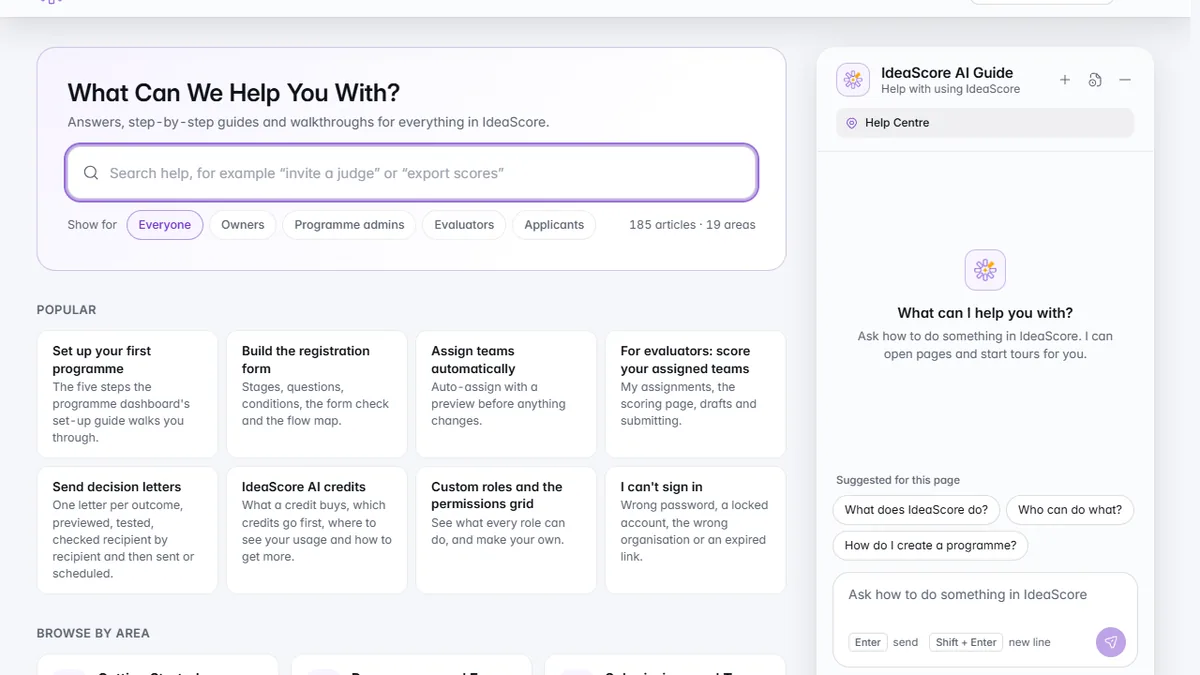
    The Help Centre with popular articles and the IdeaScore AI Guide open beside them.

    IdeaScore AI

    The IdeaScore AI Guide

    Ask how to do something and the Guide answers beside the Help Centre.

    1 of 2

    Everything in this release23

    IdeaScore AI

    • IdeaScore AI Guide

      Ask how anything works and get a short answer with the help article behind it, a button that takes you to the right page, or a tour that starts where you are. It is free on every plan and hands you over to support when it can't answer.

    • Set up with IdeaScore AI

      Describe what you are running and IdeaScore AI interviews you, builds the draft as you talk, shows the cost up front and waits for your confirmation. Use it for a registration form, a rubric, rounds, letters or a whole programme.

    • Deep Research in chat

      Turn on Deep Research for a question and IdeaScore AI searches the web, cites its sources and marks the answer as searched. You see the cost before you send, and owners or admins switch it on for the organisation.

    Help and getting started

    • Guided tours

      Quick tours for every role walk you through the real pages, open dialogs and tabs, wait for you, pick up where you left off and end with something to try. Evaluators and applicants have their own.

    • First-visit hints and Getting Started

      A short hint appears the first time you open a new page, and a Getting Started checklist built from your real data shows the five steps to a first programme. Reopen it from the profile menu at any time.

    • A Help Centre that opens on its own

      The Help Centre now has its own page, with search, and opens without signing in. Signed-out visitors see a short overview, and staff can show every article. More than a hundred articles cover every part of the app, with new ones for committee sessions, programme emails, scheduled results, failed letters, team archive and the API.

    Programmes

    • Whole-programme templates

      Start from one of nine complete programmes: form, rubric, dated rounds, letters and an email sequence. Preview before you add it, or add just the rubric, rounds or letters to a programme you already run.

    • Committee sessions with times

      Give each committee session a date, time, length, call link and place in the programme's time zone. Panel members see a Next meeting card with Join call and Google, Outlook and Apple calendar buttons, and calendar feeds carry the real times and links. Admins and the panel chair edit the schedule.

    • Scheduled results publishing

      Choose Publish at to set the date and time, change or cancel it, and let IdeaScore publish once on schedule. Bell alerts tell you what happened, and every applicant can receive an email with the link to the results.

    • Programme email sequences

      Switch on a sequence for a programme to send each applicant a welcome, reminders for unfinished drafts and follow-ups, once each, outside quiet hours. Send yourself a test first, and applicants can pick up a draft from the link in the email.

    • Form version history, redesigned

      Every save of your registration form is kept with who saved it and when. See what changed, stage by stage, preview any version as applicants saw it, compare it with the live form, name the ones that matter and restore one after seeing exactly what will change.

    Control and developers

    • IdeaScore API and webhooks

      On the Enterprise plan, create scoped keys, read your programmes, teams, rounds and results from your own tools, take a few actions such as approving and opening rounds, and receive signed webhooks with automatic retries and a delivery log. A developer page holds the reference and your keys.

    • Custom roles now control access

      The permissions you give a custom role are enforced on every page and action, and the navigation shows people only what they can use. Built-in roles work as before.

    • Team archive with restore

      Archive a team to take it out of the working lists, then restore it, with its history, whenever you need it.

    Improvements

    • Weighted ranking everywhere

      Leaderboards, dashboards, reports, promotion and pitch day all rank by weighted scores, so a team sits in the same place on every page.

    • Letters you can trust

      A letter counts as sent only once the email is accepted. Failed letters show a Retry failed option, scheduled sends report how many went and how many failed, and a letter that no longer matches its template says it is out of date.

    • More privacy for evaluators

      Evaluators see only their own teams, no one else's scores, and contact details only where the round allows them. Submitted scores stay read-only until you choose Edit my score, and a second open tab can no longer overwrite your work.

    • Faster sign-in and calmer pages

      Sign-in is quicker, pages say plainly when something fails and let you retry, and tab titles end with IdeaScore.

    • Accessibility and phones

      Clearer focus outlines, a skip link, tables you can open from the keyboard, sliders and segmented controls that work with the arrow keys, larger tap targets, and screens that fit a phone.

    • A better search palette

      Exact and starting matches rank first, and results sit on a clearer panel.

    Security and reliability

    • Safer applicant pages and files

      Applicants see only their own information, confirmation PDFs need the owner's sign-in or the emailed link, and uploaded files are checked and downloaded safely.

    • Safer sign-in and links

      Sign-in links no longer reveal whether an account exists, the platform console sign-in is better protected, and links in emails are built from your own address.

    • Steadier everyday work

      Credits are protected when an IdeaScore AI run fails, double submissions no longer create duplicate programmes or charges, and the app shows a friendly page instead of a blank screen if something goes wrong.

  13. v4.1012 changes

    See More, Undo More, Connect More

    Analytics for your application form, ready-made form templates, undo and redo from the top bar, notification settings, privacy tools, profile photos and connections to the apps your team already uses.
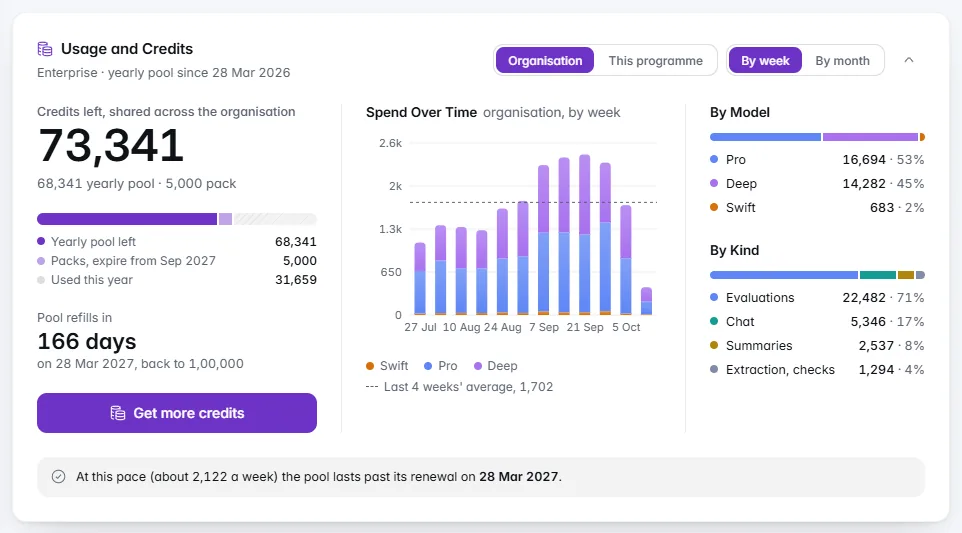
    The Usage and Credits card: 73,341 credits left, weekly spend and the split by model and kind.

    IdeaScore AI

    Usage and credits

    Credits left, spending over time and what used them.

    1 of 2

    Everything in this release12

    Registration and programmes

    • Form analytics

      Views, starts, completion rate, where applicants drop off by stage and question, time to complete, devices and traffic sources, with tracked share links and a comparison with past programmes. No outside trackers, and IP addresses are never stored.

    • Nine form templates

      Seed fund, hackathon, research grant, accelerator, innovation challenge, social impact, student competition, corporate open innovation and government scheme, each with stages, help text, conditions, eligibility checks and a matching rubric you can preview first.

    • Back, undo and redo

      Undo your recent changes from the top bar or with Ctrl+Z: tags, assignments, rubric and round edits, promotions, decisions, publishing results and approvals. IdeaScore tells you when something, such as an email, can't be fully taken back.

    • Search that does things

      Type / to create a programme, round or rubric, invite evaluators, publish results, go to any team or mentor, switch programme or theme, and open help articles.

    IdeaScore AI

    • A clearer Tuning tab

      See how IdeaScore AI reads your programme in one sentence, adjust it step by step, preview the effect on real applications before saving, add a note per criterion, and restore an earlier version from the history.

    • Usage and credits at a glance

      Credits left, your pool and packs, days until it refills, spend by week or month, the split by model and by kind, and a forecast of how long your credits will last.

    • Invoice details

      Add a purchase order number, GSTIN and billing contact when you buy credits; they print on the invoice, and your GSTIN is remembered for next time.

    Settings and privacy

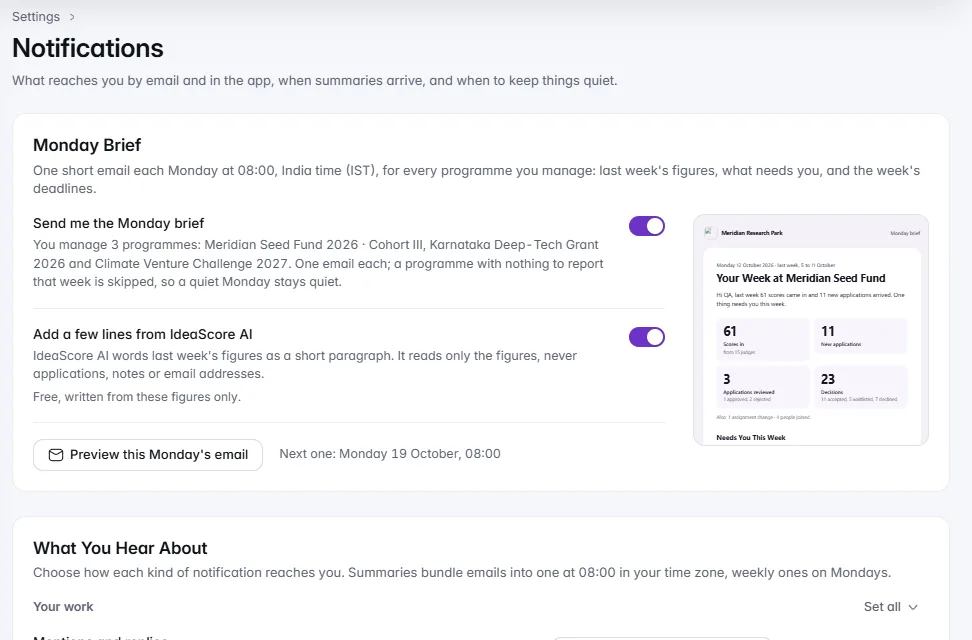
    • Notification settings

      Choose email, in-app, both or off for each kind of notification, get daily or weekly summaries at the hour you pick, and set quiet hours. Applicants and outside recipients can manage their emails from any message.

    • Retention and data requests

      Set how long applications are kept after a programme ends, anonymise old applications with a clear preview first, and handle applicants' requests for a copy or deletion of their data from one queue.

    • Profile photos

      Upload a photo and crop it to a circle, or keep your illustration. Photos appear everywhere people do, and organisation owners can take down an unsuitable one.

    • Integrations

      Live spreadsheet links for Google Sheets and Excel, calendar feeds for Google, Outlook and Apple, and programme updates posted to Slack or Microsoft Teams.

    Across the app

    • Hundreds of refinements

      Clearer programme states, leaderboards and tables that fit a laptop screen, read-only closed rounds for evaluators, calmer warning colours, tidier empty tables, and fixes to toasts and the connection notice.

  14. v4.915 changes

    Support, Control and a Calmer Everyday

    Help and support inside the app, finer control over who sees what, a rebuilt registration form, results and IdeaScore AI tab, and hundreds of small refinements across every page.
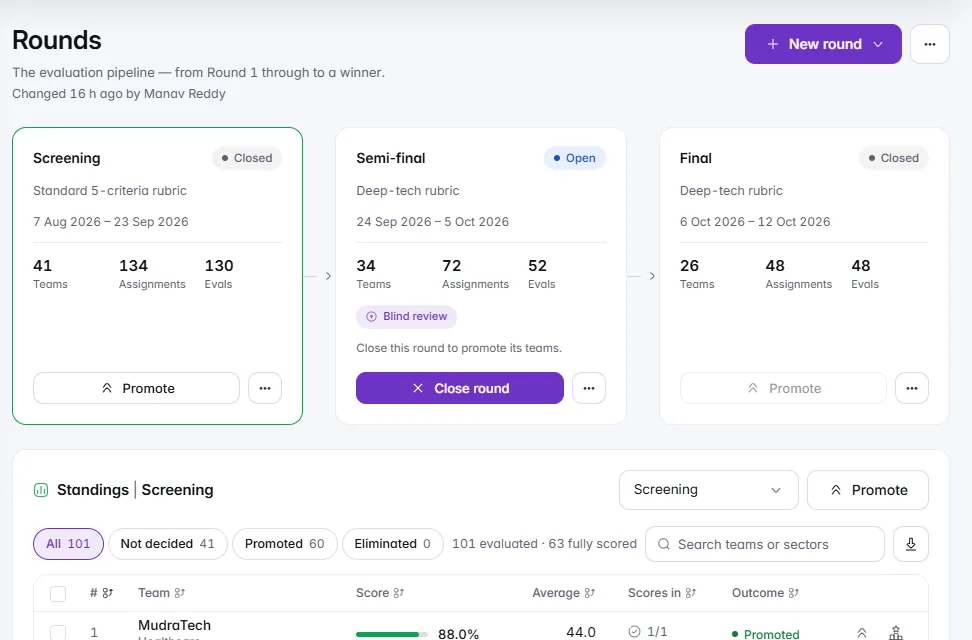
    The Rounds page for Meridian Seed Fund 2026: Screening, Semi-final and Final with their teams, and the Screening standings below.

    Programmes

    Rounds and promotion

    Every round side by side, with standings and one click to promote.

    Everything in this release15

    Help and support

    • Support without leaving the app

      Open a ticket from the profile menu or straight from an error message, follow the conversation, attach files, and send audit entries to IdeaScore support when something looks wrong.

    • A Help Centre that answers questions

      Short, step-by-step articles for owners, programme admins, evaluators and applicants, with highlighted screenshots and a search that understands typos and everyday words.

    • Walkthroughs

      A short guided tour on the dashboard, submissions, assignments, leaderboard, pitch day, IdeaScore AI and the registration form, ready whenever you want it.

    Control and security

    • Custom roles

      Build roles from a permissions grid and give them organisation-wide or for one programme. Built-in roles work exactly as before.

    • Plan and usage, at a glance

      Your plan, renewal, IdeaScore AI credits and limits in one calm card, a branding editor that shows where your colours appear, and a security and privacy page that explains how your data is protected.

    • Export everything

      Organisation owners can download every programme, application and score as one archive.

    • Safer by default

      New evaluators and users set their own password from a one-time link, evaluators see only the programmes they belong to, and sign-in links and audit entries are better protected.

    Programmes

    • A registration form you can see as applicants do

      Edit one stage at a time on a canvas, change a question in place, add ready-made blocks, and follow the form check's one-click fixes before you publish.

    • Publish results with confidence

      Choose the round, who appears and what is shown beside each team, add a note, check for ties and missing scores, and see the public page before it goes live.

    • Rounds and promotion

      A compact new round dialog, and promotion by top N, score cut-off or by hand with filters, range selection and undo.

    • Meetings in the apps you use

      Join links, Add to Google Calendar and Add to Outlook on interviews, events and mentoring sessions, quick Meet, Teams and Zoom links, and sharing on WhatsApp and LinkedIn.

    IdeaScore AI

    • A richer IdeaScore AI tab

      A scorecard with the verdict, how the application compares with the panel and the round, evidence and confidence, then sections for the assessment, criteria, what would change the score and research, with a section bar to move between them.

    • Everything in one place

      What's new now sits inside the IdeaScore AI page, and the overview shows credits, runs and usage over time.

    Across the app

    • One icon for each idea

      Icons no longer repeat across unrelated features, so the navigation reads at a glance.

    • Clearer empty pages and messages

      Every empty list, tab and table now says what belongs there and what to do next, and notifications are easier to read and act on.

  15. v4.816 changes

    Every Workflow, Redesigned End to End

    The programme dashboard, assignments, rubrics, pitch day, the evaluator's day, the applicant's journey, letters and reports have each been rebuilt around what you do next, with the detail one click away.
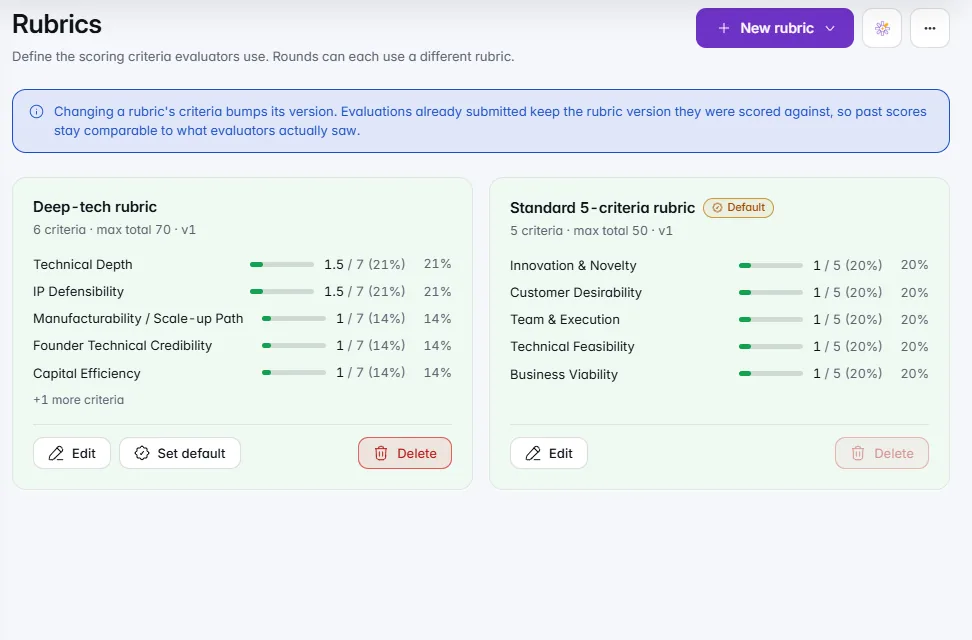
    The Rubrics page with a deep-tech rubric of six criteria and a standard five-criteria rubric, each criterion weighted.

    Assignments and evaluation

    A rubric builder

    Criteria, weights and maximum scores for each rubric, ready to edit.

    1 of 2

    Everything in this release16

    Programme and submissions

    • A dashboard that starts with submissions

      Live pending, approved and rejected counts up front, a setup checklist until the programme is ready, charts chosen from your own form, and a branded programme summary PDF.

    • Built-in views and duplicate flags

      Needs a second look, Resubmissions, Unassigned, Awaiting decision, Late, Top scored and more sit beside your own saved views. Likely duplicates are flagged for a closer look.

    • Teams you can filter and act on

      Filter by round, sector, score, evaluator, tag or cohort, act on a selection, and open any team in a side sheet with previous and next.

    Assignments and evaluation

    • One evaluator list for assignments

      Workload, overdue and conflicts on each evaluator's row. Auto-assign previews the plan before anything changes, drag a team to reassign it, and a declared conflict is reassigned in one click.

    • A rubric builder

      Start from a template or an IdeaScore AI draft, set weights with sliders and see each criterion's share of the total, describe the lowest and highest scores, and preview exactly what evaluators see.

    • An evaluator's day, made clear

      Next up and continue where you left off on the home page, a criteria rail that shows what is still empty, a Submit that says why it is waiting, one-click conflict declarations, and a private scoring pattern once a round closes.

    Pitch day

    • Schedule a pitch session in one place

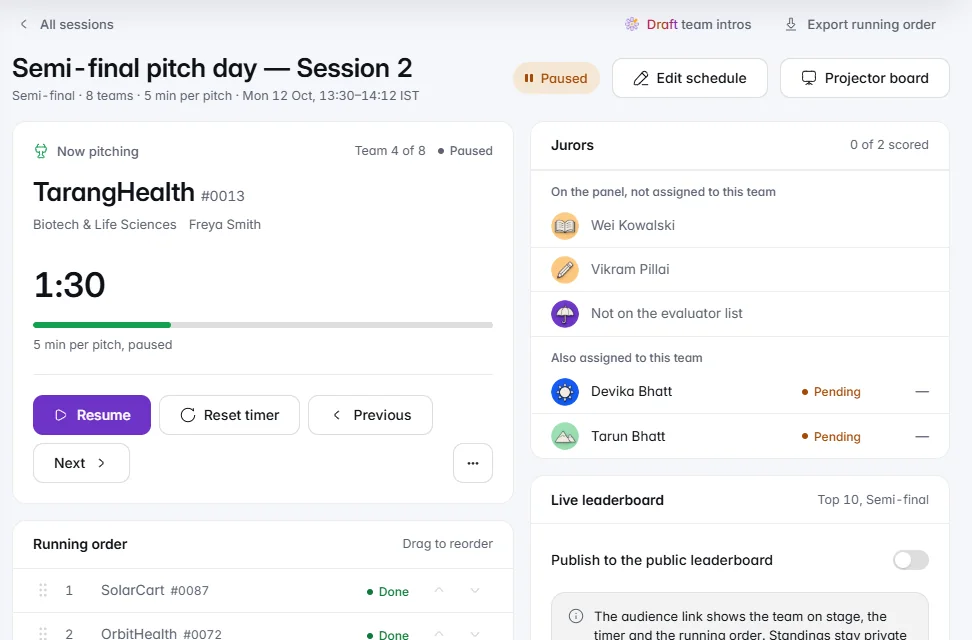
      Search, sort and select the lineup, drag the running order, set time per pitch, Q&A and breaks, choose jurors, and preview the projector before the day.

    • Audience and projector pages made for the room

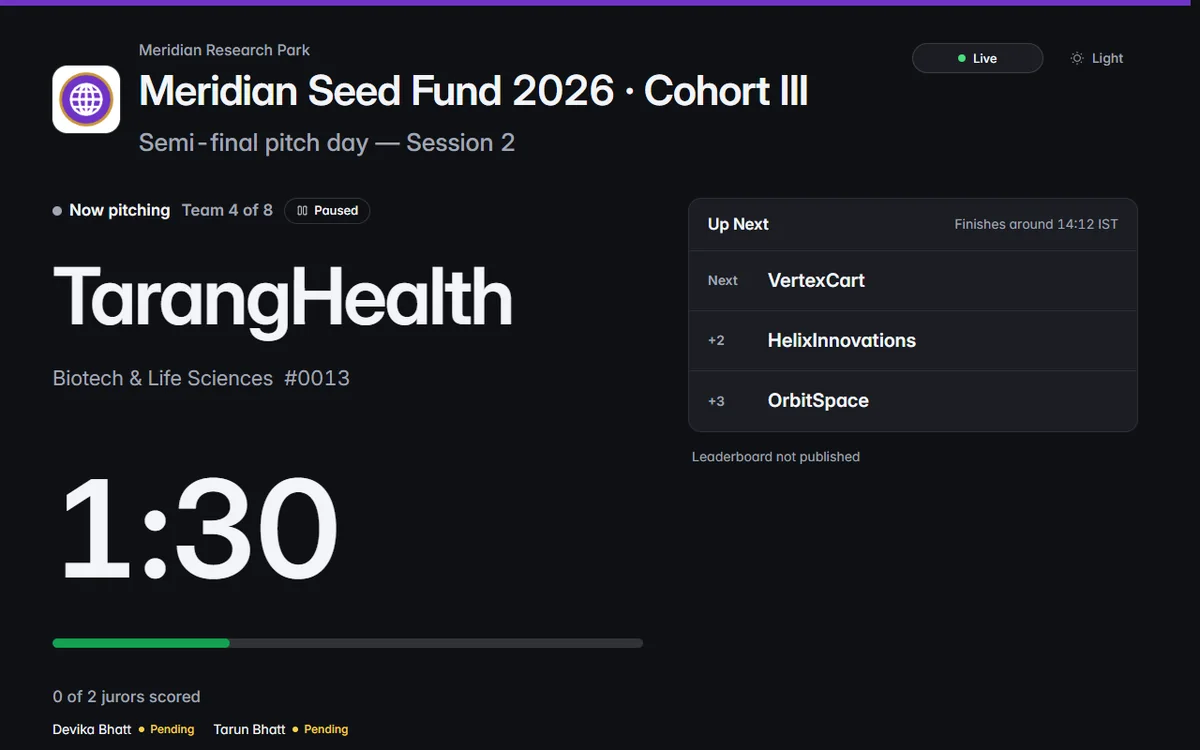
      The programme and pitch day names large at the top, the team on stage as the hero, a timer readable from the back row, and your organisation's branding throughout.

    Applicants

    • A form that saves as you go

      Autosave with a visible Saved, progress by section, a review page before submitting, a countdown in the final 72 hours and a proper closed page that points to the next call.

    • A confirmation worth keeping

      The case number, a PDF copy of the answers and what happens next with dates, by email too. The portal shows the journey from submitted to decision.

    • Share cards and link previews

      Selected teams get a share card in your organisation's branding, and shared links show a proper title and logo on WhatsApp and LinkedIn.

    Communication and reports

    • Letters you can check before they go

      Preview with a real applicant, send a test to yourself, schedule the send, and see what was sent and what bounced. Every applicant has an email log with Resend.

    • A summary before moving teams on

      See who goes through, who doesn't and which letters will follow before you confirm a round transition. Settings sections show who changed them last.

    • Calm overviews for every area

      Reports, Cohorts, Mentors, Portfolio and Committee open on key numbers and a chart or two, with the detail, saved views, export and a print-ready report one click away.

    • Custom fields and honoraria

      Define your own fields for cohort members, evaluators and mentors, map them on import and filter by them. Track evaluator honoraria and produce statements for any period.

    • Search finds more

      Ctrl+K now finds evaluators, cohort members, letters, audit entries and settings, with your recent items first.

  16. v4.76 changes

    IdeaScore AI, Rebuilt as a Product

    IdeaScore AI now comes in three models, runs on credits you can see before every run, learns how your programme reads its rubric, and answers questions across every application with a citation on every claim.
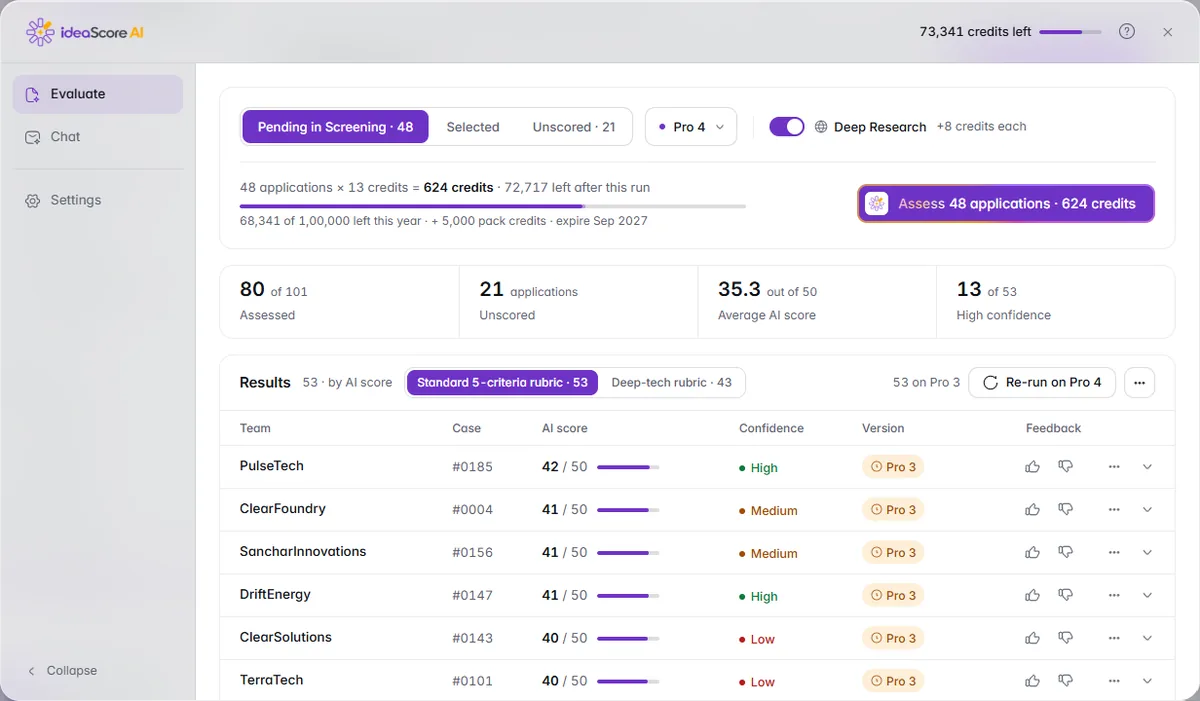
    The IdeaScore AI workspace with 48 applications pending in Screening, results by AI score and the credits left.

    IdeaScore AI

    The IdeaScore AI workspace

    Run, read and compare IdeaScore AI results for a whole round in one place.

    Everything in this release6

    IdeaScore AI

    • Swift 3.5, Pro 3.5 and Deep 4

      Choose the model per programme: Swift for fast screening, Pro for full rubric scoring with evidence, Deep for a second, calibrating pass on the decisions that matter most. Every result shows the model and version that produced it.

    • Credits you can see

      Every run shows its cost before it starts. Plans include a yearly pool of credits, and packs can be requested any time from Get more credits.

    • The IdeaScore AI workspace

      Evaluate, chat and settings in one place: tune the emphasis on each criterion, add examples of strong and weak applications, keep programme memory and reference documents, and choose what IdeaScore AI may use.

    • Chat across every application

      Ask about the whole programme and get answers drawn only from its own applications, with a citation on every claim. Counts are worked out from the form, never estimated.

    • One Details view on the leaderboard

      Score composition, panel agreement, every criterion with the panel range, the evaluators, IdeaScore AI's reasoning and the history, together in one calm modal. Re-run on Deep and compare side by side.

    • Signals for reviewers

      Similar answers between applications and writing that reads as AI-assisted are flagged for the reviewer to look closer. They are never proof and never change the score.

  17. v4.610 changes

    Calmer Everyday Work and Stronger Sign-in

    Hundreds of small things now behave the same way across IdeaScore: clearer messages, safer confirmations, lists that keep your place, and sign-in that protects your organisation.
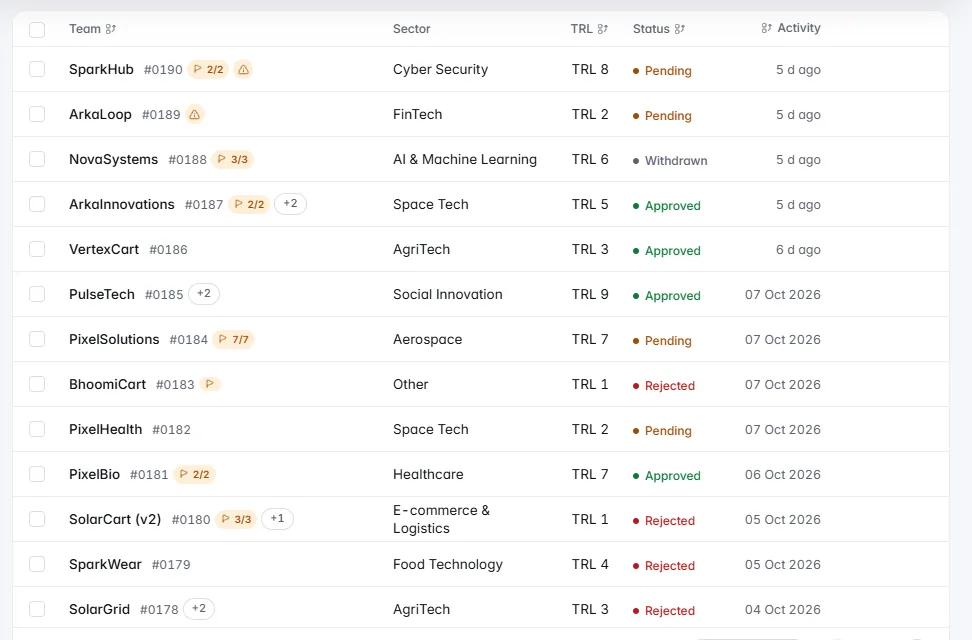
    The submissions list with status tabs, filters and each team's sector, TRL, status and last activity.

    Review and everyday

    Lists that work harder

    Sort, filter and act on many applications at once.

    Everything in this release10

    Review and everyday

    • One way of telling you what happened

      Messages appear in one place, say what happened in plain words and what to do next, and long jobs such as PDFs show "Preparing…" until they are ready. Reversible actions offer Undo instead of asking first.

    • Confirmations that match the stakes

      Actions that email people or change many records say exactly what will happen. Irreversible ones ask you to type the name and suggest a safer alternative, such as archiving instead of deleting.

    • Lists that work harder

      Selecting items docks the actions to the bottom of the list, tags read "Manage tags" once added, tables keep their header and first column in view, remember your columns and density, and export exactly the view you are looking at.

    • Exact results for bulk actions

      Bulk actions and reminders report what happened, for example "Approved 18, skipped 2 (already decided)", with a link to the skipped ones. Reminders never email the same evaluator twice in a day.

    • Teams stay in sync on their own

      Team records update from their submissions automatically, with "Synced 2 min ago" and a Sync now button for peace of mind.

    • Your preferences follow you

      Theme, sidebar and table settings are saved to your account and follow you to every device. Press ? for keyboard shortcuts and / to jump to search.

    Security

    • Two-step sign-in

      Protect your account with an authenticator app and recovery codes. Owners can require it for owners and admins, see who has it on and reset it for a member.

    • Stronger passwords and sign-in history

      New passwords are checked for strength and against known breaches, lock-outs say when to try again, and Settings shows your recent sign-ins and lets you sign out other devices.

    • Stay signed in without losing work

      IdeaScore warns you before your session ends, and if it does end you sign in again right where you were, with anything you typed still there.

    Reports

    • Much faster reports

      The reports overview and committee pack are built in a fraction of the time, and dashboard numbers show when they were last updated.

  18. v4.516 changes

    Interviews, Templates and IdeaScore AI Drafting

    Programmes can now run interviews without leaving IdeaScore, start from a ready-made template, and let IdeaScore AI draft the summaries, rubrics and letters that used to take an evening.
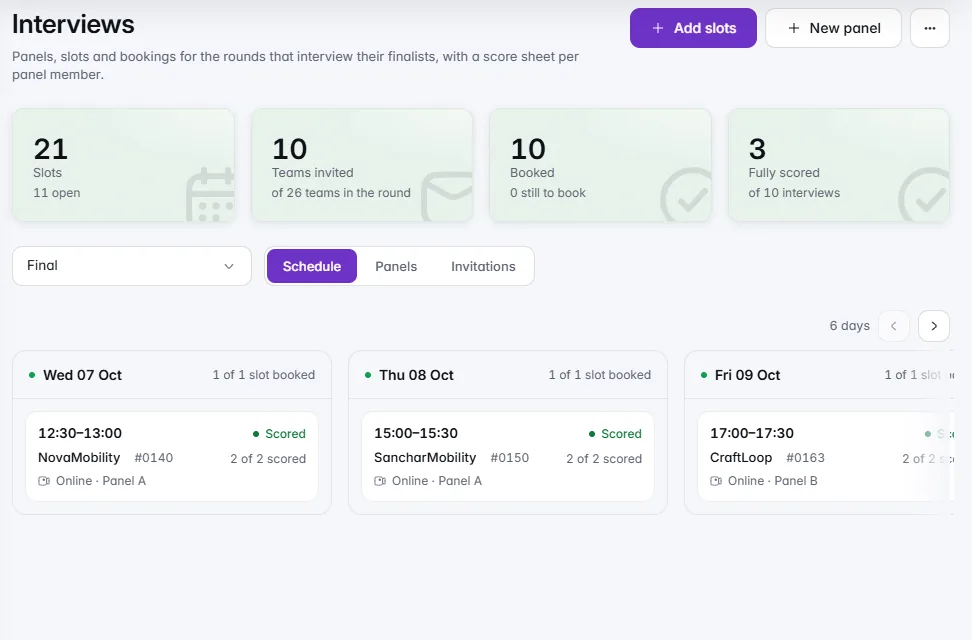
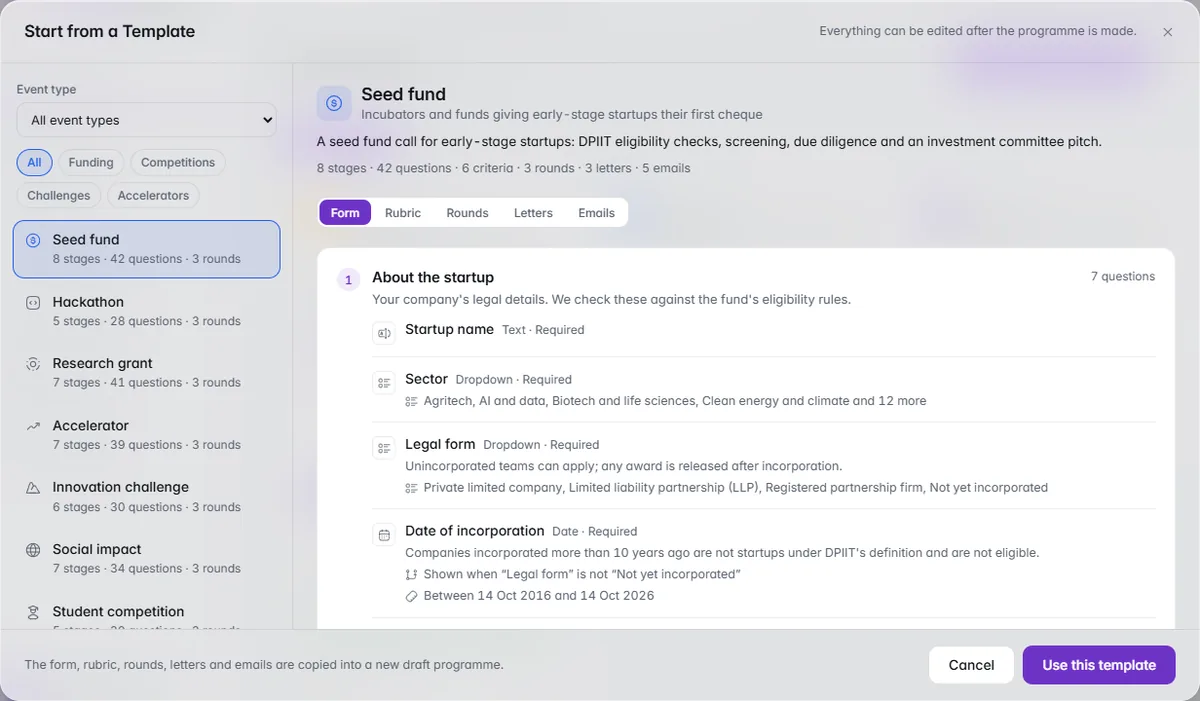
    The Interviews page: 21 slots, 10 teams invited and 10 booked, with the week's booked slots by day.

    Review and everyday

    Interview scheduling

    Slots, panels and bookings for the rounds that interview their finalists.

    1 of 2

    Everything in this release16

    Review and everyday

    • Interview scheduling

      Set up interview panels and time slots, online or in person, and see every booking on a schedule board.

    • Interview score sheets

      Each panel member gets a score sheet per interview and a "My interviews" list of their own.

    Applicant portal

    • Book, reschedule or cancel an interview

      Applicants book an interview slot, reschedule it up to 24 hours before, or cancel it, from the applicant portal, with reminder emails along the way.

    Configure

    • Programme templates

      Start a programme from a template — Seed fund call, Hackathon, Faculty grant or Corporate innovation challenge — complete with its form, rubric, rounds and letter templates; or clone one of your own programmes (settings only, never applications).

    • Bulk import from CSV

      Bring applications in from a CSV, including a Google Forms export: map columns to form fields, run a dry run with per-row errors, then import as pending without sending emails; duplicates are skipped by lead email.

    • Compliance

      Export the audit log as CSV or Excel for a date range, set an audit retention window per organisation (off by default), and handle applicant data-deletion requests under India's DPDP Act 2023 — requested from the applicant portal, then approved (personal details removed, scores kept anonymised) or declined with a reason; the applicant is notified either way.

    IdeaScore AI

    • Ask across a programme

      Ask a question across every submission in a programme or round and get an answer that cites the applications, linked back to the dossier, with history and suggested questions.

    • Draft letter templates

      IdeaScore AI drafts accept, waitlist and decline letter templates with merge fields intact; nothing is ever sent automatically.

    • Reviewer summary

      A one-paragraph, editable reviewer summary appears on the dossier and the evaluate page for every application.

    • Draft a rubric

      Draft a rubric — criteria, weights and descriptors — from the programme description, then edit it before saving.

    • Reviewer-consistency note

      After a round, a consistency note explains where the panel disagreed, which evaluators ran lenient or strict against the panel, and which criteria drove the ranking; the statistics are computed exactly, IdeaScore AI only writes the prose.

    Pitch day

    • Resilient live board

      The live board and the public audience page say "Live" only when their data is fresh, otherwise "Reconnecting…" with standings dimmed rather than stale numbers; the countdown keeps running through a dropped connection, and a pending-scores chip shows any score still waiting to send, with "Retry now".

    Platform

    • Billing add-ons and discounts

      Subscriptions can now carry add-ons (an IdeaScore AI evaluation pack per 1,000, storage per 50 GB, onboarding and migration, an extra sending domain) and discounts (DPIIT-recognised incubator, state mission, NAAC-accredited university or custom); invoices itemise add-ons and apply the discount before GST.

    • Trials with a sample programme

      A new trial can start with a sample programme — about 40 submissions, evaluations, a round, a leaderboard and a cohort — clearly marked as sample data with a banner and one-click removal.

    • Status page

      A public status page shows the current state of the app, API, database, email and IdeaScore AI, with 90-day uptime bars, incidents and an embeddable uptime badge; incidents are managed from the platform console.

    • Demo files

      Seeded demo files — agreements, utilisation certificates, expense sheets and pitch decks — now download properly from the demo.

  19. v4.48 changes

    Committee Mode, Mentoring and Impact Reporting

    The decision meeting moves into IdeaScore, mentors meet the teams who need them, and every cohort can show its funders what it achieved.
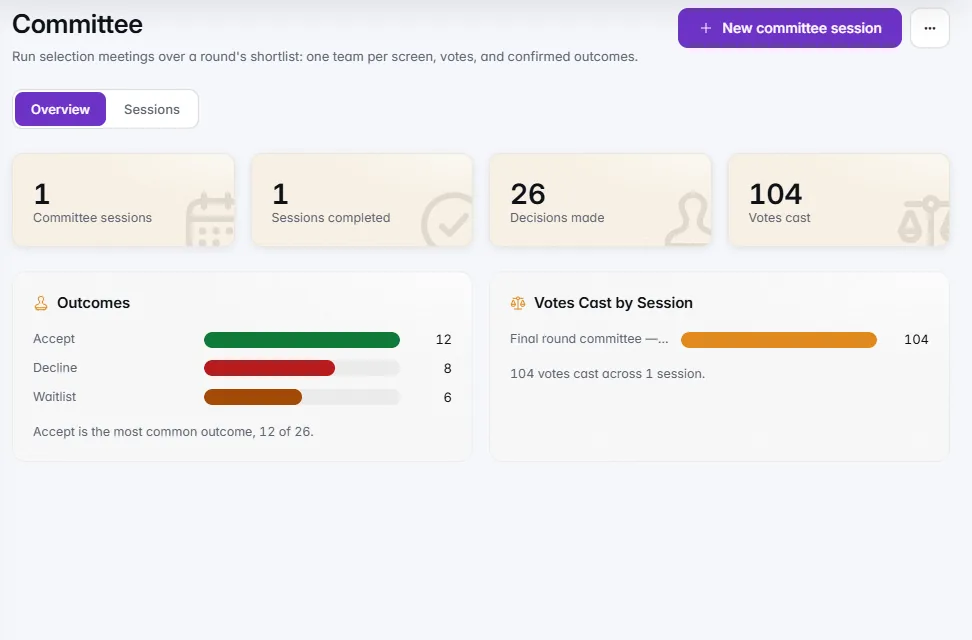
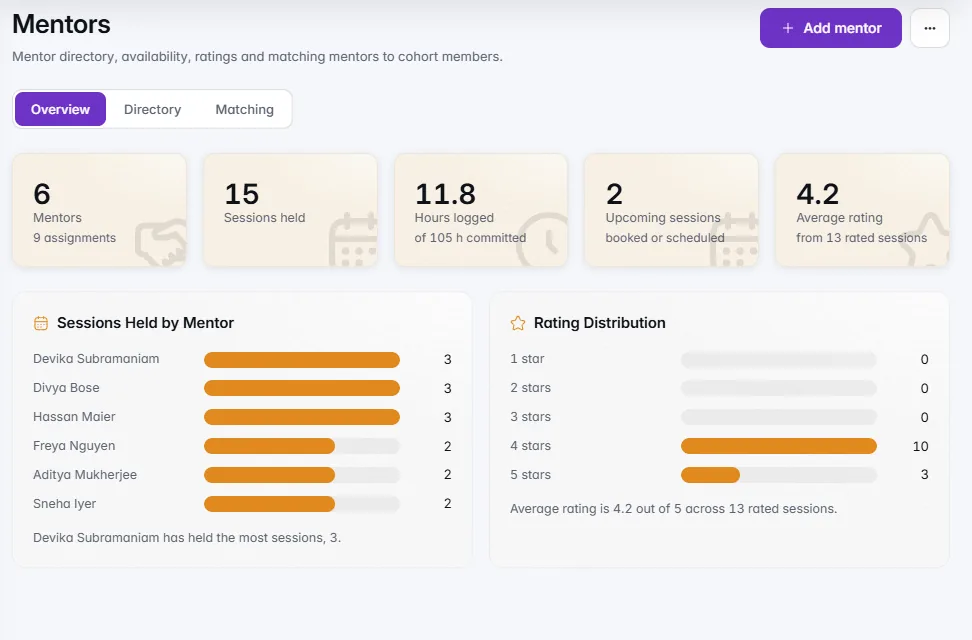
    The Committee overview: sessions, 26 decisions made and 104 votes cast, with outcomes and votes by session.

    Reports

    Committee mode

    Selection meetings with the outcomes and votes they decided.

    1 of 2

    Everything in this release8

    Reports

    • Committee mode

      A live meeting view for the decision committee shows one team per screen with scores and spread, flags, the IdeaScore AI summary and evaluators' comments; members vote accept, waitlist or decline from a laptop or phone; the chair confirms and the decision is recorded; a summary shows outcomes and dissent.

    Portfolio

    • Impact KPIs

      Each cohort collects jobs, revenue, follow-on funding, patents, women-led and SC/ST founder figures every quarter from its members, with totals and gaps at a glance.

    • Funder impact report

      A print-ready report per cohort and quarter is available as a page or a PDF.

    • Mentoring

      A mentor directory with expertise, capacity and ratings; suggestions match mentors to members by expertise and load; availability slots members book themselves; ratings both ways; a monthly digest for mentors.

    • Events

      Demo days, masterclasses, investor connects and office hours with RSVPs and attendance.

    • Instruments

      SAFE, CCD, equity, convertible notes and grants per investee, with caps, discounts and the organisation's stake.

    • Request routing

      Lab access, equipment and IP counsel join the request kinds; each kind goes to a named approver with a service level, and overdue requests are flagged.

    Member portal

    • Member portal

      Members submit quarterly KPIs, RSVP to events, book mentor time and rate their sessions, all from the phone.

  20. v4.320 changes

    Cohorts, the Member Portal and a Sharper IdeaScore AI

    Selection is now only half the story. Cohorts carry every selected team from agreement to alumni, the member portal gives founders one place for everything they owe the programme, and IdeaScore AI explains what would change a score.
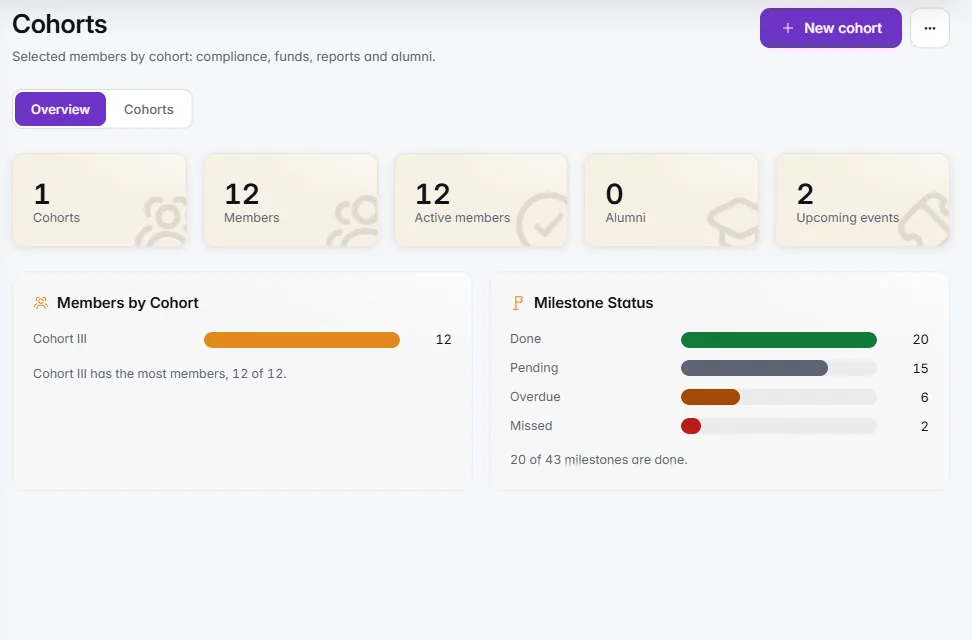
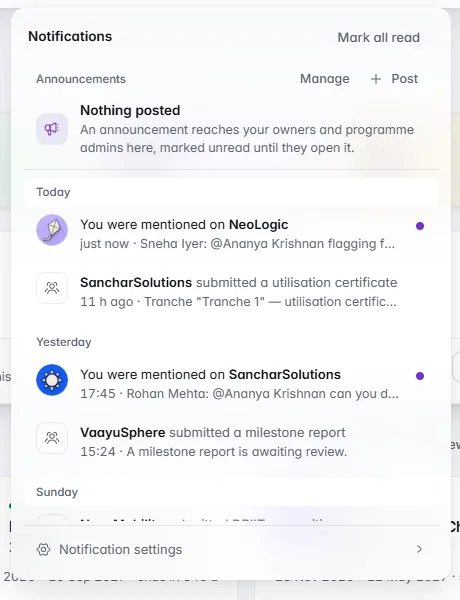
    The Cohorts overview: one cohort with 12 members, members by cohort and milestone status.

    Portfolio

    Cohorts

    Members, milestones and upcoming events for every cohort.

    1 of 2

    Everything in this release20

    Portfolio

    • Cohorts as a first-class home

      Every selected group gets its own page with members, health, disbursed against planned, compliance and reports due.

    • Run a cohort without a call

      Import winners, grantees or incubatees from a spreadsheet and manage them in IdeaScore even when the selection happened elsewhere.

    • Agreements and compliance

      Track each member's agreement with signed and expiry dates, and a checklist of statutory documents with reminders.

    • Utilisation certificates per tranche

      Members upload a UC and an expense sheet after each release; the programme approves or asks again, and a ledger export is ready for funders.

    • Milestone reports

      Members report achievements, blockers and metrics per milestone; accepting a report closes the milestone and keeps cohort health honest.

    • Alumni and outcomes

      Graduate members with a one-line outcome and keep a searchable alumni directory.

    Member portal

    • Member portal

      Selected teams sign in with the same magic link and see their agreement, checklist, tranches, milestones, sessions and documents, with a clear view of what needs them now.

    IdeaScore AI

    • What would change the score

      Three concrete pieces of evidence show the criterion and likely movement.

    • Cohort comparison

      See where an application sits against the round for every criterion, with the median marked.

    • Sources you can weigh

      Every source carries its kind and confidence, and can be filtered.

    • Ask IdeaScore AI

      Ask a question about one application and get a sourced answer, with suggested questions.

    • Run settings that stick

      Depth, Deep Research, explanation length and pre-screen settings are stored per programme.

    Pitch day

    • Live public board and audience link

      The pitch day board and leaderboard are published with the programme name, juror progress and a timer you can pause, reset and resume.

    Review and everyday

    • Notification centre

      Mentions, assignments, replies and member submissions in one place, on desktop and phone.

    • Saved views everywhere

      Save filters on Teams, Assignments and Evaluators as well as Submissions.

    • A faster command palette

      Jump to any page, programme or team by name or case number and run actions from the keyboard.

    • Programme avatars and a calmer header

      Every programme carries its own avatar and the header is cleaner and more focused.

    Configure

    • Applicant preview personas

      Preview now switches between personas such as Student, Faculty and Seed fund to see exactly what each applicant sees.

    Reports

    • One-page programme summary

      A summary for boards and funders is available as a page or a PDF.

    Platform

    • Redesigned console

      Every console page is redesigned: trial requests, plans, billing, announcements, users, settings and emails.

  21. Earlier releases

    v4.2 back to v1.0, June 2025 to September 2026

  22. v4.2

    Sharper IdeaScore AI, Live Pitch Day and the Reach-back

    IdeaScore AI moves to production-grade due diligence, pitch day gets a projector-ready board, and the leaderboard blends rounds with conflicts of interest declared.

    IdeaScore AI

    • Founder and mentor due diligence

      IdeaScore AI now runs deeper proposal analysis with evidence behind every score, for both founders and mentors.

    • Request quotas and logs

      Every IdeaScore AI request is quota-limited and logged, so usage stays visible and predictable.

    Pitch day

    • Projector-ready board

      The pitch day board is built for the room, with a live countdown and session control from one screen.

    Evaluation

    • Blended leaderboard

      The leaderboard blends scores across rounds and surfaces conflict-of-interest declarations alongside them.

    • UI refinements

      Smaller fixes and polish across the evaluator experience.

  23. v4.0

    Portfolio and the Applicant Portal

    Incubatees get ongoing tracking and a portal of their own, alongside scheduled reporting for committees.

    Portfolio

    • Incubatee tracking

      Milestones, documents and fund-disbursement requests move through an approval flow.

    • Mentor assignment and scheduling

      Mentors are assigned to teams and sessions are scheduled from the same place.

    Applicant portal

    • Magic-link sign-in

      Applicants sign in with a magic link, then edit or withdraw their submission.

    Reports

    • Scheduled committee reports

      Committee reports can now run on a schedule instead of being generated on demand.

  24. v3.5

    Multi-round Pipelines and Calibration

    Rounds get their own rubrics and promotion rules, and scoring is calibrated across evaluators.

    Review

    • Per-round rubrics with promotion

      Each round can carry its own rubric, with teams promoted between rounds.

    • Optional blind review

      Reviews can be run blind, with z-score calibration to level differences between evaluators.

    Evaluation

    • Auto-assignment by expertise

      Submissions are assigned to evaluators automatically, matched by expertise.

    Reports

    • Committee reports with funnel and sector mix

      Committee reports now include the round-by-round funnel and the sector mix of applicants.

  25. v3.0

    Multi-tenant Platform and White-label

    iScore becomes a platform: one console, many organisations, each with their own branding and access rules.

    Platform

    • Platform console

      A separate console manages every organisation on the platform, cloud or self-hosted.

    • Role-based access and audit trail

      Access is governed by role, and every administrative action is recorded in an audit trail.

    Configure

    • White-label branding per organisation

      Each organisation can carry its own name, logo and colours throughout the product.

    IdeaScore AI

    • IdeaScore AI preview

      An early preview of IdeaScore AI adds grounded research to support review.

  26. v2.0

    Structured Review and Rubric Scoring

    Registration becomes a proper form builder, submissions get a working table and dossier, and scoring is weighted.

    Configure

    • Multi-stage forms

      Forms support eleven field types, conditional logic, submission windows, drafts and uploads.

    Review

    • Submissions table and dossiers

      Submissions live in a table with a dossier per team, notes and bulk actions.

    • Weighted rubrics

      Rubrics carry weights, and the leaderboard reflects them.

  27. v1.0

    First Live Call

    The first end-to-end run: a research park's seed-fund call, from registration to results.

    Review

    • Registration to leaderboard

      A seed-fund call ran end to end: registration, the evaluator portal, the leaderboard and reports.

Versions

26 releases

  1. October 2026
  2. September 2026
  3. Earlier

Areas

All areas

Follow releases through the blog feed.

See IdeaScore Run a Call with Your Own Rubric

A 30-minute walkthrough with a product specialist, using your programme's form and criteria.

IdeaScore