



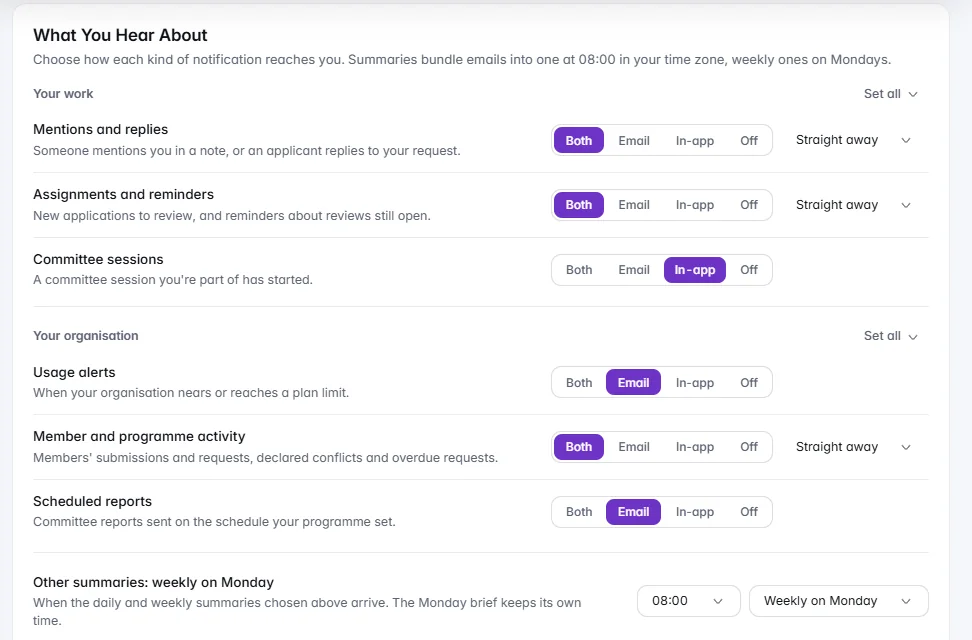
The whole call in one table, saved as views
Every application in one table, filtered by status, tags or any answer on the form. Save the list as a view for you or for everyone.
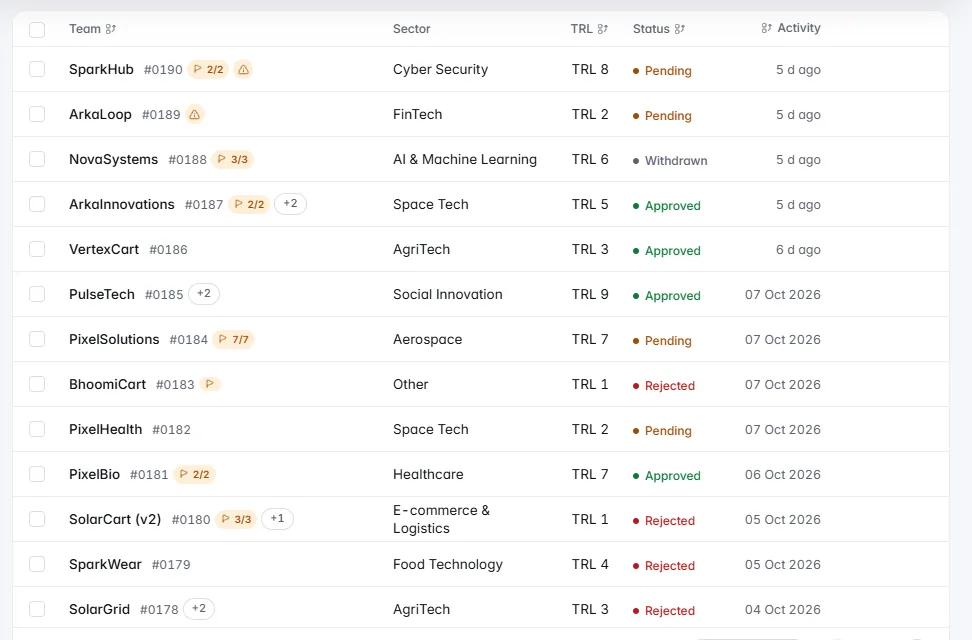
One table for the whole call, filters you can describe in a sentence, originality signals for reviewers, and bulk actions that show exactly who is affected before anything is sent.
One table for the whole call, filters you describe in a sentence, and bulk actions that show who is affected first.
Every application in one table, filtered by status, tags or any answer on the form. Save the list as a view for you or for everyone.Every application with its case number, status and the answers that matter, filtered by status, tags or any question on your form. Filters show as chips you can clear one at a time, the table remembers your columns and density, and a list that looks right becomes a view for you alone or for everyone. Saved views work on Teams, Assignments and Evaluators too.

Type a sentence and IdeaScore AI turns it into the list's own filters, with a live count, before you apply them. It never reads an application.Type a sentence such as pending teams at TRL 5 or above with a granted patent, and IdeaScore AI turns it into the list's own filters, with a live count, before you apply them. Anything it cannot filter on is said plainly. It reads only your words and the list's filter names, never an application or a team's name.
Pairs with similar answers, closest first, with the matching passages side by side. A signal for where to look, never proof, and never a change to a score.As applications arrive, Originality Checks lists pairs with similar answers, closest first, with the matching passages side by side, and writing patterns at medium or high. Possible duplicates and resubmission flags sit beside it. It shows reviewers where to look closer; it is not proof of copying or AI use, and it never changes a score.
Before you confirm, see the teams, the exact email and who is skipped. A batch rejection can be undone in one click for 24 hours.Reject a selection and the dialog lists the teams, shows the exact email each team lead will get, and says how many are skipped because they were already decided or withdrew. Request more information and the email redraws as you type, with the applicant's own name. A batch rejection can be undone in one click for 24 hours; emails already sent cannot be recalled.
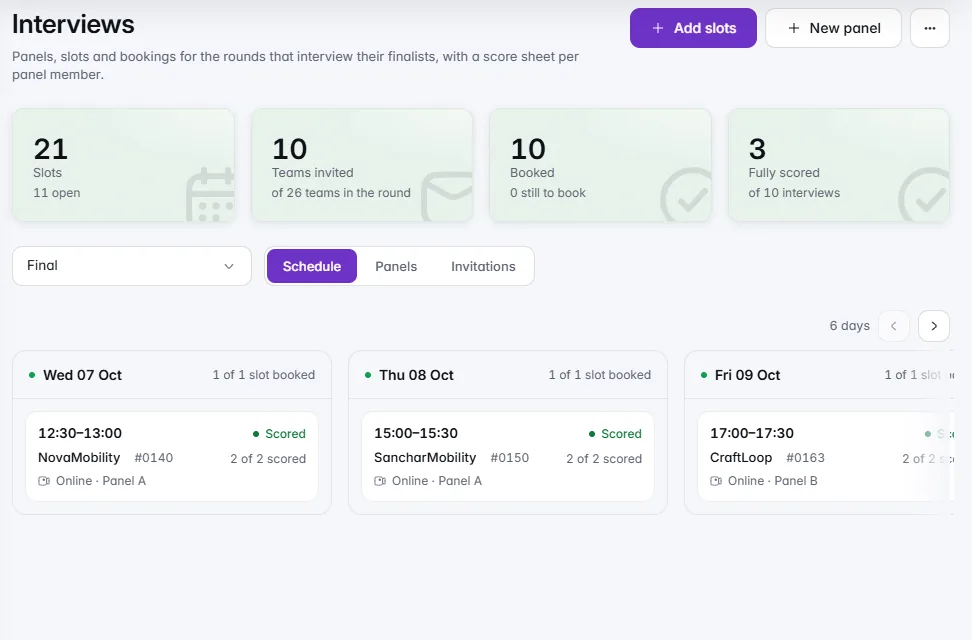
Lay out slots in one sentence, let teams book from their portal, and give each panel member their own score sheet.Lay out a window of online or in-person slots in one sentence, see the day with the new slots beside the old, and invite the round's teams to book from their portal. Each panel member scores on their own sheet, and a chair can read them all. Cancelling a booking reopens the slot and emails the team lead, with the text shown first.
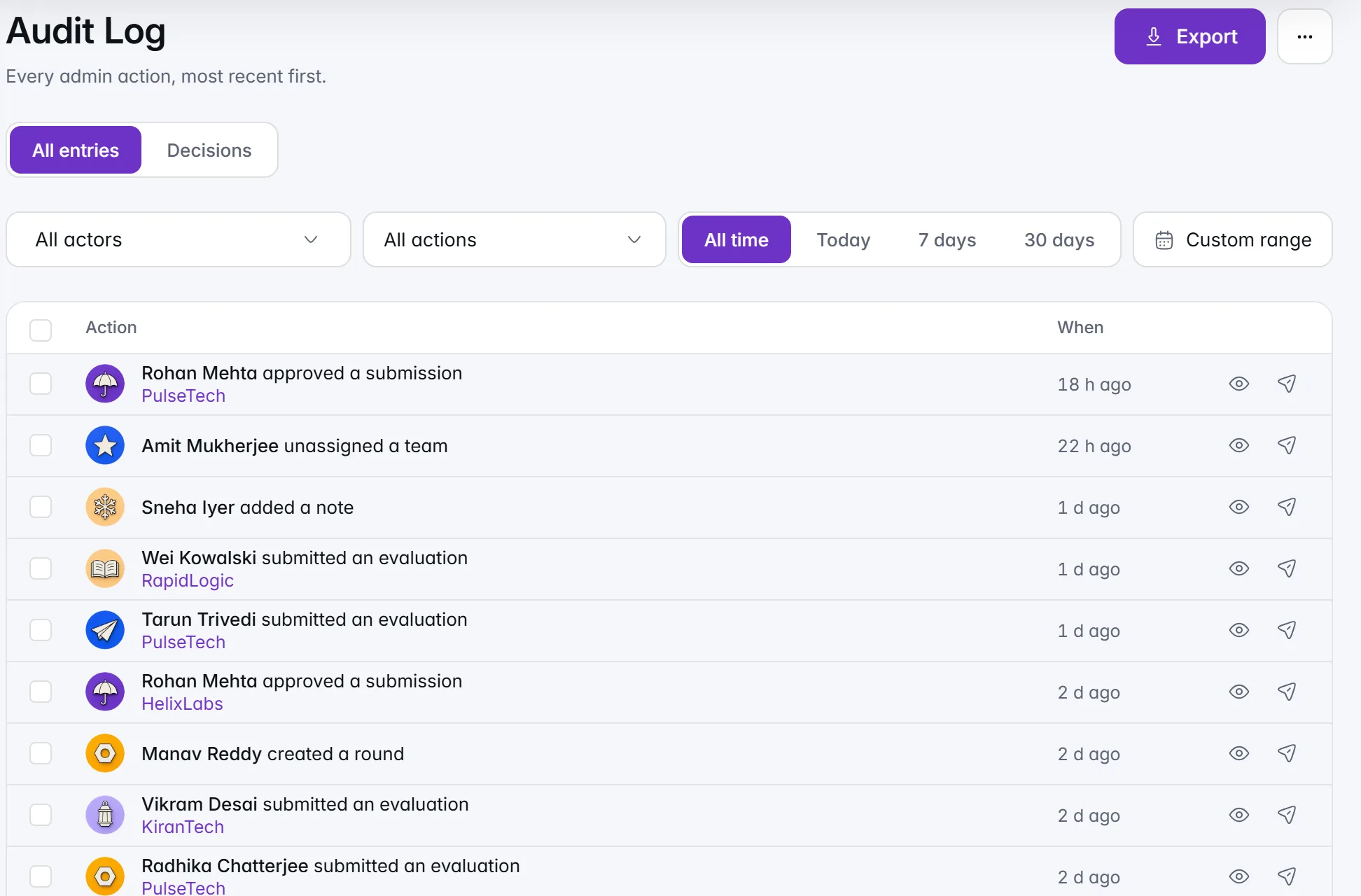
Each admin action as a sentence, filtered by who, what and when. Decisions shows who confirmed each outcome, and when.The audit log reads like a diary: Priya Shah approved a submission, with what it touched named underneath. Filter by who, what and when, open any entry for its full record, and export a range as CSV or Excel. Switch to Decisions for the decision trail: one line per team, with who confirmed the outcome, when, and the score at that moment.
Ctrl K finds teams, people, pages and settings, and / runs actions. Undo and Redo sit in the top bar, and every undo is logged.Press Ctrl K to find any team, person, letter, page or setting, type / for actions, or describe a request and choose the IdeaScore AI helper it offers. A one-minute tour on sample data shows what search can do. Undo and Redo sit in the top bar, with your recent changes kept for 24 hours, and every undo lands in the audit log.
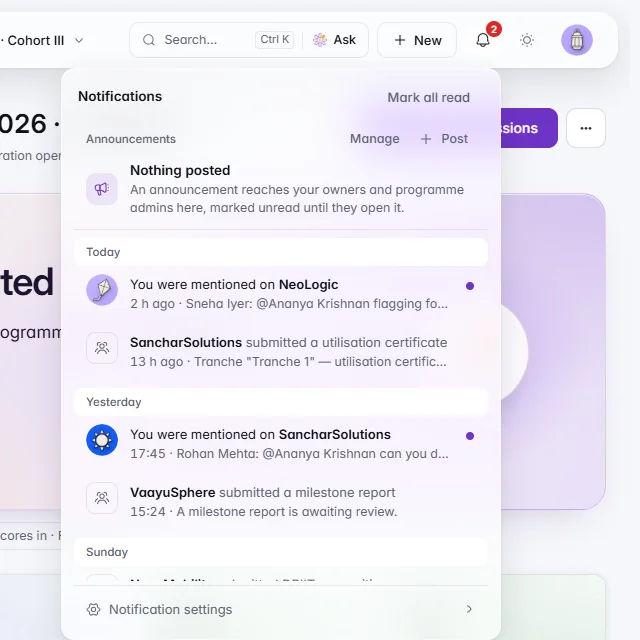
Notifications grouped by day, announcements on their own tab, and email summaries and quiet hours you choose.The bell groups notifications by day, two short lines each, with your organisation's announcements on a tab of their own. Mark one read without leaving the page, or all at once. Choose what reaches you by email, in the app, both or not at all, bundle emails into a daily or weekly summary, and hold them overnight with quiet hours.
Every application in one table, filtered by status, tags or any answer on the form. Save the list as a view for you or for everyone.
Type a sentence and IdeaScore AI turns it into the list's own filters, with a live count, before you apply them. It never reads an application.
Pairs with similar answers, closest first, with the matching passages side by side. A signal for where to look, never proof, and never a change to a score.
Before you confirm, see the teams, the exact email and who is skipped. A batch rejection can be undone in one click for 24 hours.
Lay out slots in one sentence, let teams book from their portal, and give each panel member their own score sheet.
Each admin action as a sentence, filtered by who, what and when. Decisions shows who confirmed each outcome, and when.
Ctrl K finds teams, people, pages and settings, and / runs actions. Undo and Redo sit in the top bar, and every undo is logged.
Notifications grouped by day, announcements on their own tab, and email summaries and quiet hours you choose.
Saved views
Statuses
Possible duplicates
Request more information
Undo and reopen
Tags
Send decision letters
Decision Trail
Recent changes
Interview score sheets
Notification preferences
Deleted items
Saved views
Statuses
Possible duplicates
Request more information
Undo and reopen
Tags
Send decision letters
Decision Trail
Recent changes
Interview score sheets
Notification preferences
Deleted items
A 30-minute walkthrough with a product specialist, using your programme's form and criteria.