


Fair by default, and you can show why
IdeaScore AI's notes stay hidden from evaluators unless you choose otherwise. Normalise evens out harsh and lenient scorers, and shows who moves and why.
Evaluators form their own view before they see anything IdeaScore AI wrote. Judge each round its own way, build a panel in minutes, and know whether scoring will finish in time.
Evaluators form their own view first. Judge each round its own way, build a panel in minutes, and know when scoring will finish.
IdeaScore AI's notes stay hidden from evaluators unless you choose otherwise. Normalise evens out harsh and lenient scorers, and shows who moves and why.Evaluators see the application and their own scoring form. IdeaScore AI's notes stay hidden unless you choose to show them, after each evaluator submits or from the start, and its scores are never shown. On the leaderboard, Normalise evens out harsh and lenient scorers, and the Fair Scoring card shows each team's rank before and after, and how far each evaluator leans.
Rubric scores, ranking, head-to-head, live pitch or public vote, chosen per round. Rubrics carry weights and descriptors so a panel scores alike.Each round chooses how it is judged: rubric scores against weighted criteria, a ranking of each evaluator's entries, head-to-head pairs that IdeaScore balances, live pitch scoring on the day, or a public vote. Rubrics carry a weight for every criterion and descriptors for a low and a high score, so a whole panel reads a seven the same way.

IdeaScore AI proposes evaluators for each team with the reason for every match, after conflicts and full loads are ruled out. Accept, swap or skip, then save.Choose the teams short of evaluators, or the whole round, and IdeaScore AI proposes evaluators for each, with the reason for every match. Open conflicts, full loads and people already on the team are ruled out first, by IdeaScore, before IdeaScore AI sees anyone. Accept, swap or skip each team; nothing is assigned until you save, and one Undo puts it all back.
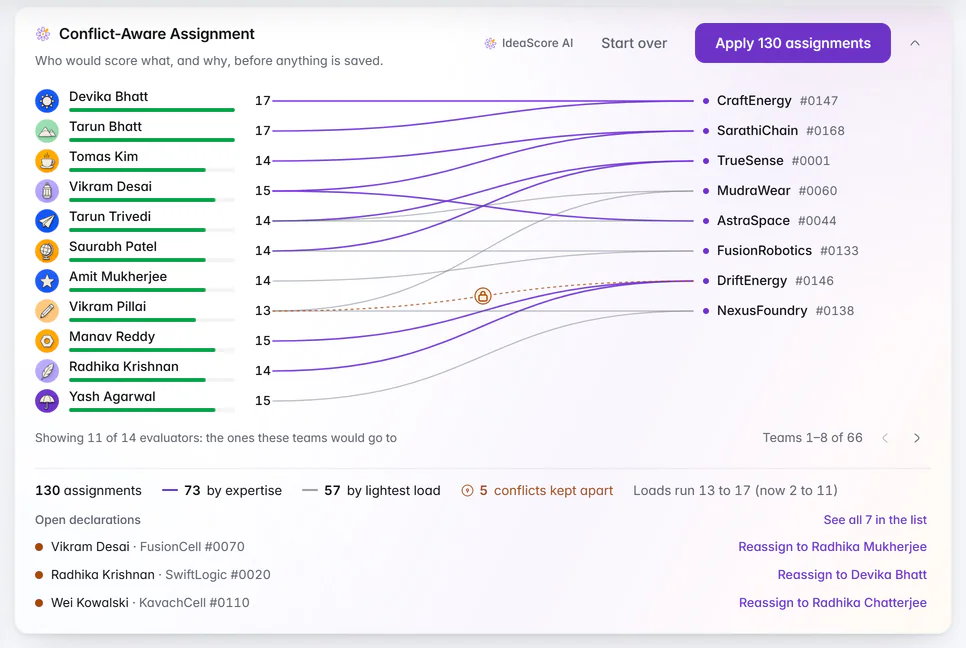
The plan is ready when you open it: who would score what, and why, with every declared conflict kept apart. Check, apply, and undo in one step.Conflict-aware assignment shows its plan as soon as you open it: who would score what, and why, each team joined to its evaluators by expertise or the lightest load, and every declared conflict kept apart. Pick by hand in a list or a grid, auto-assign by expertise, or Balance to move unscored teams from the busiest evaluators to those with room. Check shows exactly what will be saved, and one Undo removes it.
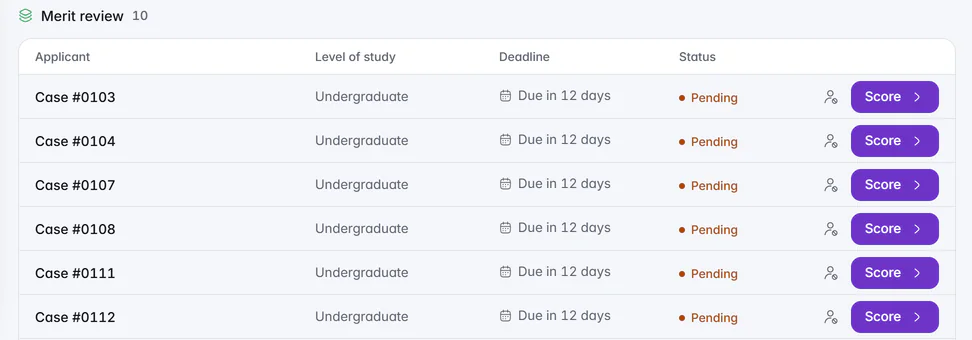
In blind rounds of scholarships, fellowships and awards, reviewers see case numbers, and written answers reach them with names removed.In a blind round of a scholarship, fellowship or award, reviewers see each applicant by case number. Written answers reach them with names removed, and an entry stays blind for every reviewer who judged it blind. IdeaScore AI's notes stay hidden in blind rounds too.
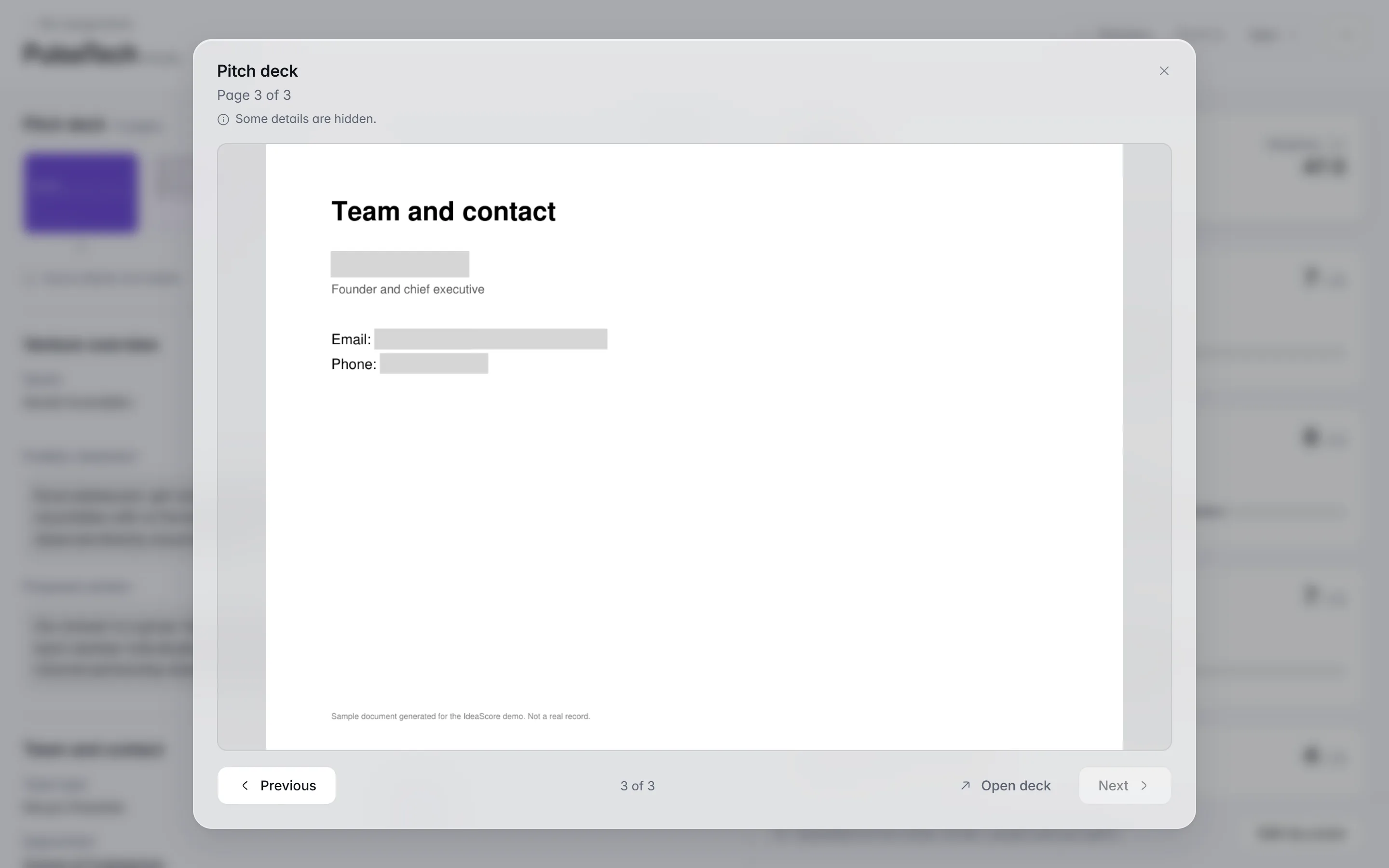
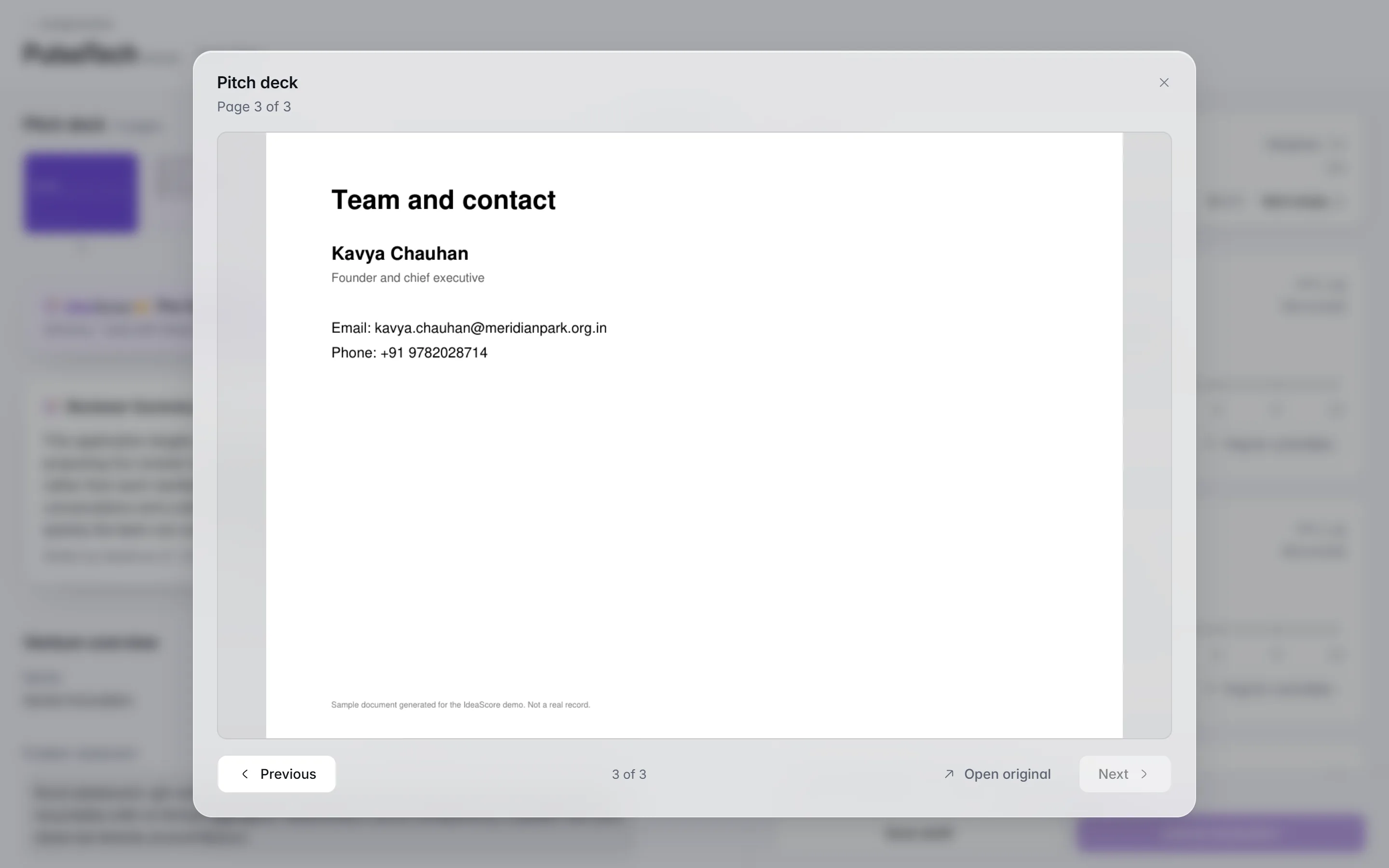
Evaluators open decks with names, contact details and photos taken out of the file. Preview a real slide first; staff and teams keep the original.Switch on deck masking and evaluators open a copy of every deck with the names of the people in your programme, their contact details and every photograph taken out of the file itself, not covered over. Preview a real slide first, for every round or just one. Staff and the team always see the original, a deck masking cannot be sure of waits for your decision, and a page in a script IdeaScore can't check for names is held back from blind reviewers.
Programme settings · Meridian Seed Fund 2026 · Cohort III
Mask decks for evaluators
Off. Evaluators see every deck as uploaded.
On this slide: 4 names, 2 contact details, 1 photo
The original deck is kept. You, your staff and the team always see it as uploaded.
Tidewell#0187
At our Hosur pilot, March 2026
Nandini Joshi
Co-founder and CTO
linkedin.com/in/nandinijoshi
As uploaded
At our Hosur pilot, March 2026
Nandini Joshi
Co-founder and CTO
linkedin.com/in/nandinijoshi
As uploaded
Programme settings · Cohort III
Mask decks for evaluators
Off. Evaluators see every deck as uploaded.
On this slide: 4 names, 2 contact details, 1 photo
The original deck is kept. You, your staff and the team always see it as uploaded.
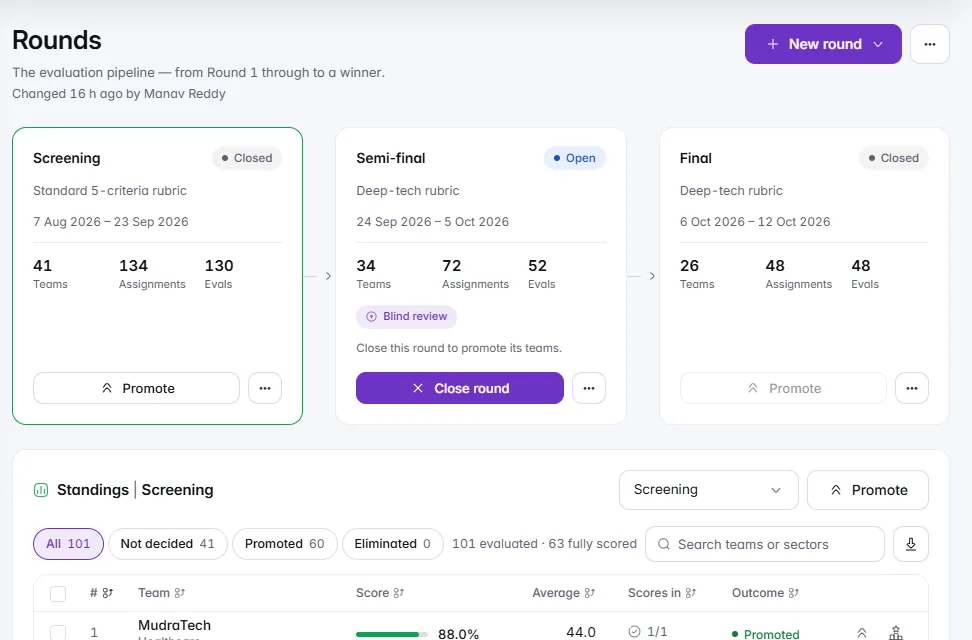
Promote by top N, a cut-off or by hand, with ties at the line pointed out first. Committee mode runs the selection meeting, one team at a time.Each round has its own rubric, evaluators and leaderboard. Close a round and promote the top N, everyone above a cut-off or the teams you tick, with ties at the line pointed out before you confirm. On Decisions, the cut-off line shows who is selected, who is on the waiting list and who falls below. Committee mode runs the selection meeting itself, one team at a time.
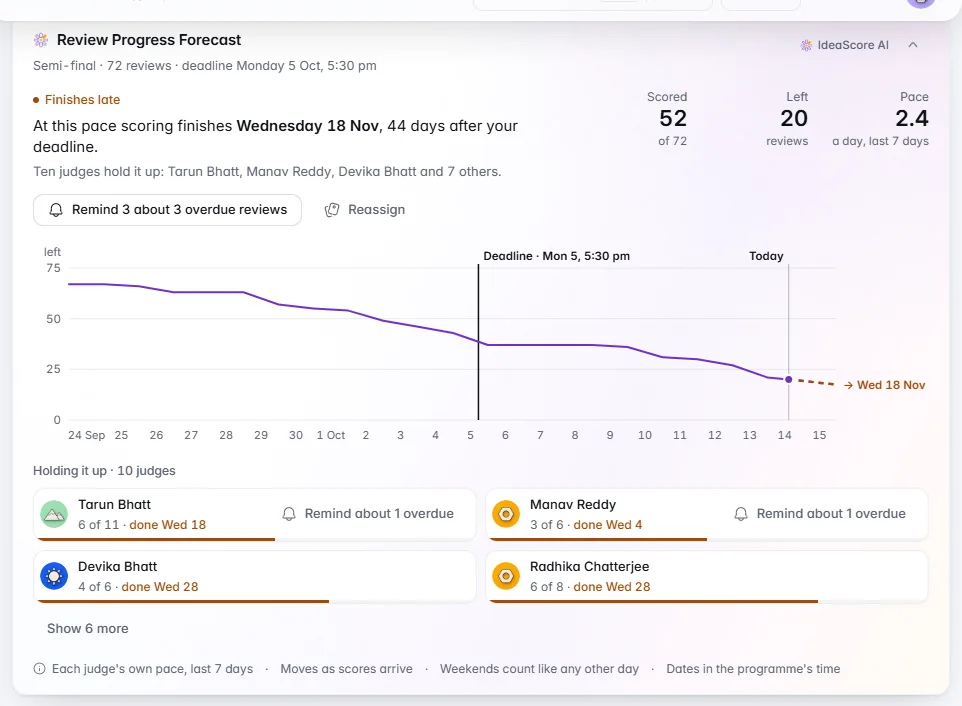
A finish date from each judge's own pace, who is holding it up, and Remind or Reassign on the card. Reminder Effect shows whether reminders work.Review Forecast works from each judge's own pace over the last seven days, not the panel's average, so a judge who is behind shows as the slow tail. It names who is holding scoring up, with Remind and Reassign on the card. Reminder Effect sets reviews scored within 48 hours of a first reminder against those never reminded, and names the best time to send.
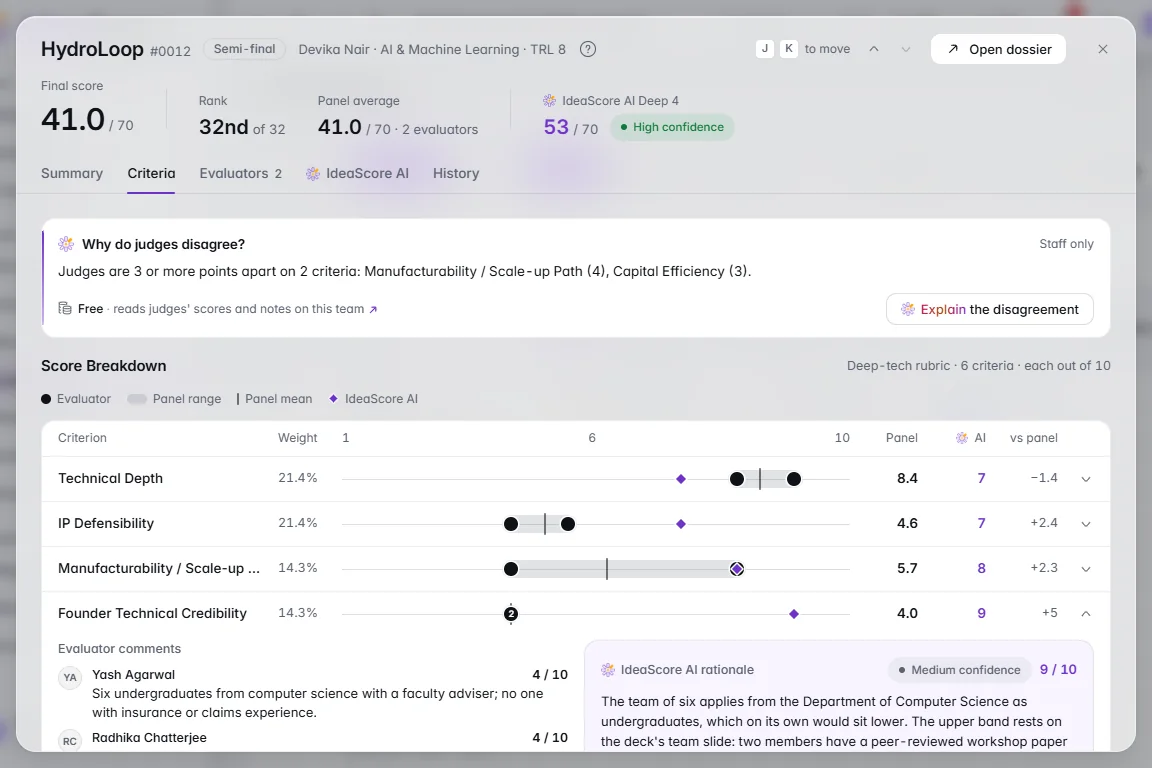
Turn a judge's own notes into kind, specific feedback, and see why two judges disagree, with sources and one neutral question. It never says who is right.Turn my notes into feedback drafts kind, specific feedback for each criterion from a judge's own scores and notes; the judge edits, keeps or skips each paragraph, and scores never change. When judges are 3 or more points apart, Why do judges disagree? reads both sets of notes, cites them, and offers one neutral question for the panel. It never says who is right.
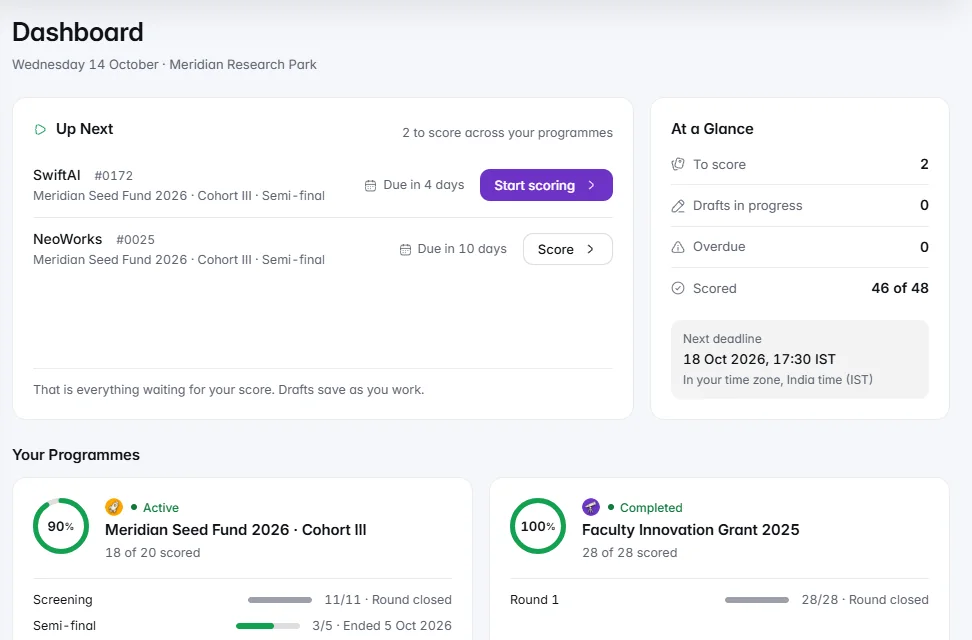
Up Next shows what to score first and the next deadline. Scores are kept safe on a weak connection, and contact details stay hidden by default.Evaluators land on Up Next: the next teams to score across every programme, overdue first, with the next deadline in their own time zone. Scoring has descriptors beside every criterion, drafts that are saved on the device first when the connection is weak, and J and K to move between teams. Team contact details and rankings stay hidden unless you choose otherwise.
IdeaScore AI's notes stay hidden from evaluators unless you choose otherwise. Normalise evens out harsh and lenient scorers, and shows who moves and why.
Rubric scores, ranking, head-to-head, live pitch or public vote, chosen per round. Rubrics carry weights and descriptors so a panel scores alike.
IdeaScore AI proposes evaluators for each team with the reason for every match, after conflicts and full loads are ruled out. Accept, swap or skip, then save.
The plan is ready when you open it: who would score what, and why, with every declared conflict kept apart. Check, apply, and undo in one step.
In blind rounds of scholarships, fellowships and awards, reviewers see case numbers, and written answers reach them with names removed.
Evaluators open decks with names, contact details and photos taken out of the file. Preview a real slide first; staff and teams keep the original.
Promote by top N, a cut-off or by hand, with ties at the line pointed out first. Committee mode runs the selection meeting, one team at a time.
A finish date from each judge's own pace, who is holding it up, and Remind or Reassign on the card. Reminder Effect shows whether reminders work.
Turn a judge's own notes into kind, specific feedback, and see why two judges disagree, with sources and one neutral question. It never says who is right.
Up Next shows what to score first and the next deadline. Scores are kept safe on a weak connection, and contact details stay hidden by default.
Rubrics
Blended leaderboard
Normalise
Compare rounds
Committee mode
Evaluator honoraria
Remind evaluators
Capacity
Blind rounds
Evaluator privacy
Weak connections
Feedback to teams
Earlier decks restored
Leaderboard export
Rubrics
Blended leaderboard
Normalise
Compare rounds
Committee mode
Evaluator honoraria
Remind evaluators
Capacity
Blind rounds
Evaluator privacy
Weak connections
Feedback to teams
Earlier decks restored
Leaderboard export
A 30-minute walkthrough with a product specialist, using your programme's form and criteria.