

Connect the Apps You Already Use
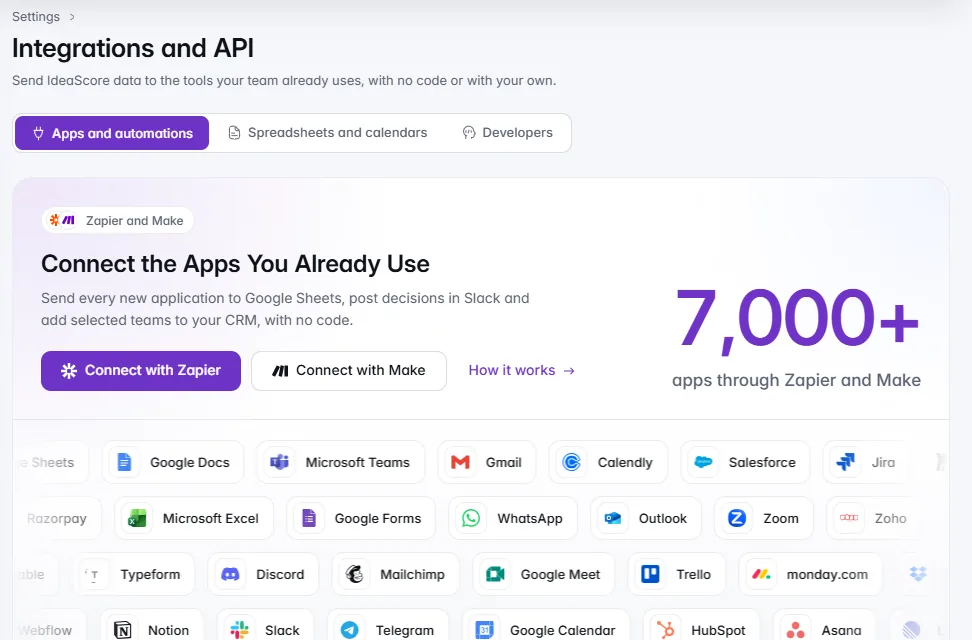
7,000+ apps through Zapier and Make, with no code, and the everyday ones built in.7,000+ apps through Zapier and Make, with no code. Spreadsheets, calendars, Slack and Microsoft Teams connect directly, and developers get webhooks and the IdeaScore API.

- 4
- 5min
- 10
- v1.5
Find the Apps Your Team Uses
A few of the 7,000+. Built in means no Zapier or Make needed.A few of the 7,000+ apps Zapier and Make connect. The ones marked built in also connect directly.
36 apps
Google Sheets
Built in: Live spreadsheet link
Microsoft Excel
Built in: Live spreadsheet link
Airtable
Spreadsheets
Notion
Docs
Google Docs
Docs
Google Forms
Forms
Typeform
Forms
Slack
Built in: Channel updates
Microsoft Teams
Built in: Channel updates
WhatsApp
Chat
Discord
Chat
Telegram
Chat
Gmail
Email
Outlook
Built in: Calendar subscription
Mailchimp
Email
Google Calendar
Built in: Calendar subscription
Calendly
Calendar
Zoom
Calendar
Google Meet
Calendar
HubSpot
CRM
Salesforce
CRM
Zoho
CRM
Trello
Projects
Asana
Projects
Jira
Projects
ClickUp
Projects
monday.com
Projects
Linear
Projects
Miro
Projects
Google Drive
Files
Dropbox
Files
OneDrive
Files
Stripe
Payments
Razorpay
Payments
GitHub
Developer
Webflow
Developer









All product names, logos and brands are the property of their respective owners. They are shown only to indicate that IdeaScore can connect to these apps through Zapier and Make, or directly where marked. Their use does not imply endorsement by, or partnership with, any of these companies.
How IdeaScore Connects
Pick a goal, paste an address, and a sample is on its way
Choose a goal, pick Zapier or Make and paste the address from your tool. IdeaScore sends a sample at once. About five minutes.Choose what you want to automate, pick Zapier or Make, and paste the address your tool gives you. IdeaScore creates the webhook and sends a sample at once, marked as a test and never with an applicant's details, so your Zap or scenario has real fields to map. It takes about five minutes.
Real events start every automation
A new application, a decision, a round closing or results published starts it. Your tool does the next thing.An automation starts when a new application arrives, an application is approved, rejected or withdrawn, a round closes or results are published. Your tool does the next thing: a row in a spreadsheet, a post in a channel, a contact in your CRM, an email or a task.
When this happens in IdeaScore
Your tool does this
Post it in #selection-committee
Tell the programme team in Teams

Spreadsheets, calendars and channels, built in
Live links for Google Sheets and Excel, calendar subscriptions for Google, Outlook and Apple, and Slack or Teams updates.A live link gives Google Sheets or Excel a programme's submissions or scores, refreshed by the sheet itself, with no sign-in and no account linked. Calendar subscriptions put interviews, pitch days, sessions and review deadlines in Google Calendar, Outlook or Apple Calendar. Slack and Microsoft Teams channels get the updates you tick.
Live spreadsheet links
Calendar subscriptions
Slack and Microsoft Teams
Sign-in for your team
One page for every connection
One Integrations and API page in Settings, with three paths. Each person sees what their role needs.Settings has a single Integrations and API page with three paths: Apps and automations, Spreadsheets and calendars, and Developers. Owners see everything, programme admins see spreadsheets and calendars, and evaluators see just their own calendar. The summary card shows each connected app's status before you open it.
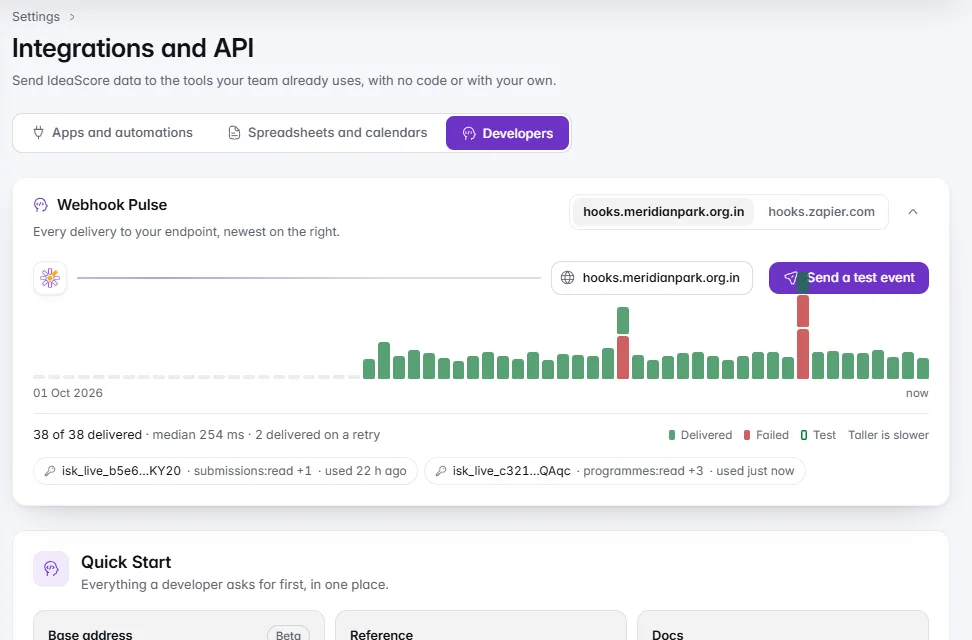
Webhooks you can watch
Signed events to your own system. Webhook Pulse shows the last 60 deliveries; send a test event and see the answer.A webhook sends a signed event to your own system the moment something happens. Webhook Pulse draws the last 60 deliveries as bars, taller for slower, red for failed and hollow for tests. Send a test event and the answer, such as 200 in 143 ms, lands right there.
The IdeaScore API v1.5, in public beta
Stable /api/v1 paths, test keys on sample data, and public developer docs with the version history.Connect a CRM, a data warehouse or your own scripts. Paths under /api/v1 stay stable, new minor numbers only add things, and a breaking change is announced ahead in the version history. Test keys reach only your sample data and never send webhooks. The developer docs are public.
What Comes with Each Plan
The everyday connections work on every plan. Automations and the developer tools come with Professional, Enterprise and Campus.
On every plan
- Live spreadsheet links for Google Sheets and Excel
- Calendar subscriptions for Google, Outlook and Apple
- Slack and Microsoft Teams updates
On Professional, Enterprise and Campus
- Zapier and Make, with the guided set-up
- Webhooks, with Webhook Pulse and test events
- The IdeaScore API v1.5, public beta
Questions About Integrations
Put IdeaScore in the Tools Your Team Uses
Start a 7-day trial on Professional features, or see the integrations with a product specialist.