Personal data comes in with every application. This guide sets what is treated as personal, how long applications are kept, and how requests from applicants are answered. It is for owners, and takes about ten minutes.
Related: the Trust Centre, Security and the DPDP Act for programme offices.
Before You Start
- Your retention policy: how long applications are kept after a programme ends, and whether they are then anonymised or deleted.
- Who answers data requests, and a deputy. Each one has a 30-day clock.
- Any legal hold your institution needs, such as an audit or a dispute.
- Your legal team's questions, if they have a questionnaire for you.
Step 1: Mark Personal and Sensitive Questions
In the form builder, open each question that identifies someone.
- Personal (cleared on deletion): written answers, links and files are always cleared on deletion. Switch it on for a list, number or date answer that identifies someone, such as an ID number.
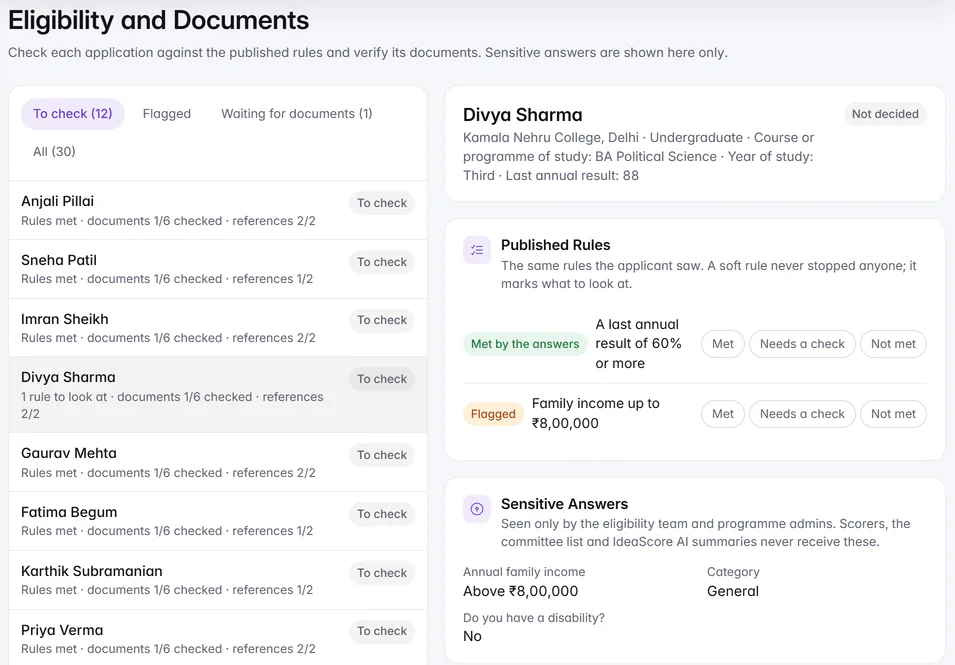
- Sensitive (eligibility team only): for answers such as income, category or disability. Scorers, exports and IdeaScore AI never receive them; only the people checking eligibility do.
Step 2: Set How Long Applications Are Kept
Open Data requests and the Retention tab.
- Set Your Default: from 6 months to 7 years after a programme ends, then Anonymise or Delete. Anonymise keeps team names, scores and decisions so your reports still add up.
- Give a programme Its own period, or Keep it indefinitely, where it needs one.
- Put a programme on Legal hold, with a reason, to stop anything in it being anonymised or deleted.
- Under Automatic Runs, Check every night starts as Only count (dry run). Let it count for a while before you let it act.
Running programmes, and programmes with no end date, are never touched.
Step 3: Answer Data Requests
Applicants ask for a copy of their data, or for its deletion, from the applicant portal. Each request arrives on Data requests with an Answer by date 30 days out, as the Digital Personal Data Protection Act 2023 expects.
- Send copy: their account, applications, answers, decisions, emails and files. Evaluators' scores and your internal notes are not included. Check the copy first lets you look before it goes.
- Anonymise: lists what is removed and what is kept, programme by programme. It happens at once and cannot be undone.
- Hold or Decline: each with a reason the applicant is emailed.
Step 4: Know Where Deleted Items Go
A deleted programme, person, submission or file waits in Deleted items for 30 days, with everything that went with it. Owners choose Restore to bring it back as it was.
An applicant's own deletion request does not wait: anything of theirs in Deleted items is removed at once.
Step 5: Read the Audit Log
Audit log lists every admin action as a sentence, such as "Priya Shah approved a submission", newest first. Filter by who, what and when, and Export as CSV or Excel. When IdeaScore support views your account to help, the session is read-only, limited to 60 minutes and recorded here.
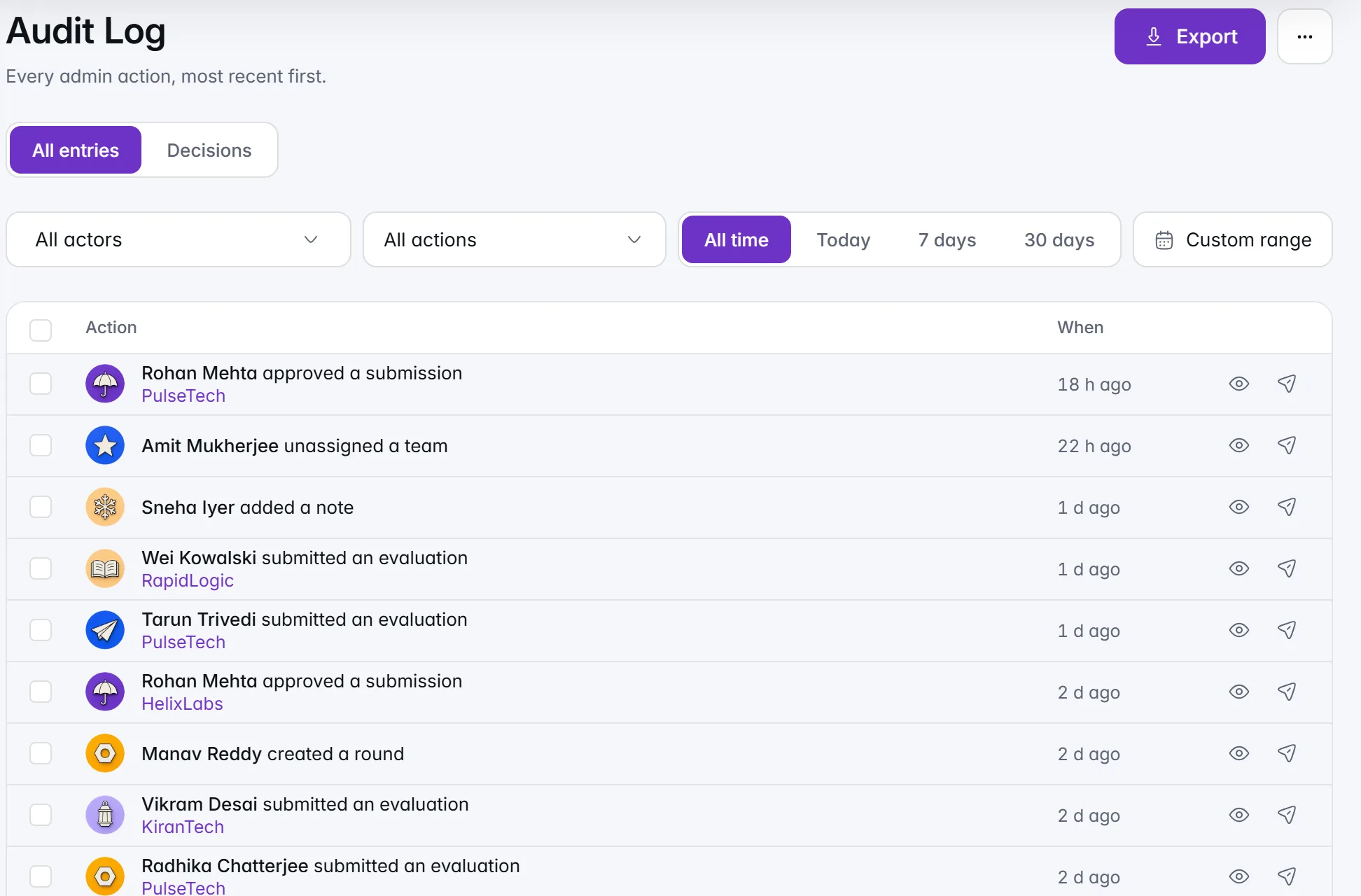
Entries are kept until you choose to delete old ones after 12, 24 or 36 months, in Settings › Data Retention.
Step 6: Copy the Answers for Your Legal Team
Open Settings › Security. The Data and Privacy card answers five questions from your own settings: how long you keep applications, when the next clean-up runs, what is on legal hold, whether requests are answered on time, and where data is stored. Copy for your legal team puts the answers on your clipboard as plain text.
For where data lives: Customer data is stored in Mumbai, India (database) and the Asia-Pacific region (files), and processed in Singapore (application) and Tokyo (email). The Trust Centre has the full list. Whether your set-up meets the law is for your legal team to judge.
Checklist for a Privacy Review
- Identifying questions marked personal, sensitive questions marked sensitive
- Default retention set, exceptions given their own period
- Legal holds in place where needed, with reasons
- Nightly check counting before it acts
- A named person and deputy for data requests
- Audit log retention decided
- The Data and Privacy card copied to your legal team